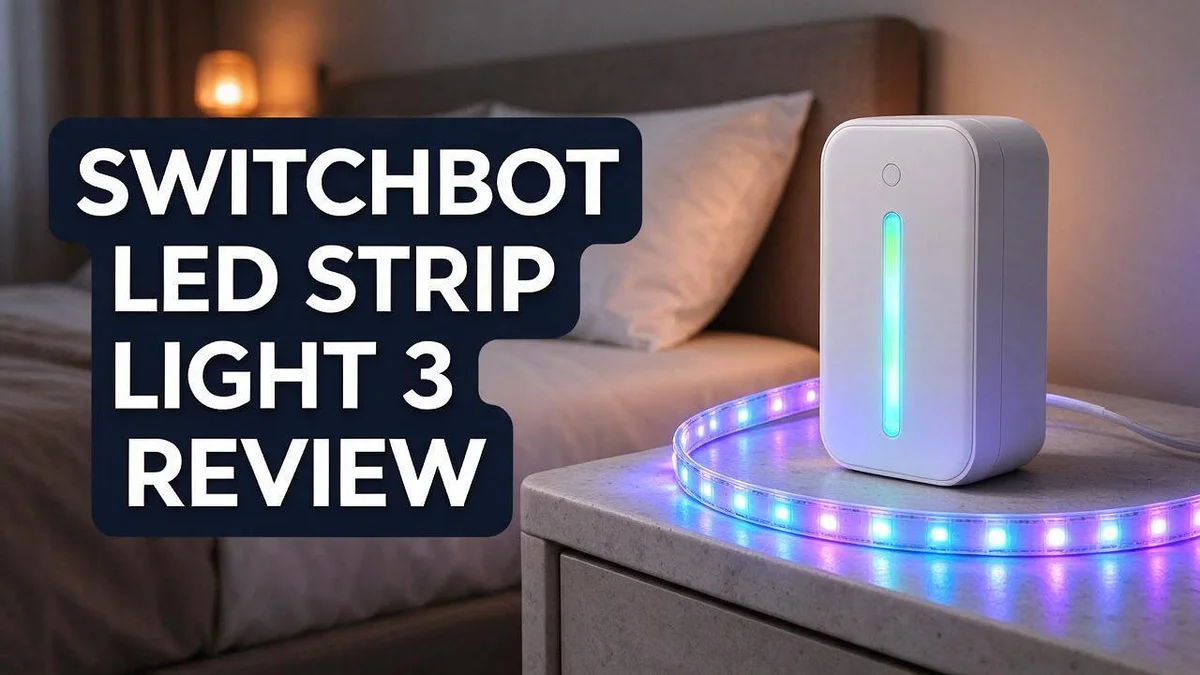
SwitchBot LED Strip Light 3 Review: Is It Worth Trying?
Want a lighting upgrade that feels fresh? The SwitchBot LED Strip Light 3 could become your new favorite gadget. It brings bright color and soft glow to any room.
Here is why it stands out. The strip shines up to 1200 lm. It offers 16 million colors. You can also adjust warmth from 2700K to 6500K.
Setup feels easy too. The 5 m strip cuts every 8 cm, so you can fit it behind a TV or under cabinets. The strong 3M adhesive keeps it in place.
Control is flexible. Use the remote, the app, or your voice. It works with Apple Home, Alexa, Google Home, Samsung SmartThings, and Home Assistant.
Let’s look at the details and see if this light fits your space.
In a Nutshell
- Who it suits: Anyone who wants flexible mood lighting for a bedroom, TV corner, or kitchen. The strong 3M adhesive helps it stay put on most smooth surfaces.
- Color range: You get 16 million RGB shades plus adjustable white tones from 2700K to 6500K. You can pick a cozy glow or a crisp daylight look.
- Smart home ready: The strip works with Apple Home, Alexa, Google Home, Samsung SmartThings, and Home Assistant. Its Matter support helps it play nicely across different platforms.
- Cut to fit: You can trim the 5 m strip every 8 cm, so it matches your exact space. Shorter runs for shelves or longer runs for behind a desk both work well.
- Scene modes: Preset options like movie night make switching moods quick and simple. You never need to fuss with color wheels.
- Easy reset: Hold the power and music buttons on the controller for 8 seconds when you need a fresh start, without touching the strip itself.
Overall, this light suits people who want smart, colorful lighting without a complicated setup. Keep reading to see how it performs in everyday use.
Key Features

- Matter Certified Work With Alexa — Certified with Matter over Wi-Fi, SwitchBot RGBICWW LED Strip Light...
- RGBICWW Lighting Effects: Powered by RGB + IC independent chips, SwitchBot Strip Light can display...
Last update on 2026-11-10 / Affiliate links / Images from Amazon Product Advertising API
Dimming feels smooth from start to finish. You can lower the brightness from 1 percent all the way up to 100 percent. A soft glow works well for late reading, while full brightness helps during cleaning or cooking.
Matter support sets this model apart. The strip uses the Matter standard. This means it can work with many smart home systems that also support Matter. Brands mix more easily, so your setup stays flexible as your home grows.
Adhesive holds firmly on most surfaces. The strip uses heavy duty 3M adhesive. You can stick it under shelves, along cabinet edges, or behind a TV. It stays in place without sliding down over time.
Power comes from a standard outlet. This light runs on AC power, so you never need to swap batteries. Steady power keeps the glow consistent during long evenings and busy weekends.
The included remote suits every household member. Not everyone wants to open an app. A remote lets guests or family members change colors with a quick press of a button.
Voice and app controls add extra convenience. You can say a command when your hands are full. The app gives you a simple screen for fine tuning each color and brightness level.
Who benefits most from these features? Smart home fans will enjoy the Matter support and voice options most. Renters may also appreciate the adhesive design, since it avoids drilling into walls. Both groups get a light that adapts to their daily routines.
Design and Installation
The strip has a slim, flat design. It sits close to walls, shelves, and cabinets. Once it glows, most guests barely notice the hardware behind it.
Before you install it, plan your layout. Measure the area and decide where the light should run. A quick sketch helps you avoid mistakes.
Clean the surface first. Dust and oil can weaken any bond. Wipe the area with rubbing alcohol and let it dry completely. This simple step helps the strip stay put for longer.
Think about the cable route too. Keep the controller and power connection within easy reach. Hide extra cord behind furniture or along a baseboard for a neat look.
Press the strip down slowly. Start at one end and work along the line. Peel back only a small section at a time. This keeps the strip straight and prevents wrinkles.
Corners need extra care. Use gentle curves rather than sharp folds. A tight bend can strain the internal wiring, so take your time.
Test the lights before you finish. Power on the strip and check each section. If one part looks dim, recheck the connection points.
Placement changes the mood. Under a cabinet, the glow adds warmth to a kitchen counter. Behind a TV, the soft light can feel easier on the eyes. Along a bed frame, it creates a calm evening feel.
Keep the strip away from direct heat sources. Strong sunlight can also fade the adhesive over time. A shaded spot often works best.
Mount the controller in a handy spot. Choose a place that everyone in the home can reach. A wall near the entrance or the couch works well. This makes quick changes feel natural every day.
Give the installation a final check after one day. Press along the edges to confirm the strip still holds firmly. Tighten any loose cable clips so the setup looks clean and stays secure.
Brightness and Color Performance
Light output matters more than most people think. The strip reaches up to 1200 lm, which is bright enough for a task area like a kitchen counter or desk.
Lumens measure how much light the strip gives off. Higher numbers help you see details while chopping vegetables or reading a recipe.
Color temperature gives you two lights in one. Adjust the strip between 2700K and 6500K to move from cozy to crisp.
Warm white near 2700K feels soft after dinner. It creates a relaxed mood in living rooms and bedrooms.
Cool white near 6500K feels bright and clear. It suits home offices, workbenches, and morning routines.
Full RGB color opens up creative options. With 16 million shades, you can match paint, decor, or a favorite sports team.
Many people use color to set a theme for a party or holiday. Pick a shade that matches the mood you want.
Bright colors can look weaker than white light. Deep shades often look dimmer than white light, so test them at night.
Watch out for glare. Keep the strip out of your direct eye line so the light spreads softly across the surface.
Wall color changes the result too. Light walls reflect more light, so the glow looks wider and softer.
Dark walls absorb more light. Accent colors on dark surfaces often look richer and more dramatic.
Check your colors at different times of day. Daylight can wash out subtle shades, so view them in the evening too.
Small changes make a big difference. Adjust brightness and color in short steps until the room feels right.
Lighting experts often suggest layering light sources. Pair the strip with a lamp or ceiling light for balanced brightness. Balanced light reduces eye strain. It also makes colors look more natural.
With the right settings, this strip covers both work lighting and relaxed evenings.
Top 3 Alternatives
Govee RGBIC Strip Lights

- Smart RGBIC Effects: RGBIC LED strip lights for bedroom display multiple colors on one line at a time...
- Smart APP Control: You can unlock various features to personalize smart LED strip lighting via Govee Home...
Last update on 2026-11-10 / Affiliate links / Images from Amazon Product Advertising API
Govee RGBIC strips give you bright, colorful lighting for any room. Each section can show a different color at the same time.
This creates a fun, dynamic look behind a TV or along a desk. The app offers many scenes and music sync options. Many buyers like the wide color range.
Setup takes only a few minutes. The strip also cuts to length, so it fits small or large spaces.
Philips Hue Lightstrip Plus

- WHAT’S IN THE BOX - Includes one 6-feet, color-changing single-color effect light strip plus base kit...
- UNLOCK THE FULL POWER OF HUE - Add a Hue Bridge to enjoy automations, control from anywhere in the world...
Last update on 2026-11-10 / Affiliate links / Images from Amazon Product Advertising API
Philips Hue delivers excellent color accuracy and smooth dimming. The strip works with the Hue Bridge, so it connects to voice assistants and automation routines.
Many people already own Hue bulbs, so this strip fits right in. Setup happens through a simple app that guides each step. The light output feels warm and even.
Adhesive backing makes mounting simple. It is a strong pick for people who want a premium ecosystem.
Lepro LED Strip Lights

- 【Lepro LightGPM 4 - Personalized AI Lighting Designer】 - No more generic lighting! Just tell LightGPM...
- 【Upgraded Voice Control-Easy to Use】 - No manual setup or preset scrolling, just tell the Lepro app...
Last update on 2026-11-10 / Affiliate links / Images from Amazon Product Advertising API
Lepro LED strips focus on everyday value and easy use. They offer bright color options and a remote for quick changes.
No hub is needed, so setup stays simple. The strips cut easily at marked points, which helps with custom lengths. Budget shoppers often appreciate this choice for a simple room upgrade.
Some users notice the adhesive may need extra support on rough surfaces. Lepro suits beginners who want basic color control.
Smart Home Compatibility
Compatibility decides how well a light fits into your daily routine. The SwitchBot LED Strip Light 3 works with many popular smart home platforms.
Apple Home, Alexa, and Google Home all support the strip. You can keep using the system you already know. Nobody needs to switch platforms just to add lighting.
Samsung SmartThings and Home Assistant also appear on the compatible list. Tech fans can use these hubs to build custom automations.
Matter support plays a big role here. This shared standard helps the light work across different brands. It keeps your setup flexible over time.
Home Assistant fans get extra control options. Advanced users can combine the strip with sensors, motion triggers, and other devices. This turns a simple light into part of a larger smart system.
Before you buy, check which hub runs your home. This quick step prevents surprises during setup. A little planning goes a long way.
Mixed households often use more than one system. One person may prefer Alexa while another uses Apple Home. The strip can fit into that setup when both platforms support Matter.
Setup starts with a reset when needed. Hold the power and music buttons on the controller for 8 seconds. This resets the controller so you can pair it again.
Keep your hub or phone nearby during setup. A close connection makes pairing smoother.
Once paired, the light joins your daily routines. Set a schedule in your platform app to turn it on or off automatically. Routines save time every single day.
Many households use a mix of brands. Matter support gear keeps those choices open. You do not need to replace your current setup to add this light.
Good compatibility means less frustration. Review the platform list, then enjoy smooth control from day one.
Setup and Troubleshooting
Start with the power check. Find a working outlet near the start of the strip. Plug in the controller before you peel any backing.
Watch for dim spots on long runs. Light can fade near the far end of a long strip. Feed power from the start point so the glow stays even.
Test every zone early. Open the app and cycle through colors and brightness levels. This quick test reveals dead spots before the strip hides behind trim.
Confirm the cut points before trimming. Cut only at the marked spots on the strip. Cutting elsewhere can damage the circuit.
Keep a few tools close. Scissors, a clean cloth, and rubbing alcohol help with prep. Wipe the mounting surface so the adhesive grips well.
Check the remote if buttons fail. Replace weak batteries first. Point the remote at the controller from a short distance.
Flickering often points to the network. Restart your router and wait one minute. Then reconnect the light in the app. Slow internet can also cause delays.
Colors that look off need a mode check. Make sure the app is set to color mode, not white mode. Pale reds often mean the strip runs on white only.
Updates can fix odd behavior. Look for firmware updates in the app. Install them when the lights have steady power.
Give the controller room to breathe. Tuck it behind furniture only if air can flow around it. Trapped heat can cause unpredictable results.
Reset only after basic checks. Try the power and app steps first. A full reset erases saved settings, so use it as a last resort.
Keep a simple log. Write down each change you make and what it fixed. This note saves time if you contact support later.
Most problems clear up with a calm, step by step check. Work through each step in order. Patience solves most issues, and your strip will likely start shining in no time.
Pros and Cons
Pros
– Smooth dimming from 1 to 100 percent
– Preset scenes, like movie night, for quick setup
– Cut to fit for custom lengths
– Matter support across major platforms
– Control by app, remote, or voice
Cons
– Cut sections cannot be rejoined without a connector
– The strong adhesive can be hard to remove
– Mixed smart home systems can make setup more involved
– Current research lists no other major drawbacks, so test it in your own space
Who Should Buy It
The SwitchBot LED Strip Light 3 suits a wide range of people. It fits best for those who enjoy changing the mood of a room. Think of it as a fun upgrade for your everyday space.
Renters often find it a good match. The adhesive sticks to walls, shelves, and furniture. Nothing needs drilling, so you can take the strip with you when you move. Check your lease before you stick anything to a wall.
Movie fans and gamers will enjoy the preset scenes. A movie night mode dims the room in seconds. Pair the strip behind a TV or monitor for a glow that feels immersive.
Decorators who like custom shapes will love the cut design. You can trim the strip into corners, curves, or short runs. Measure every section before you cut to avoid waste.
Kitchen and desk owners may use it for task lighting. The strip can sit under cabinets or along a desk edge. Choose warm tones in the evening and cool tones during the day.
Gift shoppers often choose this light for loved ones. It makes a thoughtful present for a home office or gaming corner. The color options add a playful touch.
Parents may enjoy the scene modes for kids’ rooms. A soft preset can help create a calm bedtime feel. Gentle dimming makes bedtime routines easier.
Hosts who entertain often will like the party look. Colors can match a holiday or a themed event. Switch the mode quickly when guests arrive.
Some people may choose a different option. People who want a simple wall switch may prefer standard fixtures. Those who need a strong, focused beam for reading may also look elsewhere.
In short, this strip suits people who value color, flexibility, and easy control. Start with one room and see how it feels. You can always add more length later.
Final Verdict
The SwitchBot LED Strip Light 3 earns a solid place on our list. It offers bright light, a wide color range, and flexible control. Most homeowners will find it a dependable choice.
The strip reaches up to 1200 lumens, which is plenty for most rooms. Its color temperature moves from warm 2700K to cool 6500K. That range helps you match daytime work and evening relaxation.
Light output matters most in dark corners or under tall shelves. The strip can fill those spots with usable light.
Some shoppers may want to look elsewhere. If you need a battery powered strip, this model will not fit. It runs on AC power, so you need an outlet nearby.
Matter support helps the light stay useful as your setup grows. Other Matter devices can often work alongside it.
Think about where the light will show most. A strip behind a TV looks different from one along a ceiling line. Placement changes the mood more than many people expect.
A clear afternoon is enough for most setups. Measure your walls first so you can plan your layout with care.
Who should buy it today? Anyone who wants bright, flexible lighting with simple smart controls. The fit is strong for both new and experienced smart home fans.
We rate it as a dependable pick. It will not solve every lighting need. Still, it handles most common jobs with ease.
Keep these points in mind before you decide. Map your room, choose your spots, and set clear goals.
Overall, the SwitchBot LED Strip Light 3 offers a clear mix of brightness, color choice, and smart control. It suits people who want a flexible light that grows with their home.
Shoppers who want simple setup and wide compatibility will likely feel satisfied with their choice.
Our final call is a confident yes for most homes. Pick the length that fits your space, plan your power outlet, and enjoy the glow. Your room will thank you.
Frequently Asked Questions
Can I use it for reading or desk work?
Yes, it works well for both. Cooler white light near 6500K helps you stay focused at a desk. Warmer light near 2700K feels calmer for reading in the evening.
Where should I plan the power connection?
The strip plugs into a wall outlet, so plan your layout first. Pick a route that starts near an outlet. Check that the run reaches without needing extra cords or long stretches of wire.
How do I measure my space before buying?
Measure each wall, shelf, or cabinet edge you want to light. Add a little extra length for corners and bends. Cut points appear every 8 cm, so you can trim the strip to match your exact space.
Is it a good choice for a bedroom?
Yes, it can be. Soft, warm tones help the room feel relaxed before sleep. You can also lower the brightness so the light stays gentle on your eyes at night.
Can beginners set it up without help?
Most people can handle it alone. Plan your layout, then press the strip onto a clean, dry surface. Clean surfaces help the adhesive hold firmly. Then open the app and follow the on-screen steps to connect the light.