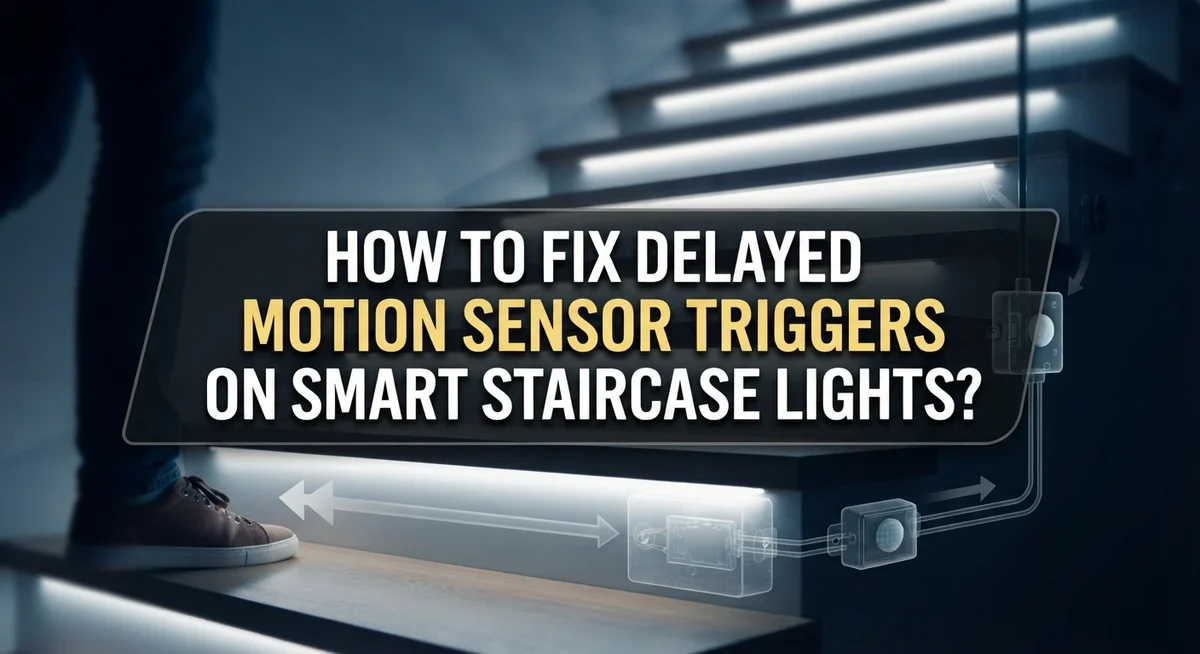
How to Fix Delayed Motion Sensor Triggers on Smart Staircase Lights?
Walking down your staircase at night should feel safe and simple. But if your smart lights turn on a second too late, that small delay can feel like a big problem.
Sensor placement plays a huge role in how fast your lights respond. Network latency, especially with ZigBee systems, also affects speed. Sometimes, the hardware itself just is not built for quick triggers.
The good news? You can fix most of these delays yourself. This guide walks you through simple troubleshooting steps.
We will show you how to reset your motion sensor the right way. You will also learn how to test sensor placement before making it permanent.
In a Nutshell
- Reset your sensor first. Turn off the circuit breaker for one minute. Then restart the system. This simple step fixes many delay issues instantly.
- Test placement before mounting. Use blue painter’s tape to try different spots. Find the best angle for fast detection.
- Avoid permanent tape too early. Double stick tape locks your sensor in place. Test the location first to save time later.
- Factory reset if problems continue. Press the pairing button four times. Then re-pair your sensor to the hub.
- Check your network quality. ZigBee connectivity affects response speed. A stronger network means quicker triggers.
- Choose the right hardware. Some systems handle instant response better than others. Pick equipment built for low latency needs.
Why Motion Sensor Delays Happen on Staircase Lights
Motion sensor delays happen for three main reasons: sensor placement, network issues, and hardware limits.
Your sensor’s location matters most. If the sensor sits too far from your staircase entry, it takes longer to detect movement. Sensors also work better when they face the direction people walk. A sensor pointing sideways catches motion slower than one aimed directly at foot traffic.
Network latency is your second culprit. Smart home systems use wireless signals to communicate. If your motion sensor connects to a hub far away, the signal travels a longer distance. Walls, metal objects, and other electronics can block signals too. This creates delays between when the sensor detects motion and when your lights turn on.
Hardware and integration choices affect speed as well. Some sensor and hub combinations respond faster than others. Older systems or incompatible equipment may add extra processing time. Your smart home platform itself plays a role. Some platforms process sensor data quicker than others.
ZigBee networks (common in smart homes) have variable latency depending on signal strength. A weak network means slower communication between your sensor and lights. A strong network reduces delays significantly.
Temperature and humidity can also slow sensors down slightly. Dust buildup on the sensor lens reduces detection sensitivity. When the sensor struggles to see movement clearly, it reacts slower.
The good news? Most delays come from fixable issues. Repositioning your sensor often solves the problem immediately. Resetting your hardware clears software glitches that cause lag. Checking your network strength reveals connectivity problems. Understanding these causes helps you tackle the right solution first.
Understanding Expected Latency Across Different Systems
Different smart staircase systems have different response speeds. Understanding what to expect helps you know if your setup is working correctly or needs adjustment.
ZigBee based systems typically show delays between 0.5 to 2 seconds. This delay happens because the sensor sends a signal through your home network to a hub, then the hub tells your lights to turn on. Network strength affects this timing directly. A strong signal cuts delay time. A weak signal adds extra seconds.
WiFi connected sensors often respond faster, usually 0.3 to 1 second. These sensors connect straight to your internet router without needing a separate hub. Fewer steps means quicker action.
Direct wired systems (hardwired into your electrical circuit) offer the fastest response. You get almost instant light activation, under 0.2 seconds. These systems skip wireless communication entirely.
Your sensor placement changes expected latency too. A sensor mounted near your hub or router gets faster response times. A sensor placed far away or behind walls experiences longer delays due to signal travel distance.
Temperature impacts sensor speed as well. Cold environments slow down sensor electronics slightly. Most sensors work best between 32 and 104 degrees Fahrenheit.
The key takeaway: If your staircase lights respond within 1 to 2 seconds, your system likely performs normally. Delays over 3 seconds suggest placement issues or network problems need fixing. Knowing your system type helps you set realistic expectations and spot real problems faster.
Step-by-Step: Resetting Your Motion Sensor and Circuit
Start by turning off the circuit breaker that powers your motion sensor and smart staircase lights. Leave it off for a full minute. This hard reset clears any stuck settings or temporary glitches in your system.
After one minute, turn the breaker back on. Wait for your lights and sensor to fully restart. You should see indicator lights blink or hear a small beep, depending on your model.
Next, locate the pairing button on your motion sensor. Press it four times in quick succession. This triggers a factory reset that erases all previous settings and network connections. The sensor light may flash red or amber during this process.
Once the factory reset completes, your sensor needs to reconnect to your smart hub. Open your hub’s app and look for an “Add Device” or “Pair New Sensor” option. Follow the app prompts to reconnect your motion sensor.
During this reconnection, test your sensor placement before making any permanent installation decisions. Use blue painter’s tape to temporarily hold your sensor in different positions. Walk up and down your stairs several times at each location to check response speed.
Pay attention to how quickly your lights turn on after motion is detected. If delays still occur, note which positions work best and which ones perform poorly.
Once you find the optimal placement, you can permanently mount your sensor. Avoid using permanent adhesive or fasteners until you confirm the location reduces delay effectively.
This reset and repositioning process solves most motion sensor delay problems on smart staircase systems.
How to Factory Reset and Re-Pair Your Sensor to the Hub
A factory reset clears old settings and connection problems that cause delays. Start by pressing the pairing button on your motion sensor four times in quick succession. Hold the button down on the fourth press for about 10 seconds until you see a light indicator flash or hear a beep.
Once your sensor resets, it enters pairing mode and searches for your smart hub. Open your hub’s app and look for the “Add Device” or “Pair New Sensor” option. Follow the on screen prompts to complete the connection. This process typically takes 30 to 60 seconds.
Test your sensor immediately after pairing completes. Walk past it several times and note how quickly the lights respond. If the delay still feels slow, the problem might be sensor placement rather than the connection itself.
Before you permanently mount the sensor, use blue painter’s tape to hold it in different locations. Try mounting heights between 4 and 6 feet, and test angles that point toward your staircase. Each position will perform differently depending on your home’s layout and materials.
Move the sensor away from walls and metal objects that can block wireless signals. Keep it at least 3 feet from your router if you use WiFi connected devices, as interference slows response times.
After you identify the best placement, permanently install your sensor. Re pair it one final time to ensure the connection locks in at that specific location. This extra step guarantees your hub remembers the sensor’s position and maintains consistent performance.
Testing and Optimizing Sensor Placement Before Final Mounting
Testing your sensor placement takes patience, but it saves you from repeated remounting later. Try several spots on your staircase before you commit to one location.
Start by testing the sensor at different heights along your staircase wall. Higher placements often catch motion sooner, but they may miss movement near the floor.
Angle matters just as much as height. Point your sensor toward the area where people naturally walk, not toward empty space or nearby doorways.
Test each position by walking up and down your stairs multiple times. Note how many steps you take before the light responds each time.
Keep a simple log of your results. Write down the position, the angle, and the response time for each test.
Avoid areas with direct sunlight or heating vents. These spots can cause false triggers or slow responses due to temperature changes.
Watch for blind spots too. Stand in different corners of your staircase to confirm the sensor detects you from every angle you use daily.
Some sensors work better when angled slightly downward. This helps them catch motion from someone climbing or descending the stairs.
Test during different times of day. Lighting conditions can affect how quickly some sensors detect movement, especially in units with light sensors built in.
Give each position enough testing time before moving to the next spot. A few walks up and down isn’t always enough data.
Once you find a position with quick, consistent response times, mark it clearly. This makes final installation easier and more accurate.
Remember that small placement changes can create big improvements in trigger speed. Testing now prevents frustration and rework later on your staircase system.
Improving ZigBee Network Connectivity for Faster Triggers
Your ZigBee network quality directly affects how fast your motion sensor responds. A weak or congested network creates delays between sensor detection and light activation. Strengthening your network connectivity removes this bottleneck.
Start by checking your hub’s distance from the motion sensor. ZigBee signals work best within 30 to 100 feet of your hub, depending on obstacles. Move your hub closer to your staircase if possible. This single change often reduces delay significantly.
Reduce interference from other devices in your home. Microwaves, cordless phones, and WiFi routers operate on the same frequency as ZigBee. Keep these devices away from your hub and sensor. Even moving your hub to a different room can improve response times.
Check how many devices connect to your ZigBee network. Each device adds load to the system. If you have many connected gadgets, your sensor’s signal takes longer to reach the hub. Consider whether all devices need active connections right now.
Test your network strength by walking around your staircase with your phone. Check your hub’s app for signal strength indicators. Look for dead zones where the signal drops. These weak spots cause delays.
Update your hub’s firmware regularly. Manufacturers release updates that improve network performance and reduce latency. Check your hub’s settings monthly for available updates.
Add a network repeater if your staircase sits far from your hub. Repeaters extend ZigBee coverage and strengthen signals throughout your home. They act as relay stations, passing sensor data faster to your hub.
After making these network improvements, factory reset your motion sensor and re-pair it. This allows your sensor to connect through the strongest available path on your refreshed network.
Common Mistakes That Cause Ongoing Delay Issues
Delayed motion sensor triggers often stem from simple mistakes you can fix quickly. Understanding what causes these problems helps you avoid them entirely.
Poor sensor placement remains the biggest culprit. Many people mount sensors too high or too low without testing first. Sensors work best when positioned at eye level or slightly above. If you place your sensor near corners or inside tight spaces, it struggles to detect movement across your entire staircase. Metal objects and thick walls block wireless signals, so keep your sensor away from these obstacles.
Using permanent adhesive before testing your location creates lasting problems. Double stick tape or mounting brackets make it tempting to install quickly. This rush leads to poor angles and blocked detection zones. Always use temporary tape to test different positions for at least a few days.
Incompatible hardware choices cause unavoidable delays. Some motion sensors pair poorly with certain smart hubs. This mismatch means your system adds extra steps between detection and light activation. Research your specific hub and sensor compatibility before installation.
Ignoring network congestion slows down your triggers significantly. Too many devices on your ZigBee network creates traffic jams. Your motion signal gets stuck waiting in a queue behind other commands. Check how many devices connect to your network and consider removing inactive ones.
Skipping firmware updates on your hub leaves performance improvements unused. Manufacturers release updates to speed up response times and fix connection issues. Set a reminder to check for updates monthly.
Finally, never assume your first installation works perfectly. Test your setup thoroughly before declaring it complete. Walk past the sensor multiple times during different hours. This simple step catches most delay problems before they become frustrating daily issues.
Troubleshooting Persistent Trigger Delays
Motion sensor delays on smart staircase lights frustrate many homeowners. The good news is that persistent trigger delays usually stem from fixable issues.
Start with a simple reset. Turn off your circuit breaker for one full minute, then turn it back on. This clears temporary glitches that cause slow responses. If the delay continues, move to a factory reset of your motion sensor itself.
Most motion sensors have a pairing button. Press it four times in quick succession to trigger a factory reset. Your sensor will disconnect from your hub. Pair it again by following your hub’s instructions. This fresh connection often eliminates software conflicts that create delays.
Network latency is another common culprit. Your ZigBee network quality directly impacts how fast your sensor responds. Check how many devices connect to your network. Too many devices create congestion. Test your network strength by walking around your staircase with your phone and checking signal bars.
If your hub sits far from your staircase, add a network repeater. This device boosts your signal and reduces latency significantly. Update your hub’s firmware too, since manufacturers release performance improvements regularly.
Sensor placement matters more than many people realize. Mount your sensor at chest height on the wall facing your stairs. Angle it slightly downward for better detection. Avoid direct sunlight and heating vents, which confuse motion detection.
Test each placement position thoroughly before permanent installation. Walk up and down your stairs multiple times at each location. Use blue painter’s tape to mark test positions temporarily. This prevents remounting frustration later.
If delays persist after these steps, your hardware may simply lack the speed you need. Incompatible sensor and hub combinations cannot overcome their design limitations.
Final Thoughts
Delayed motion sensor triggers on staircase lights don’t have to stay a problem. You now have the tools to fix them.
Start with the basics. Reset your sensor first. Check its placement second. Fix your network third.
These three steps solve most delay issues. Most homeowners see improvement within one or two attempts. You don’t need special skills to make these changes.
Remember that placement testing matters most. Use tape to test spots before you mount anything permanently. This simple step saves you time and frustration later.
Your ZigBee network plays a huge role too. A strong, well maintained network keeps your sensor responding quickly. Weak connections cause delays no matter how good your sensor is.
Sometimes hardware limitations cause the real problem. Not every sensor works well with every hub. If you’ve tried everything and delays persist, your equipment might need an upgrade.
Patience helps during this process. Test one change at a time. This way, you know exactly what worked and what didn’t.
Keep notes on your progress too. Write down what placement worked best. Note which network changes made a difference. This record helps if problems return later.
Smart staircase lights should feel effortless once you get triggers working correctly. No more waiting in the dark on your stairs. No more guessing why lights turn on late.
Small technical adjustments create big improvements in daily comfort. Your staircase becomes safer and more convenient once triggers respond quickly.
Take these steps one at a time. Test thoroughly before moving forward. Your patience pays off with a smart lighting system that finally works the way you expected it to from the start.
Frequently Asked Questions
Why does my motion sensor delay happen on staircases specifically?
Staircases present unique challenges for motion sensors. Your sensor must detect movement across multiple steps and angles. If mounted too high or low, it misses people walking at certain speeds. The vertical distance between your sensor and the hub also matters. Staircase layouts often have walls or metal railings that block wireless signals, causing latency spikes.
How long should I expect my motion sensor to respond?
Response time depends on your system setup. Most smart staircase systems respond within 1 to 3 seconds under ideal conditions. Poor network quality can extend this to 5 to 10 seconds. Your ZigBee network strength, hub distance, and sensor quality all affect speed. If delays exceed 5 seconds consistently, something needs adjustment.
Can I test sensor placement before mounting permanently?
Yes, and you absolutely should. Use blue painter’s tape to hold your sensor in different positions for several days. Walk up and down your stairs normally and note which spot triggers fastest. Test corners, middle sections, and various heights. This testing prevents permanent installation mistakes that waste time later.
What’s the fastest way to fix a delayed sensor right now?
Start with a power reset first. Turn off your circuit breaker for one full minute, then restart everything. Next, factory reset your motion sensor by pressing the pairing button four times. Re pair it to your hub fresh. These two steps fix most delay issues quickly without requiring new equipment or complex troubleshooting.
Does my internet speed affect staircase light triggers?
Not directly. Your motion sensor uses ZigBee, which operates separately from your internet connection. However, if your ZigBee network sits on the same frequency as your WiFi, interference can slow responses. Keep your hub and sensor away from WiFi routers and cordless phones when possible.