How to Automate Smart Lights for Vacation Mode?
Leaving home for a week or two always brings a small worry to the back of your mind. You lock the doors, you ask a neighbor to pick up the mail, but something still feels unfinished.
A dark house at night is an open invitation. A single porch light burning for 72 hours straight is almost worse. It broadcasts the same message: nobody is here.
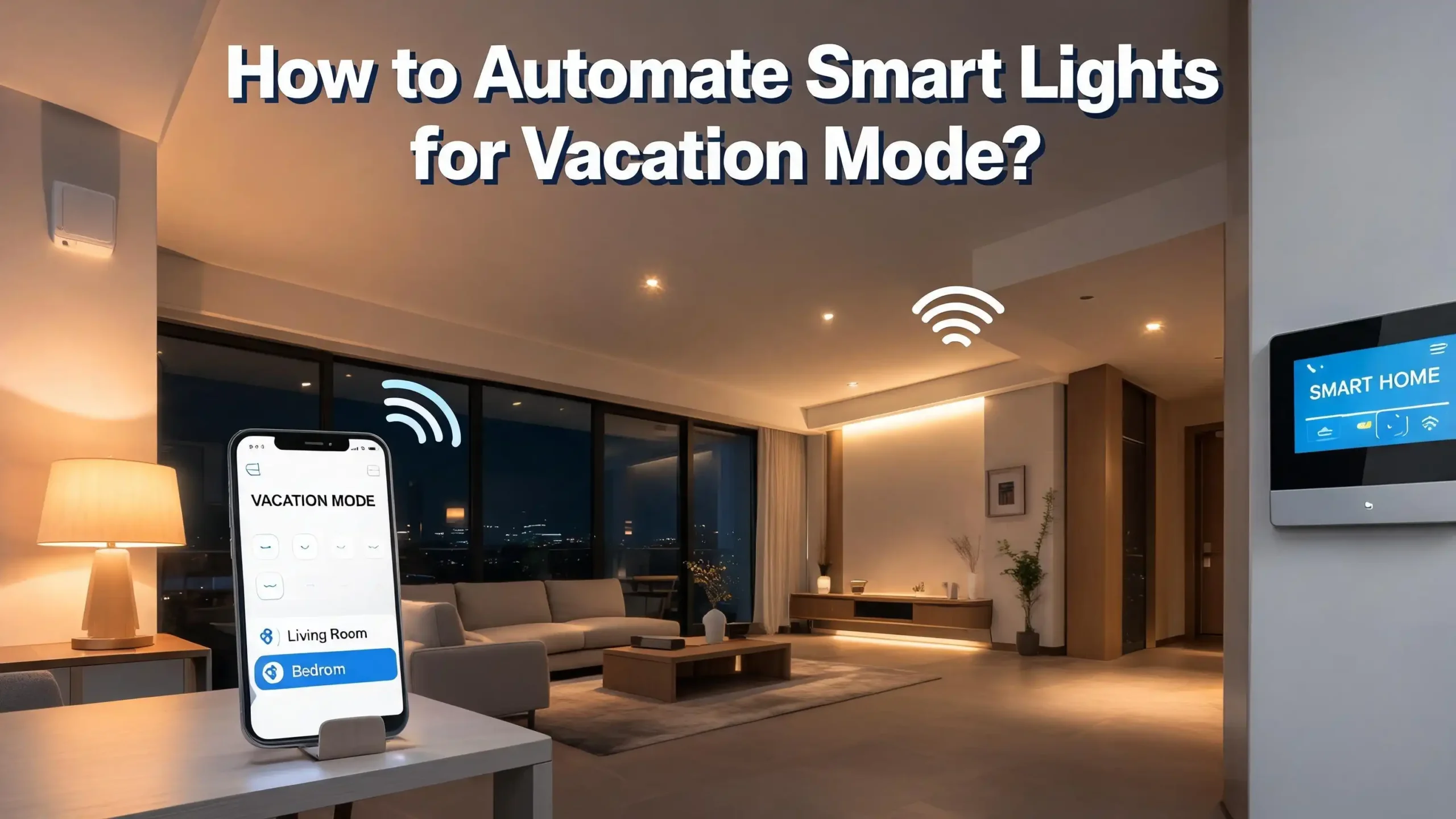
You do not need a full security system to fix this problem. The smart bulbs and plugs you already own or can easily set up are enough to create a convincing illusion of daily life. This guide shows you exactly how to automate your lights for vacation mode.
In a Nutshell
- Random timing beats fixed schedules every time. A light that turns on at exactly 7:02 PM daily tells a watcher that a timer is running. Vacation modes built into Wyze, Kasa, and WiZ apps add genuine randomness that fixed schedules cannot match.
- Smart plugs transform any lamp into a vacation-ready light without buying new bulbs. If you want the simplest and most affordable entry point, start with a smart plug and a table lamp.
- You do not need a hub to get strong vacation lighting. Many Wi-Fi bulbs and plugs from TP-Link, Wyze, and WiZ include built-in vacation or away modes that work directly from the phone app with no extra hardware.
- Vary the rooms and times. A single living room light going on and off is not convincing. Stagger bedroom lights, kitchen lights, and hallway lights at different evening hours to mimic someone moving through the house.
- Layer outdoor and indoor lighting for a complete presence. A driveway or porch light combined with visible interior light through front windows creates the strongest impression that someone is home.
- Test your setup for 48 hours before you leave. This catches failed schedules, disconnected bulbs, and network issues while you are still there to fix them.
Why Basic Timers Are Not Enough Anymore
Old mechanical timers clicked on at the same minute every night. A neighbor or a person watching the street learns that pattern quickly. Smart lights offer a better way, but only if you use the right mode.
Many people set a simple schedule: living room on at 7 PM, off at 10 PM. This is slightly better than leaving a light on all day, but it still creates a predictable rhythm. Real human activity does not follow a fixed script. People come home at 6:45 some days and 7:30 on others. They move from the kitchen to the bedroom. They forget to turn off the hallway light for two hours.
A static schedule mimics a robot. A randomized schedule mimics a person. The vacation modes built into smart lighting apps solve this with algorithms designed to vary on and off times. They make your home look occupied in a way that a simple timer never can. Burglars often watch a property for a day or two before acting. Inconsistent light patterns disrupt their ability to spot a predictable absence.
Pros of smart vacation modes versus old timers: truly random intervals, remote control from anywhere, ability to group multiple lights across different rooms, and easy toggling on and off through a phone app. Cons: They depend on a working Wi-Fi connection, and a power outage can reset or disable the feature until you reconnect manually.
How the Built-in Vacation Mode Works in Popular Apps
Several smart lighting brands include a dedicated vacation or away mode directly in their app. These features do not require you to program individual schedules. You flip one toggle, set a time window, and the system handles the rest.
For example, Wyze Bulb Color users can open the Wyze app, tap the bulb, go to Settings, and enable Vacation Mode. The bulb then turns on and off at random intervals between 6 AM and 9 AM, and again between 6 PM and 11 PM. Each on cycle lasts between 5 and 60 minutes, and the bulb activates at least once per hour during those windows. This mimics normal waking and evening activity without any manual scheduling.
TP-Link Kasa devices have a similar feature called Away Mode. You set a start time and end time, choose which days of the week to repeat, and start the mode. The plug or bulb then turns on and off randomly within that window.
You can activate Away Mode per device or group multiple devices together. Kasa also offers a Fade Rate option on dimmer devices to gradually transition lights on and off, which looks more natural than a sudden flash.
WiZ smart lights include a Vacation routine under their monitoring automation. The app describes it as “presence simulation,” which disables existing schedules and takes over with randomized lighting. This ensures your normal daily automations do not conflict with the vacation behavior.
Pros of built-in vacation modes: One tap activation, no complex setup, designed specifically for presence simulation, works without a hub for Wi-Fi models. Cons: Most allow only a single time window per day, limiting variety across different rooms, and not all budget bulbs include the feature.
Using Alexa Routines to Simulate Occupancy
Amazon Alexa routines give you a flexible way to automate lights when you are away. Alexa cannot randomize times on its own, but you can build multiple routines at staggered times to create variety.
Start by opening the Alexa app. Go to the Routines tab and create a new routine. Set the trigger as Schedule and choose a specific time. Pick an action: Smart Home, then select the light or group of lights you want to control, and set it to turn on. Create a second routine to turn that same light off 45 minutes later. Now repeat this process for different lights in different rooms at different times.
For example: Living room floor lamp on at 6:45 PM, off at 8:30 PM. Kitchen light on at 7:10 PM, off at 9:00 PM. Bedroom lamp on at 9:20 PM, off at 11:00 PM. Hallway light on at 10:30 PM, off at 6:00 AM. This staggered sequence across four routines creates the illusion of someone cooking dinner, relaxing in the living room, then heading to bed. A single routine would not do this.
You can also trigger a routine with Alexa Guard. When you say “Alexa, I’m leaving,” Guard mode activates. You can link this to a routine that turns off all interior lights and enables a few security-oriented lighting schedules. This saves you from manually activating each vacation schedule.
Pros of Alexa routines: Free to use with any Alexa-compatible device, easy to create and edit, supports voice activation, works with a wide range of smart bulbs and plugs. Cons: No built-in randomization; you must manually stagger times, and managing many routines becomes tedious for a whole home.
Setting Up Vacation Lighting with Google Home
Google Home routines work similarly to Alexa. You create scheduled actions for specific lights at specific times. The Google Home app also includes a Home and Away presence feature that can trigger lighting changes automatically when everyone leaves.
Open the Google Home app. Tap Automations, then create a new Household Routine. Add a time starter, then add actions to control your lights. Name the routine something like “Vacation Evening Lights” so you can find it later. You can control multiple lights in a single routine. For example, one 7 PM routine could turn on the living room lamp and the kitchen light simultaneously, while a separate 9 PM routine turns off the living room and turns on the bedroom lamp.
The Home and Away feature uses your phone’s location and any Google Nest sensors to detect when the house is empty. When set to Away mode, Google Home can run a specific set of automations.
You configure what happens in Away mode through the app settings. This hands-off approach means you do not have to remember to enable vacation schedules; the system detects your absence and responds.
To add variety without native randomization, create routines for weekdays and separate routines for weekends. People often stay up later on Friday and Saturday, so program weekend lights to run 45 to 60 minutes longer. This small detail adds authenticity to the illusion.
Pros of Google Home: Tight integration with Nest products, automatic Away detection, simple routine builder, supports many third-party bulbs and plugs. Cons: No native randomization, requires reliable location permissions, and schedules can conflict with manual controls if not planned carefully.
Turning Any Lamp Into a Vacation Light with Smart Plugs
You do not need smart bulbs to automate vacation lighting. A smart plug is often the fastest and cheapest way to begin. You plug a standard table lamp, floor lamp, or even a TV into a smart plug, and the plug becomes the brain of the operation.
TP-Link Kasa smart plugs, for example, include the Away Mode described earlier. You set a time window and the plug cycles the connected lamp on and off randomly. This turns a $10 floor lamp from a thrift store into a fully automated security light. The same approach works with string lights, nightstand lamps, and hallway nightlights.
Placement matters more than the number of plugs. Focus on rooms visible from the street. A lamp in a front-facing living room window is your most valuable asset. A second lamp in a bedroom that faces the side yard or neighbor’s view adds a second layer. A kitchen light visible through a back window covers the rear of the house. Three well-placed lamps controlled by three smart plugs create a better impression than eight hidden smart bulbs.
Smart plugs also let you control non-light items that signal activity. Plug a radio or small speaker into a smart plug and set it to turn on during evening hours. The faint sound of voices or music from inside the house is a powerful deterrent. Many burglars listen at doors and windows before attempting entry.
Pros of smart plugs: Lowest cost entry point, works with existing lamps, easy to set up and move, away modes often included, no rewiring needed. Cons: You cannot dim the connected light unless the lamp itself supports it, and the plug controls power only, not color or brightness.
Advanced Automation with SmartThings
Samsung SmartThings takes vacation lighting further. The platform supports complex automations that combine sensors, modes, and conditional logic. This makes your vacation lighting feel less like a scripted show and more like a real home.
SmartThings has a concept called Modes. You can create a custom Vacation mode and assign specific lighting behavior to it. When you set the house to Vacation mode, all your normal lighting schedules deactivate and the vacation routines take over. This prevents conflicts where your daily “good morning” routine turns on lights at 7 AM that then stay on for 12 hours.
To add randomness in SmartThings, you can use Routines with multiple time conditions, or link the platform with IFTTT or a web-based service. Some users create several routines that overlap in unpredictable ways.
For instance, Routine A turns on the living room light between 6:30 PM and 7:00 PM if no motion has been detected. Routine B turns on the bedroom light at 9:15 PM with a 30-minute random delay. By stacking multiple conditional routines, you build variability that a single scheduled timer lacks.
You can also integrate door and window sensors. A SmartThings routine can log every time a sensor is triggered and use that history to adjust lighting behavior. The system learns your habits more accurately over time.
Pros of SmartThings: Powerful conditional automations, integrates motion and contact sensors, supports a huge range of Zigbee and Z-Wave devices, mode-based switching prevents conflicts. Cons: Requires a SmartThings hub, initial setup is more complex than plug-and-play apps, and the learning curve is steeper than simple Wi-Fi bulbs.
HomeKit and Adaptive Lighting for Vacation Times
Apple HomeKit users have a different set of tools. HomeKit provides automations based on time, location, and sensor triggers, and it also includes Adaptive Lighting, which adjusts color temperature throughout the day.
For vacation lighting, you create automations in the Apple Home app. Build a series of scenes: “Vacation Morning,” “Vacation Evening,” and “Vacation Night.” Each scene sets specific lights to specific brightness and color.
Then create time-based automations that activate these scenes at staggered times. A morning scene might turn on the kitchen and hallway lights at a warm 3000K. An evening scene brings up the living room, dining room, and bedroom at varied brightness levels.
Adaptive Lighting itself is not a vacation mode, but you can use it to your advantage. A light set to Adaptive Lighting will change its color temperature on a natural curve throughout the day. When combined with your vacation scene automations, this creates a dynamic lighting environment. A bulb that shifts from cool white at noon to warm amber at sunset appears more “alive” than a static bulb stuck at one color.
To create randomness in HomeKit, use a third-party app like Controller for HomeKit or the Eve app, which expose more automation options than the stock Home app. These tools let you add random offsets to time triggers. A 7 PM trigger with a 15-minute random offset means the lights activate anytime between 7:00 and 7:15 PM, which breaks the predictability of a fixed schedule.
Pros of HomeKit: Strong privacy and local processing, Adaptive Lighting adds natural variation, integrates tightly with iPhone and iPad, reliable when set up correctly. Cons: No built-in vacation or away mode for lights that randomizes on its own, requires additional apps for true randomization, and fewer budget bulb options compared to Alexa or Google platforms.
The Power of IFTTT for Cross-Platform Randomization
IFTTT (If This Then That) connects devices and services that do not normally talk to each other. This is especially useful for vacation lighting because IFTTT can introduce external data sources as triggers.
The simplest IFTTT use case is a time-based Applet. You set a service like Date & Time as the trigger and your smart light brand as the action. But the real power comes from using unconventional triggers.
For example, connect a weather service to your lights. Create an Applet that says: if the wind speed exceeds a certain value at your location, turn on the porch light for 20 minutes. Wind gusts are unpredictable, so the resulting light behavior becomes inherently random.
You can also use the Button widget or a Webhooks service as a manual or automated trigger. Some users set up IFTTT Applets that trigger based on RSS feed updates from local news sites. A news article posted in the evening triggers a specific light to turn on briefly. The timing depends entirely on when news breaks, creating a genuinely unpredictable pattern that no timer can replicate.
Another practical IFTTT use case is linking your smart lights to a shared family calendar. Create an Applet that turns on the living room light any time a calendar event titled “Movie Night” starts. Even when you are away, if family members or friends add events to the shared calendar, the lights respond as if someone is home acting on those plans.
Pros of IFTTT: Connects devices across brands and platforms, introduces external randomness sources like weather and calendar data, free tier offers enough Applets for basic vacation lighting. Cons: IFTTT can have latency delays of a few seconds to minutes, free tier limits the number of Applets, and the service depends on cloud connectivity between IFTTT and your device manufacturer.
Creating Convincing Multi-Room Light Sequences
A single light turning on and off in one room does not convince anyone. A multi-room sequence that mimics someone walking through the house does. Good vacation lighting tells a story: a person arrives home, cooks dinner, watches TV, and goes to bed.
Start with the arrival sequence. Between 5:30 and 6:30 PM, an entryway or garage light turns on. One minute later, the kitchen light activates. Two minutes after that, the living room light comes on. This progression suggests someone entered the home and moved through the space. Keep the delays short: 30 seconds to 2 minutes between each step feels natural.
Next, build the evening sequence. Around 6:45 PM, dim the kitchen light to 50 percent or turn it off entirely. Turn on a dining room chandelier or breakfast nook light for 45 minutes. This simulates dinner time. At 8:00 PM, bring the living room brightness up slightly. Add a second lamp in the same room. Someone is settling in for the night.
Finally, create the bedtime sequence. At 10:15 PM, turn off the living room lights. At 10:16 PM, turn on the hallway light. At 10:18 PM, turn on the master bedroom lamp. At 10:20 PM, the hallway light turns off. At 11:30 PM, the bedroom light turns off. This progression traces a realistic path from the living area to the sleeping area. Anyone watching the house from outside sees lights moving from front rooms to back rooms in a logical pattern.
Pros of multi-room sequences: Highly realistic and convincing, harder to detect as automation, works with almost any smart lighting platform. Cons: Requires more devices and more programming time, needs careful testing to ensure delays work correctly, and one failed bulb or plug can break the entire narrative.
Programming Natural Randomness Without a Built-in Vacation Mode
If your smart bulbs lack a dedicated vacation mode, you can still create randomness. The technique is to build multiple overlapping schedules that clash in subtle ways.
First, map out a typical evening. Identify four to six time points where lights change. For example: living room on, kitchen on, living room off, bedroom on, hallway on, bedroom off. Now create three versions of this sequence, each shifted by 10 to 15 minutes. Label them “Week A,” “Week B,” and “Week C.” Schedule Week A for Monday and Thursday, Week B for Tuesday and Friday, and Week C for Wednesday and Saturday. Sunday can repeat any of them.
This approach prevents the same time from repeating on consecutive days. A neighbor or observer cannot learn a pattern because the pattern changes daily. The brain of anyone watching subconsciously registers variability, which reads as normal human inconsistency rather than machine precision.
For users comfortable with slightly more technical setups, some platforms support a random offset parameter. Node-RED, a visual programming tool used with Home Assistant, includes a “random-lighting” node specifically designed for simulated occupancy. It handles the randomization logic automatically. You install the node, configure the active hours, and let it run. Home Assistant also has a native blueprint called “Vacation Lighting” that you can import with one click and adjust to your devices.
Pros of manual randomization: Works with any scheduled lighting system, no extra hardware needed, highly customizable to your home layout. Cons: Takes time to program and test multiple schedule sets, requires discipline to rotate schedules correctly, and simple scheduling apps may not support enough schedule slots.
Why Outdoor Lighting Belongs in Your Vacation Plan
Interior lights do most of the heavy lifting, but outdoor lights seal the deal. A dark porch or driveway makes an otherwise well-lit house look suspicious. Burglars approach from the outside first, and outdoor lighting is their first obstacle.
Motion-activated floodlights are the classic outdoor security tool, and they still work. But smart outdoor lighting adds remote control and scheduling. A smart porch light can follow sunset and sunrise automatically through location-based scheduling. Kasa and WiZ both support sunset-based triggers, so your porch light turns on precisely when ambient light drops, regardless of the season.
Smart path lighting along a walkway or driveway creates a welcoming look that also deters trespassers. Solar-powered smart path lights from brands like Ring and others recharge daily and turn on automatically at dusk.
You can pair them with a smart switch to override normal behavior during vacations. Instead of the standard dusk-to-dawn cycle, you can program the path lights to flicker off briefly at 2 AM and back on at 5 AM, suggesting someone woke up and checked outside.
Combine outdoor lights with interior lights for maximum effect. A front porch light that turns on at sunset, a living room lamp visible through the front window that activates 20 minutes later, and a bedroom light in a side-facing window that comes on at 10 PM. An observer sees the outdoor light, then indoor activity, then movement to the back of the house. The complete picture is hard to dismiss as automation.
Pros of smart outdoor lighting: First line of defense against trespassers, sunset scheduling adjusts automatically year-round, solar options require no wiring. Cons: Outdoor-rated smart bulbs and fixtures cost more than indoor equivalents, Wi-Fi range can be weak at the edge of a property, and extreme weather can cause disconnections.
Common Mistakes That Reveal an Empty Home
Even a well-intentioned vacation lighting setup can backfire if you make certain errors. The most common mistake is leaving a single light on for 12 to 16 hours straight. A porch light burning through the night and into the morning is normal. An upstairs bedroom light on from 2 PM until midnight is a red flag.
Another common error is perfect synchronization. If every light in the house turns off at exactly 10:00:00 PM, the precision is unnatural. Spread your off times across a 15-minute window. The living room goes dark at 9:55, the hallway at 10:02, the bedroom at 10:08. Small gaps between events make the sequence feel organic.
Failing to account for daylight hours is also a problem. A lamp that turns on at 3 PM in June when the sun is still high is suspicious. Use sunset-based triggers where possible so your lights adapt to the season. Most smart platforms let you set triggers relative to sunset rather than a fixed clock time.
Finally, do not forget about secondary light sources. A TV screen glow through curtains is a strong indicator of occupation. Plug your television into a smart plug and schedule it to turn on during prime evening hours. The flickering light through a window is unmistakably human. Similarly, a computer monitor, a nightlight in a hallway, or under-cabinet kitchen lighting adds subtle texture to the overall light footprint.
Pros of avoiding these mistakes: Your vacation lighting becomes nearly indistinguishable from real occupancy, and the illusion holds up under prolonged observation. Cons: Avoiding these mistakes requires more thoughtful planning and more devices, which increases upfront time and cost.
Testing and Monitoring Your Setup Before You Go
A lighting plan that works in theory can fail in practice. A bulb loses connection. A schedule conflict causes lights to stay on all night. A power flicker resets a smart plug to its default state. You must test everything before you leave.
Run your full vacation lighting schedule for two full evenings while you are still home. Watch the house from the street at different times. Stand across the road at 7:30 PM, 9:00 PM, and 10:30 PM. Note which rooms look too dark or too bright. Adjust timings and bulb brightness based on what you observe.
Check your app logs each morning to confirm all devices triggered correctly the previous night. Most smart home apps show a history or activity log. Look for any device that shows “unreachable” or “offline.” Reboot that device and test again. A device that fails once will likely fail again while you are away.
Consider leaving one indoor camera pointed at a front window or entryway. Do not point it at private areas. A camera aimed at the front door or main living area lets you confirm that lights are working as expected without relying solely on app logs. Many smart cameras from Wyze, Ring, and others cost little and stream live video to your phone anywhere in the world. This visual confirmation gives you peace of mind that the system is operating correctly.
Pros of pre-trip testing: Catches failures before you leave, reveals dead spots in coverage, builds confidence in your setup, and lets you fine-tune brightness and timing. Cons: Takes a few evenings of attention while you are busy packing and preparing for the trip.
What to Do If Your Lights Stop Responding While You Are Away
The scenario every traveler dreads: you open your smart home app from a hotel room and see “Device Offline.” A router reboot, a brief power outage, or an automatic firmware update can knock smart bulbs and plugs off your network.
The best preparation is prevention. Plug your Wi-Fi router and any smart hubs into a small uninterruptible power supply or UPS. This keeps your network running through short power blips. A basic UPS costs little and protects your entire smart home backbone. Set your router to auto-reboot at a low-traffic hour, like 4 AM, to clear memory leaks that can cause disconnections over time.
Have a backup plan ready. Give a trusted neighbor or nearby family member access to your home. Do not give them your main account credentials. Instead, use the guest or shared access features found in most smart apps. Alexa allows you to add household members. Google Home supports home members with limited permissions. SmartThings and HomeKit also support guest access. Give this person the ability to manually toggle lights if they notice the house is dark.
Keep a few old-school mechanical timers as a last resort. Before you leave, set a mechanical timer on one critical lamp as a fail-safe. Even if your entire smart system goes offline, that one lamp still cycles on and off. It is not as varied as a smart schedule, but it is far better than a completely dark house.
Pros of backup planning: Provides fallback options when technology fails, reduces stress while traveling, and ensures at least basic lighting coverage. Cons: Adds cost for a UPS and extra timers, and requires coordination with a trusted neighbor.
Building a Complete Vacation Checklist for Your Smart Home
Lighting is the most visible part of a vacation strategy, but a smart home can do more. A complete checklist ensures you address all the small details that make your absence invisible.
First, pause or adjust any smart thermostat schedules. A house that cools to 62 degrees at night when nobody adjusts the thermostat is normal. A house that stays at 72 degrees 24 hours a day for two weeks suggests nobody is living in it. Set a wider temperature range during vacations to save energy without making the home behavior look robotic.
Second, manage your smart blinds or curtains if you have them. Many smart blind systems support scheduling. Set living room blinds to open at 8 AM and close at 9 PM. Bedroom blinds should open at 7:30 AM and close at 10 PM. Vary these times slightly by room. A house with all blinds closed at noon on a sunny day looks abandoned.
Third, suspend mail and package deliveries. A pile of packages on the doorstep undermines the most convincing lighting setup. Use USPS Hold Mail service or ask a neighbor to collect deliveries. Some smart doorbell cameras let you speak to delivery drivers remotely. You can ask them to leave packages in a less visible spot.
Fourth, secure all smart locks. Verify that auto-lock features are enabled. Check the lock history in your app to confirm all doors are secure before you board your flight. Many smart locks log every lock and unlock event, so you can review the timeline to confirm nobody has accessed the home.
Pros of a complete checklist: Addresses all visible signs of vacancy, not just lighting, and integrates multiple smart devices into one cohesive plan. Cons: Requires more smart devices across more categories, and managing multiple systems from one phone while traveling can be cumbersome.
What to Do When You Return Home
Coming home to a house that has been running an elaborate lighting simulation for two weeks feels strange. The lights are still following their vacation schedules. You need to disable everything quickly so your home returns to normal behavior.
Most smart platforms let you disable all vacation routines with one action. In the Kasa app, you tap the Away icon and stop the mode. In Wyze, you toggle Vacation Mode off per bulb. On Alexa, you disable the vacation routines you created under the Routines tab. In SmartThings, you switch the Mode from Vacation back to Home. Do this before you walk through the door so your arrival does not collide with a scheduled light event.
Check for firmware updates on all your smart devices. Vacation is often the longest period these devices run without interaction. Manufacturers push updates that improve stability and security. Apply them when you return to prevent future disconnection issues.
Review your activity logs for any anomalies. Did a light turn on at 3 AM when it should not have? Did a smart plug fail to activate for three days? Log these incidents and adjust your setup before the next trip. Each vacation teaches you something about your system’s reliability.
Pros of a structured return routine: Quickly restores normal home behavior, catches device issues early, and improves your setup for future trips. Cons: Takes a small amount of time when you are tired and unpacking, but the effort pays off in long-term reliability.
Frequently Asked Questions
Do I need a smart hub to set up vacation mode for my lights?
No. Many Wi-Fi smart bulbs and plugs from brands like TP-Link Kasa, Wyze, and WiZ include built-in vacation or away modes that connect directly to your home Wi-Fi network. You download the app, pair the device, and enable the vacation feature. No additional hub or bridge is required. Zigbee and Z-Wave bulbs do require a compatible hub, but there are plenty of hub-free options available.
Can I use vacation mode if I only have smart plugs and regular bulbs?
Absolutely. Plug any standard lamp or light fixture into a smart plug that supports away or vacation mode. The plug controls the power to the lamp. The light turns on and off randomly just as a smart bulb would. This is often the most affordable way to start with vacation lighting automation.
Will my lights still work if the internet goes down while I am on vacation?
It depends on the device and how it stores its schedule. Many smart plugs and bulbs store scheduled routines locally on the device after you set them. If the internet drops, the device continues following its stored schedule. However, you will lose the ability to remotely monitor or change the schedule until the connection returns. The vacation mode itself often continues running because the randomization logic executes on the device.
How many lights should I automate for a convincing vacation setup?
Three to five lights across different rooms create a convincing presence. Focus on lights visible from the street first: a living room lamp, a kitchen light, and a bedroom lamp. Add a hallway or bathroom light if windows expose those areas. Quality of placement matters far more than quantity of bulbs.
Can I sync my vacation lights with my security cameras?
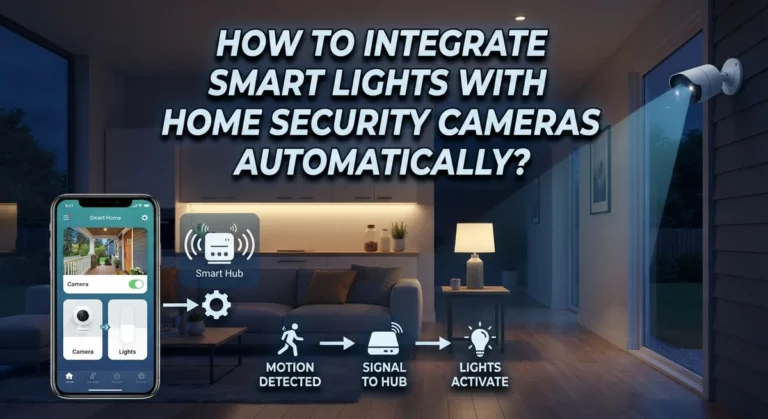
Yes, on platforms that support cross-device automation. If your smart camera detects motion outside, you can trigger an interior light to turn on or change brightness through IFTTT, Alexa routines, SmartThings, or HomeKit. This creates a reactive home that responds to its environment, which is the most convincing form of automation. Make sure you test the trigger-action pair thoroughly before leaving.