How to Troubleshoot Ghosting in Smart LED Recessed Lighting?
Ghosting in smart LED recessed lighting can feel strange the first time you see it. You switch the light off, but a faint glow stays in the ceiling. Sometimes the glow is soft and steady. Sometimes it pulses for a few seconds. In some rooms, it never fully disappears.
The issue often comes from a dimmer that does not match the light, a smart control that leaks a tiny current, leftover charge inside the driver, or wiring that lets small voltage reach the fixture even when it is off.
This guide gives you a step by step plan. You will learn how to tell normal afterglow from a real fault, how to test your switch and dimmer, how to check smart settings, and how to decide if a bypass device or an electrician is the better answer.
In a Nutshell
- Ghosting means the light still glows after you turn it off. In smart recessed lights, this often happens because a very small current still reaches the LED driver. LEDs need very little power to glow, so even a tiny leak can be enough.
- Start with the easy checks first. Turn off power at the breaker, confirm the fixture is rated for dimming if a dimmer is present, and look at the switch type. Many smart recessed lights work best with a regular on off switch, not a wall dimmer.
- Watch how long the glow lasts. If it fades away in a short time, you may be seeing normal afterglow from stored energy in the driver. If the glow stays on for a long time, you likely have leakage current, a dimmer issue, or wiring related phantom voltage.
- Dimmers and smart controls cause many ghosting problems. Older dimmers often leak current. Some smart switches also need a neutral to power themselves correctly. A bad switch match is one of the most common causes.
- There are several fixes, and each has tradeoffs. You can replace the dimmer, use a standard switch, add a bypass device, correct wiring, reset the smart light, or replace the fixture. The best fix depends on the true cause, not the symptom alone.
- Call an electrician if you see heat, buzzing, tripped breakers, scorch marks, or confusing wiring. Ghosting is often minor, but safety always comes first. A fast professional check is better than guessing inside a live circuit.
Know What Ghosting Really Is
Ghosting is the faint glow you see after the light is supposed to be off. In smart LED recessed lighting, the LED chips and driver can react to very small leftover current. That is why the glow can show up even when the switch is off.
This issue is different from a normal lighting defect. A burned out fixture usually goes dark. A ghosting fixture still responds because a trace amount of power reaches it. That tiny current may come from the dimmer, the smart switch, the driver, or the wiring path in the wall.
Many homeowners think the fixture itself is always bad. Sometimes that is true, but often the light is only revealing a problem elsewhere in the circuit. That is why random replacement can waste time and money.
A simple way to think about it is this. The LED is acting like a very sensitive sensor. It shows you that the circuit never fully reaches zero.
Pros of understanding the symptom first: You avoid replacing the wrong part, you save time, and you troubleshoot in the right order. You also reduce the chance of paying for a fix you do not need.
Cons of skipping this step: You may blame the light when the switch is the real issue. You may also confuse harmless afterglow with a wiring fault.
Before you touch anything, define the symptom clearly. Is it a soft steady glow, a quick fade, or a random flicker? That small detail will guide the rest of the process.
Start With a Safe First Check
Before you test any smart recessed light, turn off the breaker for that circuit. Flip the wall switch off too. Then verify that the light is dead before you remove trim, open a switch box, or inspect wires.
Next, write down what you already know. Check if the fixture is smart by app control only, or if it is paired with a smart wall switch. Check if a dimmer is installed. Check if the problem is on one light or several lights on the same switch.
Now do a quick room check. Look for buzzing, heat around the switch plate, loose trim, or lights on the same circuit that also act oddly. These clues matter more than most people expect.
After that, test the simplest possible setup. If the lights are on a dimmer, note it. If the switch has a small locator light or is a smart switch without a neutral, note that too. These details often explain the problem before you even open a box.
A safe first check also means knowing when to stop. If you see melted plastic, smell burning, or find a hot switch, do not keep testing.
Pros of a safety first start: It protects you, it keeps the diagnosis clean, and it helps you spot bigger problems early. Pros also include fewer wrong moves while handling smart gear.
Cons: It takes a few extra minutes, and it can feel slow if you want a quick answer. Still, those minutes are worth it.
Separate Normal Afterglow From a Real Fault
Some smart LED recessed lights glow for a short time after power is cut because the driver stores a small charge. This is often called afterglow. It can last for a few seconds or even a minute or two, then fade out.
That kind of fade is very different from true ghosting caused by ongoing leakage current. If the light keeps glowing for a long time, the circuit is still feeding it something. That points to a switch, dimmer, smart control, or wiring issue.
Here is a simple test. Turn the light on for a few minutes. Turn it off. Watch it closely. If the glow slowly fades and disappears, you are likely dealing with stored energy in the driver. If the glow stays steady or returns again and again, you likely have an active circuit issue.
You can also compare one fixture to another identical fixture in the same home. If only one light fades briefly and stops, that may be normal behavior. If several lights on one switch keep glowing, the control side is a stronger suspect.
Pros of this test: It is easy, free, and safe if done from the switch. It also helps you avoid overreacting to normal behavior.
Cons: It does not tell you the exact failed part. It only tells you whether the glow is likely passive or active.
Check If a Dimmer Is the Real Problem
A dimmer causes many ghosting complaints. Older dimmers were made for incandescent loads, and smart LED recessed lights use far less power. That mismatch can let a small current pass even at the off position or near the bottom of the dim range.
Start by checking whether your recessed light is meant to work with a wall dimmer at all. Many smart fixtures dim through the app and should not share a circuit with a standard wall dimmer. If a dimmer is present, move it to full brightness and then switch off. Watch whether the ghosting changes.
If possible, replace the dimmer with a plain on off switch for testing. If the ghosting disappears, the dimmer was likely the issue. If you want dimming at the wall, use an LED rated dimmer that matches the fixture requirements.
Also look at the dimmer type. Electronic low voltage styles often behave better with LEDs than old dimmers built for other loads. A compatibility issue can look like a bad light when it is really a bad control match.
Pros of replacing a bad dimmer: Fast fix, lower cost than rewiring, and better daily performance. It also reduces flicker and buzzing in many cases.
Cons: You lose the old control setup, and a new dimmer still has to match the fixture. One wrong replacement can keep the problem alive.
Remove the Wall Dimmer From Smart Recessed Lights
Many smart recessed lights are designed to dim inside the app, not at the wall. That point is easy to miss. If a physical dimmer is left in place, the smart driver can receive unstable or partial power. That can cause ghosting, poor pairing, random resets, or flicker.
A smart light usually wants one thing from the wall switch. It wants clean full line power. Then the app or voice control handles brightness, scenes, and color. If you give the light chopped power from a dimmer, the driver may never behave the right way.
The best test is simple. Turn off the breaker, remove the dimmer, and install a standard on off switch if local code and your skill level allow safe work. Restore power and test the fixture again. If the ghosting stops, keep the standard switch in place and do your dimming in the app.
Pros of using a plain switch: Stable power, fewer connection issues, easier troubleshooting, and better app behavior. It also matches how many smart fixtures are meant to operate.
Cons: You lose wall dimming. Some family members may prefer a physical brightness control. You may also need to update habits if everyone is used to the old switch.
Test the Switch and Neutral Setup
Some smart switches need a neutral wire so the switch can power its own radio and electronics without sending current through the light. If the switch does not have a proper neutral path, it may steal a tiny amount of power through the fixture. That can create ghosting.
Open the switch box only if you are comfortable and the breaker is off. Check whether the switch model requires a neutral. Then check whether a neutral is actually connected and secure. If the smart switch is a no neutral type, read its setup requirements carefully because some designs need a bypass or a minimum load.
Another clue is this. If the ghosting happens only on one smart switch and not on another room with similar lights, the switch setup deserves extra attention.
A standard on off switch can also be wired wrong. A loose connection, wrong shared neutral, or odd three way setup can create strange behavior in LED circuits.
Pros of checking the neutral setup: You may find the true cause fast. You also improve switch reliability and avoid random smart disconnects.
Cons: This step involves electrical boxes, which some homeowners should not handle. If the wiring is old or crowded, the test can be stressful.
Look for Phantom Voltage and Wiring Issues
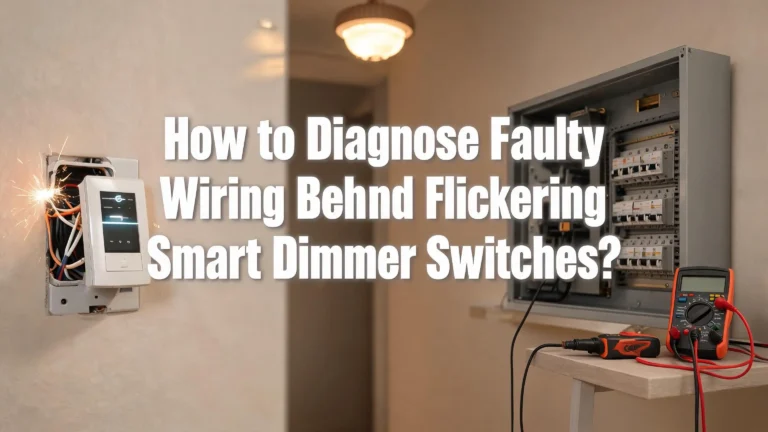
Phantom voltage happens when a switched wire runs near a live wire and picks up a tiny induced voltage. With old bulbs, that small amount of power often did nothing. With LEDs, it can be enough to create a faint glow.
This issue is more likely in long wire runs, older homes, and circuits where several conductors share tight paths. It can also show up if there is poor cable routing, damaged insulation, or a loose connection somewhere in the system.
One clue is persistence. If the glow stays even after you remove a dimmer and use a plain switch, the wiring path becomes a stronger suspect. Another clue is if multiple fixtures on the same run behave the same way.
A meter can help, but only if you know how to use it safely. If you measure small voltage at the light with the switch off, that supports a phantom voltage or leakage theory. Still, meter readings alone do not always tell the full story.
Pros of identifying a wiring issue early: You stop chasing bulbs and switches, and you move toward the root cause. You also improve long term safety if the wiring needs attention.
Cons: This is harder than swap testing. It may require an electrician, especially if walls hide the problem.
Try a Bypass or Load Fix
If the light still ghosts after you remove the dimmer and confirm the smart setup, a bypass device can help. This small part is installed across the fixture so the tiny leakage current goes somewhere other than the LED driver.
In plain terms, the bypass acts like a relief path. It takes the nuisance current and keeps it from waking the light. This fix is common in circuits with smart switches, no neutral setups, or wiring that produces a small induced voltage.
Another test method is to add a small resistive load, though this is more of a diagnostic trick than a final smart home solution. In some older mixed circuits, one non LED load can absorb the stray current and stop the glow. Still, that is rarely the best long term answer for recessed smart lighting.
Pros of a bypass: It can solve a stubborn issue without rewiring the whole circuit. It is often faster than major electrical work, and it works well when the root cause is tiny leakage current.
Cons: It is another electrical component in the system. Installation should be done correctly. It also treats the symptom path, so it may not fix deeper wiring errors.
If you are choosing between a bypass and full rewiring, start with the simpler route only after you rule out the dimmer and switch match. A bypass is useful, but it should come after good diagnosis, not before.
Reset the Smart Light and App Settings
Not every ghosting problem is purely electrical. Sometimes the fixture driver and app settings get out of sync after a power event, failed update, or unstable dimmer use. A reset will not fix stray current, but it can clear odd behavior that makes the problem look worse.
Start with the maker reset method for the recessed light. Then remove the light from the app, add it back, and update firmware if an update is available. After that, confirm the light is set to normal on off control and that no automation is trying to restore a low brightness scene after power changes.
Check any grouped scenes too. A light stuck in a scene with soft fade behavior can trick you into thinking the fixture is ghosting when it is actually following a delayed shutoff rule.
Next, restart the hub if your system uses one. Then test the light with all automations turned off for a day.
Pros of this method: Easy, no wiring changes, and useful after switch swaps or power interruptions. It also improves app stability and scene behavior.
Cons: It will not cure a real leakage current problem. It also takes patience if you have many fixtures and automations to rebuild.
Use this step after the hardware basics. Smart lighting has two layers. One layer is electrical. The other layer is software. Good troubleshooting respects both.
Know When Replacement Is Better Than Repair
Sometimes the fastest fix is replacement. If one smart recessed light ghosts while the others do not, the driver inside that fixture may be more sensitive or simply wearing out. Replacing one bad unit can be smarter than spending hours testing a circuit that already works well with the other lights.
Replacement also makes sense if the fixture has a history of random disconnects, poor dimming response, or visible brightness differences from the rest of the group. Those signs suggest the driver may be weak, even if the light still turns on.
Still, replacement should follow a few checks. Test the fixture on a known good circuit if you can. Confirm the switch is correct. Confirm the app settings are normal. Then decide.
You should call an electrician right away if the switch gets warm, breakers trip, the light buzzes loudly, or the wiring looks confusing. Ghosting alone is often mild, but ghosting with heat or noise is a different story.
Pros of replacing the fixture: Quick result, less time spent on diagnosis, and cleaner performance if the old driver is flawed.
Cons: It costs more than a switch change, and it will not fix a hidden wiring issue if that is the real cause.
If you feel stuck, think in this order. Fix the control. Check the wiring path. Reset the smart setup. Replace the light. Then call a pro if the clues still do not match.
FAQs
Why does my smart recessed light glow only at night?
This can happen because the room is darker, so the faint glow becomes easier to see. It can also happen if a smart automation changes brightness at certain hours. Check scenes, schedules, and the wall control first. If the glow is steady every night, leakage current is still the likely cause.
Can ghosting damage smart LED recessed lights?
A short afterglow usually does not cause harm. A small persistent glow is often more annoying than dangerous. Still, constant leakage current can point to a bad dimmer, wrong switch setup, or wiring issue. If you also notice heat, buzzing, or tripped breakers, treat it as a safety concern.
Should I use a dimmer with smart recessed lighting?
In many cases, no. Many smart recessed lights are made to receive full power from a standard on off switch and then dim in the app. A wall dimmer often creates the very problem you are trying to solve. Always check the fixture instructions before using a dimmer.
What is the best order for troubleshooting ghosting?
Start with safety. Then check if the glow is brief afterglow or steady ghosting. Remove any wall dimmer from smart lights. Check the switch and neutral setup. Look for wiring related phantom voltage. Try a bypass if needed. Reset the smart system. Replace the fixture or call an electrician if the problem stays.