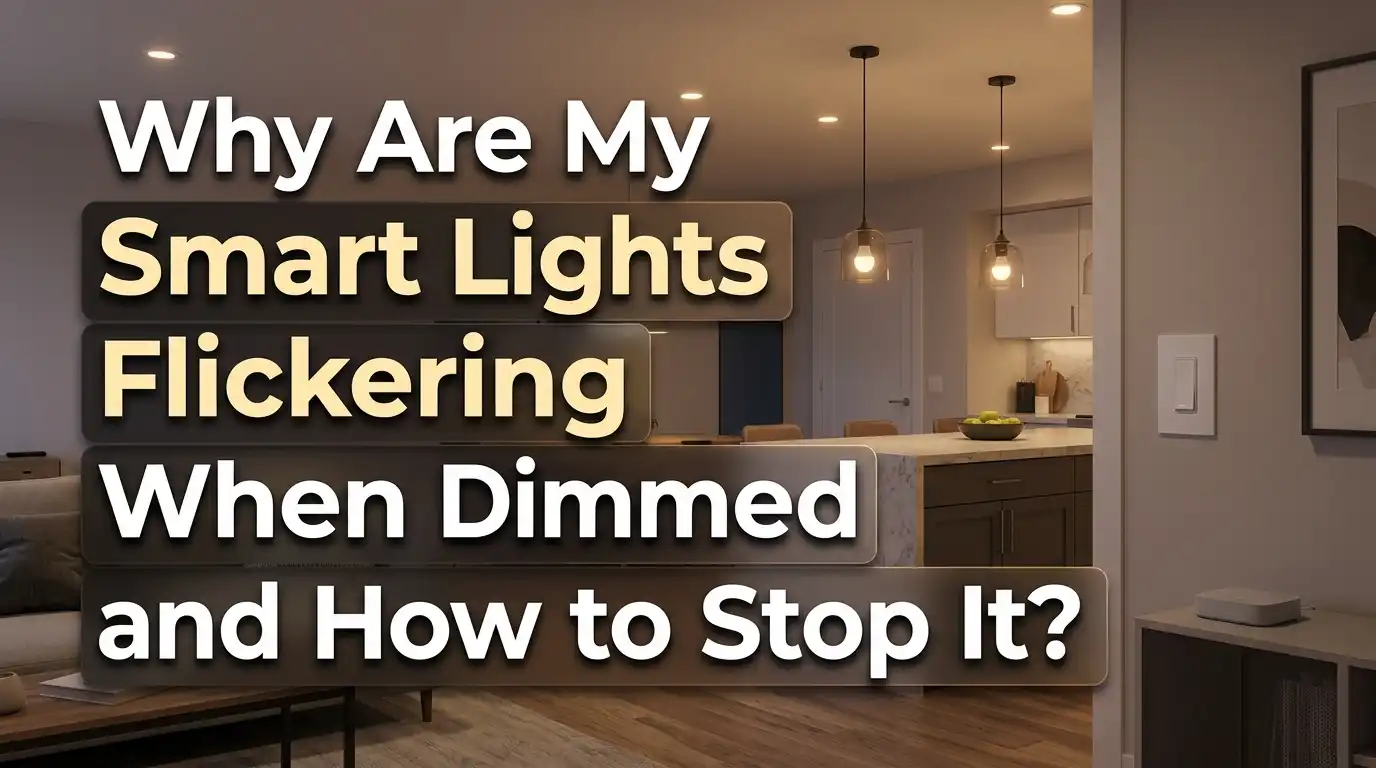
Why Are My Smart Lights Flickering When Dimmed?
You dim your smart lights for a cozy movie night, and suddenly they start flickering like a haunted house prop. It is frustrating, distracting, and honestly a little concerning.
The truth is, flickering smart lights at low brightness levels is one of the most common complaints among smart home users.
The issue usually comes down to a mismatch between your dimmer, your bulbs, and the electrical setup behind your walls. The good news? Most of the time, you can fix it yourself without calling an electrician.
This guide walks you through every possible cause of smart light flickering during dimming. You will learn why it happens, what you can do about it, and how to prevent it from happening again.
In a Nutshell
- Dimmer compatibility is the number one cause of flickering. Old TRIAC dimmers built for incandescent bulbs send power in choppy waves that confuse modern LED smart bulbs. Replacing the dimmer with an LED rated model fixes the problem in most cases.
- Not all smart bulbs are dimmable. If your bulb is not specifically labeled “dimmable” on its packaging, it will flicker, buzz, or behave unpredictably at any brightness below 100%. Always check the label before assuming your bulb supports dimming.
- Loose wiring creates tiny voltage interruptions. A bulb that is not screwed in tightly, or a fixture with a loose connection, can cause random flickers that get worse at lower brightness. Tighten connections and inspect wiring before spending money on new equipment.
- Low electrical load confuses some dimmers. LED bulbs use very little power. Some dimmers need a minimum wattage to function properly. A dimmer bypass or dummy load resistor can solve this issue quickly.
- Firmware and software bugs can cause flickering too. Smart bulbs rely on internal software to control brightness. An outdated firmware version may introduce dimming glitches that a simple update can fix.
- Mixing different bulb brands or types on the same circuit often leads to uneven dimming and flicker. Stick with one brand and one model per circuit for the best results.
What Causes Smart Lights to Flicker When Dimmed
Smart lights flicker during dimming because of a disruption in the power delivery to the bulb’s LED driver. Unlike old incandescent bulbs that glow based on heat, LED smart bulbs rely on electronic circuits to convert incoming power into light. Any inconsistency in that power signal shows up as visible flicker.
The most common disruption comes from the dimmer switch itself. Traditional dimmers chop up the electrical waveform to reduce power. LED drivers do not always interpret those chopped signals correctly, especially at lower brightness settings. The lower you dim, the worse the flicker becomes because the power signal gets smaller and harder for the driver to read.
Voltage fluctuations in your home’s electrical system also play a role. Large appliances like air conditioners and refrigerators create brief power dips when they kick on. LED bulbs react to these dips more visibly than incandescent bulbs because LEDs respond to voltage changes almost instantly.
Software and connectivity issues add another layer. Smart bulbs receive dimming commands over WiFi, Zigbee, or Bluetooth. If the communication between your smart hub and the bulb stutters or sends conflicting signals, the bulb may flicker as it tries to process rapid brightness changes. A weak WiFi signal can make this worse.
The Dimmer Compatibility Problem Explained
Dimmer compatibility is the single biggest reason smart lights flicker when you lower the brightness. Most homes built before 2015 still have TRIAC dimmers, which were designed for incandescent and halogen bulbs. These dimmers work by cutting portions of the AC power wave to reduce brightness.
Incandescent bulbs handled this just fine because they run on raw AC power and respond slowly to changes. LED smart bulbs are different. They use a built in driver that converts AC power to DC. When a TRIAC dimmer chops the wave, the LED driver receives an unstable input signal. The driver struggles to maintain a steady output, and you see that as flickering or strobing.
There are two types of TRIAC dimmers. Leading edge dimmers cut the front of the power wave. Trailing edge dimmers cut the back of the wave. Trailing edge dimmers generally work better with LEDs because the power transition is smoother. Leading edge models are cheaper and more common, but they cause more flicker with LED bulbs.
Pros of replacing your dimmer with an LED compatible model: smooth dimming range, no flicker at low brightness, better energy efficiency, and longer bulb life. Cons: upfront cost of the new dimmer, possible need for professional installation if you are not comfortable with electrical work, and you still need to verify that the specific dimmer model is compatible with your specific bulbs.
The simplest test is to remove the dimmer and install a standard on/off switch temporarily. If the flicker stops, you have confirmed the dimmer is the problem.
Why Minimum Load Requirements Matter
Many dimmer switches require a minimum wattage load to function correctly. This is a holdover from the incandescent era, when a single bulb might draw 60 to 100 watts. A dimmer rated for a 40 watt minimum had no trouble with those loads.
Modern LED smart bulbs use far less power. A bright LED bulb might only draw 8 to 12 watts. If you have a single LED bulb on a dimmer that expects at least 40 watts, the dimmer cannot regulate the tiny power flow properly. The result is erratic behavior, including flickering, buzzing, and lights that refuse to turn off completely.
This problem gets worse at lower brightness settings. At 10% brightness, that 10 watt LED might only draw 1 to 2 watts. The dimmer essentially loses its grip on the power signal and starts misfiring.
There are two practical solutions. First, you can add more LED bulbs to the circuit to increase the total load above the dimmer’s minimum threshold. Second, you can install a dimmer bypass module (also called a dummy load). This small device wires in parallel with the bulbs and draws a few extra watts, tricking the dimmer into thinking it has a sufficient load.
Pros of using a dimmer bypass: inexpensive, easy to install, solves the minimum load problem without changing your bulbs or dimmer. Cons: adds a small amount of wasted energy, does not fix other compatibility issues, and some models may produce a faint hum.
How Loose Wiring Leads to Flickering
A loose wire anywhere in the circuit between your breaker panel and your bulb can cause flickering. The connection does not need to be completely broken. Even a slightly loose wire creates intermittent contact that disrupts the steady flow of electricity to your smart bulb.
The most common loose connection points are the bulb socket itself, the wire terminals on the switch or dimmer, and the junction box behind the fixture. Over time, thermal expansion and contraction can loosen wire nuts and screw terminals. Vibrations from nearby HVAC systems or foot traffic can make things worse.
LED bulbs amplify the visibility of these small disruptions. An incandescent bulb has a hot filament that takes a fraction of a second to cool, so it smooths over brief power interruptions. An LED responds to power changes in microseconds. A tiny voltage blip that you would never notice with an old bulb becomes a visible flash with an LED.
To check for loose connections, start with the easiest step. Turn off the power, remove the bulb, and screw it back in firmly. If the flicker continues, turn off the breaker and carefully inspect the wire connections at the switch and fixture. Look for blackened or melted wire nuts, signs of arcing, or wires that pull out easily.
If you find damaged wiring or signs of arcing, contact a licensed electrician immediately. This is not just a flickering problem. It is a potential fire hazard.
Are Your Smart Bulbs Actually Dimmable
Not every smart bulb supports dimming, and using a non dimmable bulb on a dimmer circuit will almost always cause flickering. The bulb’s packaging or product page should clearly state “dimmable.” If it does not say that, assume it is not designed for dimming.
Even among dimmable smart bulbs, there are differences in dimming range and performance. Some bulbs dim smoothly down to 1% brightness. Others start to flicker or shut off below 10 or 20%. The quality of the built in LED driver determines how well the bulb handles low power levels.
Cheaper smart bulbs often use basic drivers that cannot maintain a stable output at low brightness. Premium bulbs from established brands tend to use higher quality components that deliver smoother dimming. This does not mean you need the most expensive bulb on the market. It means you should check reviews and specifications before buying.
Pros of investing in quality dimmable bulbs: wider dimming range, smoother transitions, less audible buzz, and longer lifespan. Cons: higher upfront cost and potentially limited color or feature options compared to budget alternatives.
If you already own non dimmable smart bulbs, the fix is straightforward. Either replace them with dimmable versions or remove the dimmer switch and control brightness through the bulb’s app instead.
The Role of Firmware and Software Updates
Smart bulbs are small computers with wireless radios and programmable firmware. Like any software, this firmware can contain bugs that affect dimming performance. A flicker that appeared suddenly after your bulbs worked fine for months may point to a firmware issue.
Manufacturers release firmware updates to fix exactly these kinds of problems. Updates can improve the bulb’s internal dimming algorithm, reduce flicker at low brightness, and improve communication stability with your smart home hub. Checking for firmware updates should be one of your first troubleshooting steps.
To update firmware, open the manufacturer’s app (such as the Philips Hue app, LIFX app, or TP Link Tapo app) and look for a device settings or update section. Some apps update bulbs automatically over WiFi. Others require you to trigger the update manually.
If a recent firmware update caused the flickering, you may need to wait for the manufacturer to release a patch. In some cases, you can roll back to a previous firmware version, but this varies by brand.
Pros of keeping firmware updated: better dimming performance, improved stability, access to new features, and security patches. Cons: occasional bugs in new releases, updates may reset your custom settings, and some updates require the bulb to remain powered on for extended periods.
Factory resetting the bulb is another useful step. Most smart bulbs can be reset by turning them off and on in a specific pattern (often five times in a row). This clears any corrupted settings that might be causing erratic behavior.
How Voltage Fluctuations Affect Smart Lights
Your home’s electrical supply is not perfectly steady. Voltage fluctuates slightly throughout the day based on demand from your neighborhood and usage within your own home. These fluctuations are normally small, between 110 and 125 volts on a standard 120 volt circuit in the United States.
LED smart bulbs are more sensitive to these fluctuations than incandescent bulbs. When a large appliance like a washing machine or air conditioner starts up, it draws a surge of power. This brief dip in voltage can make nearby LED bulbs flicker for a moment before the supply stabilizes.
If your smart lights only flicker when a specific appliance turns on, the appliance is likely on the same circuit or is drawing enough power to affect the whole panel. You can test this by turning off the suspected appliance and watching the lights.
Persistent voltage issues may indicate a problem with your utility supply or your home’s main panel. A licensed electrician can measure your voltage with a multimeter and determine if it falls outside the normal range. Unusually high or low voltage damages electronics over time and shortens bulb life.
Whole house surge protectors and voltage regulators can help stabilize your power supply. These are especially useful in areas with older electrical infrastructure or frequent power grid fluctuations.
Pros of installing a voltage regulator: protects all electronics in the home, reduces flicker across all LED fixtures, and extends the lifespan of sensitive equipment. Cons: significant upfront cost, requires professional installation, and may not be necessary if the voltage issue is minor.
Why Mixing Bulb Brands Causes Problems
Placing different brands or models of smart bulbs on the same dimmer circuit often leads to uneven dimming and visible flicker. Each manufacturer uses different internal components and dimming protocols. What works perfectly for one bulb may not work at all for another, even if both are labeled “dimmable.”
Different LED drivers have different electrical characteristics. They draw current in slightly different patterns and respond to the dimmer’s signal at different speeds. When two bulbs on the same circuit interpret the same power signal differently, one may dim smoothly while the other flickers or strobes.
This problem is especially common with TRIAC dimmers and older smart dimmer switches. The dimmer adjusts its output based on the total load, but mismatched bulbs create a confusing feedback loop that destabilizes the circuit.
The fix is simple but sometimes inconvenient. Use identical bulbs from the same brand and the same product line on every fixture controlled by a single dimmer. This ensures all bulbs respond to the dimmer signal in the same way. You can still use different brands in different rooms, as long as each dimmer circuit uses matched bulbs.
Pros of standardizing bulb brands per circuit: consistent dimming, no flicker, easier troubleshooting, and uniform light color and brightness. Cons: limits your choice of bulbs, can be costly if you need to replace several mismatched bulbs at once, and may require stocking spare bulbs of a specific model.
Smart Dimmers vs Traditional Dimmers
A smart dimmer switch handles dimming very differently from a traditional TRIAC dimmer. Understanding this difference helps you choose the right setup and avoid flicker entirely.
Traditional TRIAC dimmers physically alter the AC waveform. They chop parts of the wave to reduce the power sent to the bulb. This method worked well with incandescent bulbs but creates problems with LEDs, as discussed earlier. The dimming signal is analog and imprecise, which makes it harder for LED drivers to produce smooth, stable light.
Smart dimmer switches use digital control methods. Many use trailing edge dimming or PWM (pulse width modulation) at high frequencies to reduce brightness. These methods send a cleaner signal to the LED driver, which results in smoother dimming with less flicker. Smart dimmers can also be calibrated through their companion apps to set minimum and maximum brightness levels for your specific bulbs.
Some smart dimmers include a built in feature to adjust the “low trim” and “high trim” settings. The low trim sets the minimum brightness level before the bulb starts flickering. If your bulbs flicker below 15%, you set the low trim to 15%, and the dimmer will never go below that point. This single feature eliminates most flicker complaints.
Pros of upgrading to a smart dimmer: digital precision, app based calibration, compatibility with most LED bulbs, remote control, and automation support. Cons: higher cost than basic dimmers, may require a neutral wire (which some older homes lack), and setup can be more involved than a simple switch swap.
How to Set Up a Dimmer Bypass Module
A dimmer bypass module is a small electronic device that solves the minimum load problem described earlier. It connects in parallel with your LED bulbs and adds a small resistive load to the circuit. This helps the dimmer switch maintain a stable output, even with very low wattage LEDs.
Installation is straightforward. Turn off the breaker to the circuit. Remove the light fixture cover or access the junction box. Connect the bypass module’s two wires to the live and neutral wires in the fixture’s junction box, alongside the existing wiring. Secure the connections with wire nuts and replace the cover.
Most bypass modules draw between 2 and 5 watts. This tiny load is enough to bring the total circuit wattage above the dimmer’s minimum threshold. The result is stable, flicker free dimming across the entire brightness range.
You can also use a dummy load resistor as an alternative. This is a resistor rated for the appropriate wattage that wires into the circuit the same way. Some electricians prefer dummy loads because they are simpler components with fewer failure points.
Before buying a bypass, check your dimmer’s minimum load specification. If your dimmer requires 25 watts minimum and you have three 9 watt LEDs (27 watts total), you may not need a bypass at all. The bypass is most helpful when you have one or two low wattage bulbs on a dimmer designed for higher loads.
Pros of a dimmer bypass: inexpensive, quick to install, works with most dimmers, and solves low load flicker instantly. Cons: adds a small amount of heat and wasted energy, must be rated for your circuit’s voltage, and does not fix dimmer to bulb incompatibility.
Step by Step Troubleshooting Guide
Follow these steps in order to identify and fix your flickering smart lights. Start with the simplest solutions and work your way up to more involved fixes.
Step 1: Tighten the bulb. Turn off the power, let the bulb cool, and screw it in firmly. A loose bulb is the easiest fix and the most overlooked cause.
Step 2: Check if the bulb is dimmable. Look at the packaging or search the model number online. If it is not dimmable, replace it with one that is.
Step 3: Update the bulb’s firmware. Open the manufacturer’s app and check for available updates. Install any pending updates and test the dimming again.
Step 4: Test without the dimmer. Replace the dimmer with a standard on/off switch temporarily. If the flicker stops, the dimmer is the problem.
Step 5: Check dimmer compatibility. Look up your dimmer model and see if it is rated for LED use. If not, replace it with an LED compatible dimmer, preferably a trailing edge or smart dimmer.
Step 6: Match your bulbs. If you have different brands or models on the same circuit, replace them with identical bulbs and test again.
Step 7: Install a dimmer bypass. If your total LED wattage is below the dimmer’s minimum load requirement, add a bypass module.
Step 8: Inspect the wiring. Turn off the breaker and check all wire connections at the switch and fixture for looseness or damage. Call an electrician if you find anything concerning.
Step 9: Check for voltage issues. If lights flicker when appliances turn on, you may have a circuit overload or a utility supply issue. An electrician can test your voltage levels.
When to Call a Professional Electrician
Some flickering problems go beyond what a typical homeowner should handle. You should call a licensed electrician if you find signs of burnt or melted wires, if multiple lights on different circuits flicker at the same time, or if you smell burning near a switch or fixture.
Persistent voltage problems across your entire home suggest an issue with your main electrical panel or the utility connection. This is not a DIY fix. An electrician can measure voltage, test for loose neutral connections at the panel, and coordinate with your utility company if needed.
If you have tried all the troubleshooting steps in this guide and the flicker persists, a professional can use specialized tools to pinpoint the exact cause. They can also ensure that your dimmer, wiring, and bulbs are all properly rated and compatible.
Older homes with aluminum wiring, knob and tube wiring, or undersized electrical panels are especially prone to flickering and other electrical issues. These systems require professional evaluation because improper repairs can create fire hazards.
The cost of an electrician’s visit varies by location, but it is a worthwhile investment for safety and peace of mind. Flickering lights are often just annoying, but in some cases, they signal a serious electrical problem that can damage your home or put your family at risk.
How to Prevent Smart Light Flicker in the Future
Prevention is easier and cheaper than troubleshooting. Build your smart lighting setup with compatibility in mind from the start, and you will avoid most flickering problems entirely.
Always buy bulbs labeled “dimmable” and check the manufacturer’s compatibility list for your dimmer switch. Most major dimmer brands publish lists of tested and approved LED bulbs on their websites. Sticking to these recommended pairings gives you the best chance of flicker free performance.
Use the same brand and model of bulb for every fixture on a single dimmer circuit. This ensures consistent electrical behavior and even dimming across all your lights.
Choose a smart dimmer over a traditional TRIAC dimmer if your budget allows. Smart dimmers give you digital control, app based calibration, and the ability to set minimum brightness levels that prevent flicker.
Keep your smart bulbs updated. Enable automatic firmware updates in your manufacturer’s app if the option is available. This ensures you always have the latest bug fixes and performance improvements.
Avoid overloading circuits with too many high draw appliances. If possible, keep your lighting circuits separate from circuits that power large motors or heating elements. This reduces voltage fluctuations that cause flickering.
Finally, invest in quality bulbs and dimmers. The cheapest options often cut corners on the internal driver components that matter most for smooth dimming. Mid range products from reputable brands will save you time, frustration, and money in the long run.
Frequently Asked Questions
Why do my smart lights flicker only at low brightness?
At low brightness, the dimmer sends a very small and unstable power signal. The LED driver inside the bulb has a harder time converting this weak signal into steady light. The lower the brightness, the less stable the signal becomes. This is why many bulbs flicker below 10 to 20% but work fine at higher levels. Setting a minimum brightness threshold on your dimmer can fix this.
Can a WiFi connection problem cause smart lights to flicker?
Yes. Smart bulbs receive brightness commands over WiFi, Zigbee, or Bluetooth. If the connection between the bulb and your smart hub is weak or unstable, the bulb may receive repeated or conflicting dimming commands. This causes visible flickering. Moving your router closer or adding a WiFi extender can reduce this issue.
Is it safe to use smart bulbs with a traditional dimmer switch?
It depends on the specific dimmer and bulb. Most smart bulb manufacturers recommend against using traditional TRIAC dimmers with their products. The mismatch can cause flickering, buzzing, and shortened bulb life. If you want to dim smart bulbs, use either the bulb’s app or a compatible smart dimmer switch.
Do I need a neutral wire for a smart dimmer switch?
Many smart dimmer switches require a neutral wire to operate. Homes built before the 1980s may not have neutral wires in the switch boxes. Some newer smart dimmers are designed to work without a neutral wire, but they may require a bypass module to function with low wattage LED loads. Check the dimmer’s requirements before purchasing.
How do I know if my dimmer switch is LED compatible?
Check the label on the dimmer or search the model number online. LED compatible dimmers are usually labeled “LED/CFL” or “universal.” They are designed to handle the low wattage and electrical characteristics of LED bulbs. If your dimmer only says “incandescent” or “halogen,” it is likely a traditional TRIAC model that needs to be replaced.
Will a dimmer bypass module increase my electricity bill?
A bypass module typically draws 2 to 5 watts. Running it 24 hours a day adds roughly 17 to 44 kilowatt hours per year. At average electricity rates, this costs about $2 to $6 per year. The energy cost is minimal and well worth the investment for stable, flicker free lighting.