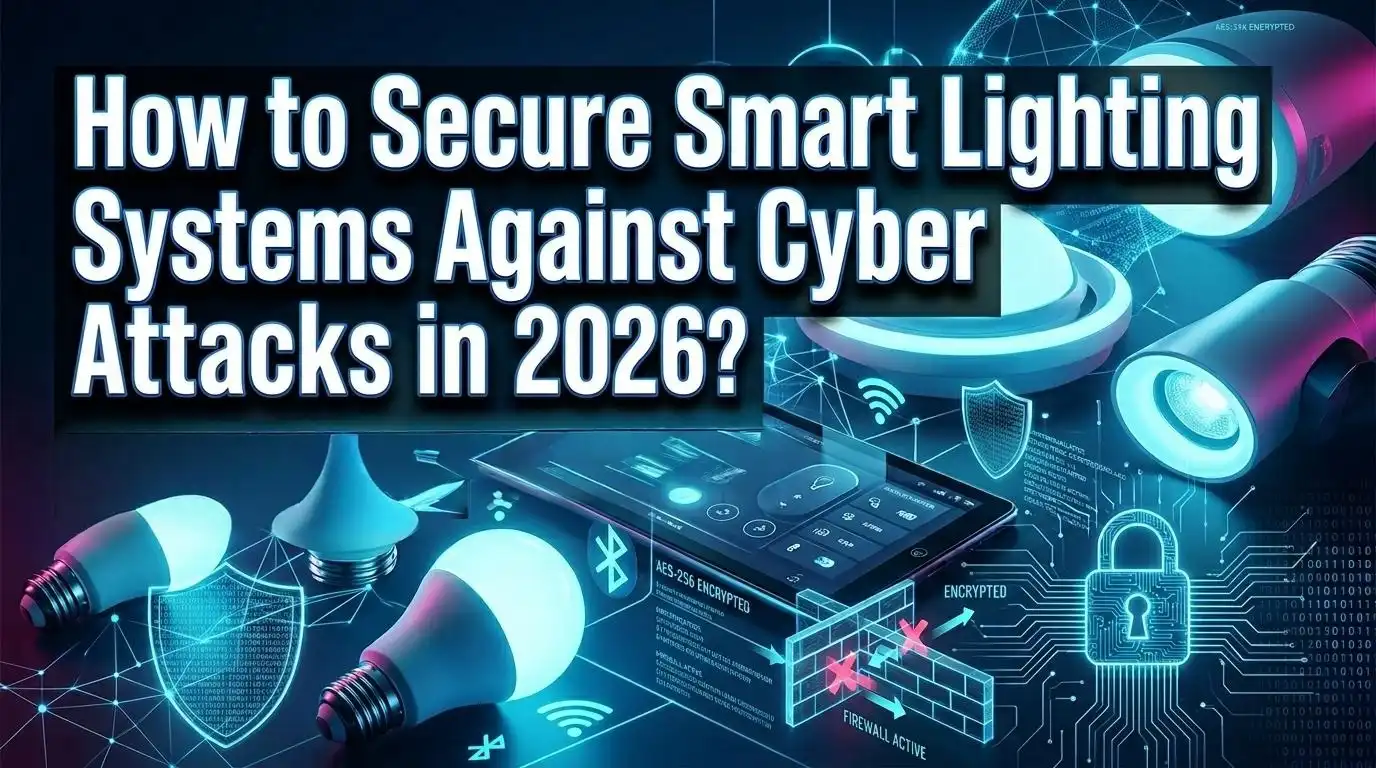
How to Secure Smart Lighting Systems Against Cyber Attacks in 2026?
Your smart lights could be the weakest link in your entire home network. That might sound alarming, but it is true. In 2025 alone, researchers disclosed 937 new wireless vulnerabilities, averaging 2.5 new security flaws every single day.
Smart lighting systems, which now sit in millions of homes and offices around the world, use protocols like ZigBee, Bluetooth, and Wi Fi that hackers actively target.
A compromised smart bulb is not just a flickering inconvenience. It can become a gateway for ransomware, data theft, and full network infiltration.
The good news? You can protect yourself. This guide walks you through practical, step by step solutions to lock down your smart lighting setup.
Key Takeaways
- Smart lighting systems are active cyber targets. Every smart bulb with an IP address or wireless connection adds a potential entry point to your network. The more connected devices you have, the larger your attack surface becomes.
- Network segmentation is your strongest defense. Placing smart lights on a separate VLAN or Wi Fi band prevents attackers from using a compromised bulb to access your computers, phones, and sensitive data.
- Firmware updates are not optional. Manufacturers regularly patch security flaws. A smart bulb running outdated firmware is an open invitation for attackers who know exactly which vulnerabilities to exploit.
- The Matter protocol improves security out of the box. Matter uses local communication and strong encryption by default, reducing your dependence on cloud connections that increase risk.
- Default passwords must go immediately. Many smart lighting hubs and controllers ship with factory credentials. Changing these on day one is one of the simplest and most effective steps you can take.
- Zero trust principles apply to lighting too. Treat every device as potentially compromised. Verify identity, limit access, and monitor behavior continuously even for something as simple as a light bulb.
Why Smart Lighting Systems Are Vulnerable to Cyber Attacks
Smart lighting systems were originally built for convenience and energy efficiency, not security. Many early products shipped with minimal encryption, weak authentication, and open communication protocols. This design philosophy created deep vulnerabilities that persist today.
The core problem is that smart bulbs and controllers are low power devices. Adding strong encryption and authentication requires processing power and energy that many budget devices simply do not have. The U.S. Department of Energy notes that while AES 128 bit encryption is the minimum standard for wireless devices, stronger AES 256 bit encryption has power demands that limit its use on most current wireless smart devices.
Smart lighting also relies on protocols like ZigBee, Bluetooth Low Energy, and Wi Fi, each with known attack vectors. ZigBee networks, for instance, have documented vulnerabilities in symmetric key security that researchers continue to investigate. Bluetooth exploits discovered in early 2026 left hundreds of millions of accessories open to takeover.
Another factor is cloud dependency. Many smart lighting systems send data to external servers for processing, scheduling, and remote control. Once data leaves your building, it crosses networks you do not control. The Department of Energy classifies cloud connected lighting systems as moderate to high risk for this reason.
Pros of understanding these vulnerabilities: You can make informed purchasing decisions and prioritize security features. Cons: The technical details can feel overwhelming for non technical users, and not all manufacturers disclose their security practices clearly.
How Attackers Exploit Smart Lighting Networks
Understanding the attack methods helps you defend against them. There are four primary ways hackers target smart lighting systems: vectoring, distributed denial of service (DDoS), packet sniffing, and privacy invasion.
Vectoring is the most dangerous. An attacker enters through an unsecured lighting device and then moves laterally across your network to reach computers, storage drives, or security cameras. Check Point Research demonstrated this in a real attack scenario where a compromised smart bulb delivered malware to the bridge device, which then infected the entire network.
DDoS attacks turn your smart bulbs into soldiers in a bot army. Hackers take control of thousands of connected light bulbs and use them to flood a target server with traffic. Forescout researchers proved that smart lighting based DDoS attacks are not theoretical but practically achievable.
Packet sniffing occurs when attackers intercept unencrypted data traveling between your lighting devices. If a protocol does not encrypt its traffic, anyone within wireless range can read the commands, including light output values, scheduling data, and network credentials.
Privacy invasion is a growing concern because modern smart lighting systems often include occupancy sensors, people counters, and even low resolution cameras. This data reveals when you are home, how many people are in a room, and your daily patterns. Hackers can use this information for physical reconnaissance before a break in.
Pros of knowing attack methods: You can prioritize defenses against the most likely threats. Cons: New attack techniques emerge regularly, so this knowledge requires ongoing updates.
Set Up Network Segmentation for Your Smart Lights
Network segmentation is the single most effective defense you can deploy for your smart lighting system. The concept is straightforward: place your smart lights on a completely separate network from your computers, phones, and other sensitive devices.
Start by creating a dedicated VLAN (Virtual Local Area Network) or using a separate Wi Fi band exclusively for IoT devices. Most modern routers support 2.4GHz, 5GHz, and sometimes 6GHz bands. Assign your smart lights to one band and keep your personal devices on another. This way, even if an attacker compromises a light bulb, they cannot jump to your laptop or phone.
For home users, the steps are simple. Log into your router’s admin panel. Create a guest network or secondary SSID with a different password. Connect all smart lighting devices to that network. Disable communication between networks in your router settings if available.
For commercial buildings, the approach is more involved. Work with your IT department to establish VLANs with firewall rules that restrict traffic between the lighting segment and corporate systems. The Department of Energy specifically recommends incorporating a VLAN between light fixtures and gateways or network switches when encryption is not available.
Pros: Segmentation stops lateral movement, is relatively easy to set up, and works with existing hardware. Cons: Some smart lighting features like voice control integration may require additional configuration to work across segmented networks, and managing multiple networks adds slight administrative overhead.
Change Default Credentials on Every Device
This step sounds basic, but it remains one of the most overlooked security measures in smart lighting setups. A staggering number of smart hubs, bridges, and controllers ship with universal default passwords that are publicly documented and easily found online.
New safety standards proposed in 2026 now push manufacturers to either eliminate default passwords entirely or require users to create a unique password during initial setup. However, many older devices still in active use carry factory credentials that have never been changed.
Here is what you should do. First, identify every smart lighting device on your network, including bulbs, hubs, bridges, controllers, and gateway devices. Second, log into each device’s management interface and change the username and password. Use a password that is at least 16 characters long and combines uppercase letters, lowercase letters, numbers, and symbols.
Third, do the same for your lighting manufacturer’s cloud account. If your smart lights connect to a mobile app, that app account needs a strong, unique password and two factor authentication enabled. A compromised cloud account gives an attacker remote control over your entire lighting system from anywhere in the world.
Fourth, change the default name of your lighting network or hub. Default device names often reveal the manufacturer and model, giving attackers useful information about which known exploits to try.
Pros: This costs nothing, takes minutes, and eliminates a huge percentage of automated attacks. Cons: Managing many unique passwords requires a password manager, and some older devices may have limited password length support.
Keep Firmware and Software Updated
Every smart lighting device runs firmware, which is the low level software that controls how the device operates. Manufacturers release firmware updates to patch security vulnerabilities, fix bugs, and occasionally add new features. Running outdated firmware is like leaving your front door unlocked.
Set up a regular update schedule. Check for firmware updates at least once a month for all smart lighting devices. Many modern systems support over the air (OTA) updates that happen automatically, but you should verify this feature is enabled and functioning.
Here is the step by step process. Open your smart lighting app. Navigate to device settings. Look for a firmware version or software update option. If an update is available, install it immediately. For hub based systems like ZigBee bridges, update the hub first because the hub often distributes updates to connected bulbs.
Be aware that some manufacturers stop supporting older products. When a device reaches end of life and no longer receives security patches, it becomes a growing liability on your network. Plan to replace unsupported devices rather than leaving them connected indefinitely.
For commercial systems, the IETF recommends delivering updates in an automated, secure, and verified manner. Updates should be validated by a root of trust to check their integrity and authenticity before execution. This prevents attackers from pushing malicious firmware disguised as legitimate updates.
Pros: Updates are usually free and directly address known vulnerabilities. Cons: Updates can occasionally introduce new bugs, and some devices require manual intervention that is easy to forget.
Use Encryption for All Lighting Communications
Encryption scrambles the data traveling between your smart lighting devices so that anyone who intercepts it sees only meaningless code. Without encryption, commands and data travel in plain text that attackers can read and modify.
The minimum acceptable standard is AES 128 bit encryption. This is the baseline recommended by the U.S. Department of Energy for all wireless smart lighting devices. AES 256 bit encryption offers stronger protection but demands more power, which can reduce battery life in wireless sensors and switches.
When purchasing new smart lighting products, check the specifications for encryption standards. If a product does not mention encryption or uses proprietary, unverified encryption, consider it a red flag. Look for products that support recognized standards like AES 128 or AES 256.
For existing systems that lack built in encryption, you can add a layer of protection by placing them behind a VPN (Virtual Private Network) on your local network or by using the VLAN approach described earlier. The VLAN isolates unencrypted traffic so it cannot reach your sensitive devices.
Also pay attention to cloud connections. Data sent to manufacturer cloud servers should use TLS (Transport Layer Security) encryption. Check that the app you use to control your lights shows a secure connection icon and uses HTTPS rather than HTTP.
Pros: Encryption is the foundational defense against sniffing and man in the middle attacks. Cons: Encryption increases power consumption on battery powered devices and may slightly increase communication latency on very constrained hardware.
Enable Strong Authentication on Lighting Devices
Authentication ensures that only trusted devices and users can send commands to your smart lighting system. Without proper authentication, any device within wireless range could potentially control your lights or inject malicious commands.
Strong authentication involves a public and private key pair. The public key initiates communication between two devices. The authenticating device then challenges the connecting device, which must respond with the correct private key. This process confirms identity before any data is exchanged.
Unfortunately, many smart lighting manufacturers do not clearly disclose their authentication methods on product data sheets. The Department of Energy notes that authentication methodology needs to be verified directly with the specific technology manufacturer. Ask before you buy.
For your own setup, enable two factor authentication (2FA) on every account connected to your lighting system. This includes the manufacturer’s app, your smart home hub account, and any cloud dashboards. Even if an attacker obtains your password, they cannot log in without the second verification factor.
Also disable any remote access features you do not actively use. Many smart lighting systems offer remote control through cloud services. If you only control your lights while at home, turn off remote access entirely. Every open access point is a potential entry for attackers.
Pros: Strong authentication stops unauthorized access even if other defenses fail. Cons: Not all manufacturers support advanced authentication, and 2FA adds a small extra step to daily use.
Adopt the Matter Protocol for Better Security
The Matter smart home standard has become a significant security upgrade for smart lighting in 2026. Developed by the Connectivity Standards Alliance with backing from Apple, Google, Amazon, and Samsung, Matter was built with security as a core requirement rather than an afterthought.
Matter uses local communication by default. Your devices talk directly to each other over your local network rather than routing commands through distant cloud servers. This dramatically reduces exposure because data that never leaves your home cannot be intercepted on the internet.
The protocol mandates strong encryption and device attestation out of the box. Every Matter certified device carries a unique cryptographic identity that gets verified during setup. This prevents counterfeit or compromised devices from joining your network undetected.
Matter also works over Thread and Wi Fi, both of which support modern security standards. Thread, in particular, creates a self healing mesh network that encrypts all communication at the network layer. Forbes recommended going local with Matter as the single best smart home upgrade in 2026.
If you are building a new smart lighting system or replacing older components, prioritize Matter certified products. For existing devices, check whether your manufacturer offers Matter firmware updates. Several major brands have rolled out Matter compatibility through software updates for their existing product lines.
Pros: Matter provides enterprise grade security by default, works across brands, and reduces cloud dependency. Cons: Not all legacy devices can be updated to Matter, and the ecosystem is still expanding its device category support.
Apply Zero Trust Principles to Your Lighting Network
Zero trust is a security approach that assumes no device on your network is safe by default. Every device must prove its identity, and every connection must be verified before access is granted. This philosophy is especially important for IoT devices like smart lights.
The first step is least privilege access. Each smart lighting device should only communicate with the specific devices it needs. A smart bulb does not need access to your file server. Configure your router or firewall rules to restrict traffic so that lighting devices can only reach their hub or controller and nothing else.
Device segmentation is the second pillar. Group your smart lights into their own network zone, as discussed in the segmentation section. Then add firewall rules that monitor and control what enters and leaves that zone. Any unusual traffic pattern, like a light bulb trying to communicate with an external IP address, should trigger an alert.
Continuous monitoring is the third element. Use your router’s traffic monitoring features or install a network monitoring tool to watch your IoT segment. Look for anomalies such as unexpected data volumes, communication with unknown servers, or devices going offline and back online in patterns that suggest a reset attack.
For commercial environments, platforms from companies like Palo Alto Networks and Zscaler offer dedicated IoT zero trust solutions that automate device discovery, classification, and policy enforcement. These tools can identify every smart light on your network and apply appropriate security rules automatically.
Pros: Zero trust provides defense in depth that catches threats other measures miss. Cons: Full implementation requires more technical knowledge and can be complex for home users without enterprise tools.
Disable Unnecessary Features and Sensors
Modern smart lighting systems come packed with features you may never use. Every enabled feature is a potential attack surface. A disciplined approach to disabling what you do not need significantly reduces your risk.
Start with commissioning tools. Many smart lights use Bluetooth, infrared, or ZigBee for initial setup and configuration. The Department of Energy recommends using these wireless commissioning tools for setup but turning them off after commissioning is complete. Leaving these active means anyone within range could potentially reconfigure your system.
Review cloud connectivity settings. If your smart lights work fine with local control through a hub, disable cloud reporting and remote access. Systems that connect outside your building automatically carry higher risk according to federal guidelines. Only enable cloud features you actively use and understand.
Examine sensor capabilities. Some smart lighting fixtures include occupancy sensors, people counters, ambient light sensors, and even low resolution cameras. If you do not use occupancy tracking or people counting features, disable them. These sensors collect data about your daily patterns that could be valuable to an attacker.
Turn off voice assistant integration if you control your lights manually or through an app. Each integration point between your lighting system and another platform creates a new communication pathway that must be secured.
Finally, disable Universal Plug and Play (UPnP) on your router. UPnP allows devices to automatically open ports on your network, which is convenient but dangerous. Smart lights do not need UPnP to function properly.
Pros: Reducing active features shrinks your attack surface with zero cost. Cons: You lose some convenience and may need to re enable features if your needs change later.
Monitor Your Network for Suspicious Activity
A security setup is only as good as your ability to detect when something goes wrong. Active monitoring catches breaches that prevention alone cannot stop. Even the best defenses have limits, and monitoring is your safety net.
Start with your router’s built in logging. Most modern routers can show you which devices are connected, how much data they send and receive, and which external addresses they contact. Check this log weekly. If a smart bulb is sending large amounts of data to an unfamiliar server, that is a clear warning sign.
For a more advanced approach, use DNS monitoring. Tools like Pi Hole or similar DNS filters let you see every domain your smart lights try to reach. You can block connections to known malicious domains and set up alerts for new, unrecognized destinations.
Traffic volume anomalies are another key indicator. A smart bulb in normal operation sends very small amounts of data. If you notice a significant spike in traffic from your lighting VLAN, investigate immediately. This could indicate a compromised device participating in a DDoS attack or exfiltrating data.
Set up automated alerts if your router or monitoring tool supports them. Configure notifications for new devices joining your IoT network, unusual outbound connections, and devices that go offline unexpectedly. An unexpected device reset can indicate that an attacker is exploiting a factory reset vulnerability to reconfigure the bulb.
For enterprise environments, consider a Security Information and Event Management (SIEM) system that aggregates logs from all your network devices. SIEM platforms can correlate events across your lighting system and other infrastructure to identify sophisticated multi stage attacks.
Pros: Monitoring provides real time threat detection and valuable forensic data after an incident. Cons: It requires ongoing attention and can generate false positives that need investigation.
Choose Smart Lighting Products With Security in Mind
The security of your smart lighting system starts at the point of purchase. Choosing products with strong built in security is far easier than trying to patch insecure devices after installation.
Look for products that carry recognized security certifications. The ANSI/UL 2900 1 standard covers cybersecurity testing for connected appliances including lighting. Products tested under this standard have undergone vulnerability analysis, source code review, and penetration testing. The DesignLights Consortium has also incorporated cybersecurity requirements into its technical standards for networked lighting controls.
Check the manufacturer’s update history. Browse the company’s support page and look at how frequently they release firmware updates. A manufacturer that patches security flaws quickly and communicates transparently about vulnerabilities is far more trustworthy than one that ships a product and never updates it.
Prioritize products that support Matter certification, as discussed earlier. Also look for devices that clearly state they use AES 128 or AES 256 encryption and support modern authentication protocols.
Read independent security reviews. Organizations like Pen Test Partners and Forescout regularly publish research on smart lighting security. Their findings reveal which products and protocols have been tested and which have known weaknesses.
Avoid products that are unusually cheap with no clear brand identity. Bargain smart bulbs often cut corners on security, use outdated chipsets, and receive no firmware updates after the initial release. The savings are not worth the risk they introduce to your network.
Pros: Buying secure products from the start saves time, money, and stress. Cons: Security focused products can cost more, and the market lacks a single universal security rating that makes comparison easy.
Create an Incident Response Plan for Lighting Breaches
Even with strong defenses, you should plan for the possibility that a smart lighting device gets compromised. An incident response plan tells you exactly what to do, step by step, so you do not waste time or make the situation worse during a breach.
Step one: Isolate the compromised device immediately. Disconnect it from the network by removing it from your Wi Fi or VLAN. Do not simply turn it off because some malware can survive a power cycle. Remove the device from your lighting hub or app entirely.
Step two: Check all other devices on the same network segment. Look for unusual behavior, unexpected configuration changes, or new unknown devices. If your lighting hub was compromised, assume all connected bulbs may be affected.
Step three: Change all passwords associated with your lighting system. This includes the hub password, the manufacturer’s cloud account, your Wi Fi password for the IoT network, and any linked smart home platform accounts.
Step four: Perform a factory reset on the compromised device before reconnecting it. Then apply the latest firmware update before adding it back to your network. If the device is old and no longer receives updates, replace it.
Step five: Review your router and firewall logs to understand how the breach occurred. Identify the entry point and close it. This might mean updating firewall rules, disabling a feature, or replacing an insecure device.
Step six: Document the incident. Record what happened, when you discovered it, what actions you took, and what changes you made. This documentation helps you improve your defenses and speeds up response if a similar incident occurs.
Pros: A prepared response reduces damage and recovery time dramatically. Cons: Creating and maintaining a response plan requires time and effort upfront.
Frequently Asked Questions
Can hackers really take over my smart light bulbs?
Yes. Security researchers at Check Point and Forescout have demonstrated real attacks on popular smart lighting systems. Hackers have exploited ZigBee protocol vulnerabilities to install malware on smart bulbs and bridge devices. A compromised smart bulb can serve as an entry point to your broader home or office network. Bluetooth exploits discovered in 2026 have also put millions of wireless accessories at risk of full takeover. The threat is not theoretical but has been proven in controlled research environments.
Do I need technical skills to secure my smart lighting system?
No. The most effective security steps are also the simplest. Changing default passwords, enabling automatic firmware updates, and placing smart lights on a separate Wi Fi network require only basic router knowledge. Most modern routers have user friendly interfaces that guide you through creating guest networks and changing settings. For advanced steps like VLAN configuration and zero trust policies, you may want to consult a network professional or use your router’s built in tutorials.
Is the Matter protocol enough to keep my smart lights safe?
Matter provides a strong security foundation with mandatory encryption, device attestation, and local communication. However, no single protocol is a complete solution. You should still practice good password hygiene, keep firmware updated, segment your network, and monitor for suspicious activity. Think of Matter as an excellent first layer of defense, not a replacement for all other security measures.
How often should I update my smart lighting firmware?
Check for updates at least once a month. Many devices support automatic over the air updates, which you should enable whenever possible. After major security disclosures or vulnerability announcements in the news, check for emergency patches immediately. If your manufacturer has not released an update in over a year, consider whether that device still belongs on your network.
Should I avoid cloud connected smart lighting entirely?
Not necessarily. Cloud features like remote access and voice control add genuine convenience. The key is to understand the increased risk that cloud connections bring and to secure them properly. Use strong passwords with two factor authentication on cloud accounts. Disable cloud features you do not need. If you only control your lights while at home, turning off remote access removes an entire category of risk without sacrificing daily functionality.
What should I do if I suspect my smart light has been hacked?
Disconnect the device from your network immediately. Do not just turn it off. Remove it from your hub and app. Change all associated passwords, including your Wi Fi password on the IoT network. Check other devices for unusual behavior. Factory reset the suspected device, apply the latest firmware, and only reconnect it after you have reviewed and strengthened your network security settings. Check your router logs to identify how the breach may have occurred and close that entry point.