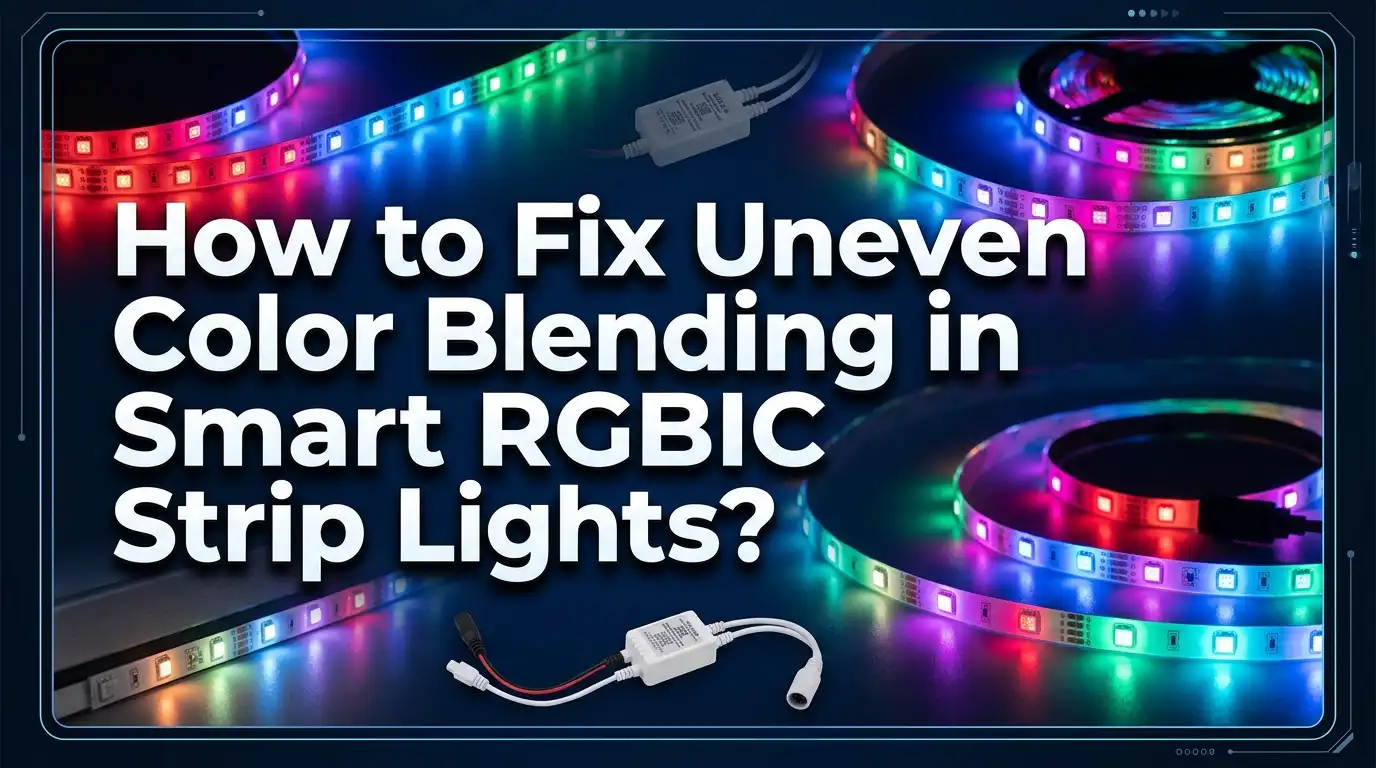
How to Fix Uneven Color Blending in Smart RGBIC Strip Lights?
Picture this. You unbox your brand new smart RGBIC strip lights with excitement. You mount them carefully behind your TV or under your cabinets. You open the app and select a smooth sky blue.
But instead of a seamless wash of color, you see patchy sections. Some parts look warmer. Others look cooler. A few segments even show a faint purple or green tint. The dream of a clean modern glow suddenly feels like a hardware failure.
The good news is that most of these issues have practical solutions. You do not need to be an electrician to fix them. This guide will walk you through every possible cause of uneven color blending and give you clear step by step fixes.
Key Takeaways
- Voltage drop is the number one enemy of color consistency across long LED strips. When power travels a long distance through thin copper traces, the voltage weakens. This causes the red channel to dominate at the far end while blue and green fade. Power injection or using shorter runs solves this.
- LED binning variation is a normal manufacturing reality for RGBIC strips. Each IC segment uses slightly different LED chips. Some visible color difference between segments is expected with this technology. You can reduce its visibility by lowering brightness and avoiding pure white.
- Your power supply might be too weak for the total length of your strip. An underpowered adapter cannot deliver stable voltage to all segments. Upgrading to a power supply with at least 20 percent more wattage than your strip requires fixes this problem.
- App settings and firmware play a bigger role than most people think. Outdated firmware, incorrect color order settings, and uncalibrated white points can create color blending errors that look like hardware defects but are purely software related.
- Physical damage from sharp bends or pinched sections can permanently ruin color accuracy in specific segments. Inspect your strip carefully and replace damaged sections if needed.
1. Understand the Root Causes of Uneven Color Blending
Before you can fix the problem you need to know what you are dealing with. RGBIC strip lights work differently from basic RGB strips. Each RGBIC strip has independent IC chips that control small groups of LEDs. This is what allows you to show multiple colors at the same time on one strip. It is a brilliant feature but it comes with a trade off.
Every LED chip produced in a factory has tiny differences from the next. Manufacturers sort LEDs into groups based on their color temperature and brightness. This process is called binning. Even within the same bin LEDs can vary slightly.
In a basic RGB strip all LEDs share the same power channel so these small differences average out. In an RGBIC strip each segment operates independently. The slight differences between segments become visible especially on solid colors like white or light blue.
Voltage drop is another major cause. Electricity weakens as it travels along the thin copper traces inside the strip. The LEDs closest to the power source receive full voltage. The LEDs at the far end receive less. This affects the blue and green channels more than the red channel. The result is a gradual shift toward warmer reddish tones at the end of your strip.
Temperature also plays a role. LEDs change their color output slightly as they heat up. If one section of your strip sits near a warm appliance or in direct sunlight it may display a different shade than the rest. Understanding these root causes helps you choose the right fix instead of guessing.
2. Check Your Power Supply Before Anything Else
A weak power supply is the most overlooked cause of bad color blending. Many smart strip kits come with a power adapter that is just barely enough for the included length. If you added extensions or connected multiple strips to one adapter the power supply may now be overloaded.
When a power supply is overloaded it cannot maintain a stable voltage. The voltage sags slightly. This sag hits the far end of the strip hardest. Colors become dull. White turns yellowish. The blue channel starts to fail while red remains strong. The entire strip looks inconsistent.
To check your power supply first find the wattage rating printed on the adapter. Then calculate the total wattage your strip needs. Most RGBIC strips list their power consumption per meter on the product page or manual.
Multiply that number by your total strip length in meters. If your strip uses 12 watts per meter and you have 5 meters you need at least 60 watts. Now add a 20 percent safety margin. Your power supply should deliver at least 72 watts for this setup.
Pros of checking and upgrading the power supply: This is often the single fix that solves everything. It is easy to do. It requires no technical skill. It also prevents overheating and extends the life of your LEDs.
Cons of upgrading the power supply: A higher wattage adapter costs extra money. You may need to buy one separately if the original kit included an underpowered adapter. Some adapters use barrel connectors that may not match your strip so you might need an adapter plug.
3. Measure and Fix Voltage Drop Across Long Strips
Voltage drop happens in every LED strip that runs longer than a few feet. The copper traces inside the strip have natural resistance. As electricity moves through them some energy turns into heat. The LEDs at the end receive less voltage. The visual effect is a gradient where colors shift and brightness fades the further you look from the power source.
You can easily test for voltage drop with a multimeter. Set it to DC voltage mode. Measure the voltage at the connector where power enters the strip. Then measure it at the far end while the strip is set to full brightness white. If you see a difference of more than 0.5 volts on a 5 volt strip or more than 1 volt on a 12 volt strip you have significant drop.
There are several ways to fix voltage drop. The simplest is to reduce the overall brightness of your strip. Running LEDs at 70 to 80 percent brightness dramatically reduces current draw. This means less voltage is lost along the traces. The color difference between the start and end of the strip becomes much smaller. Many smart strip apps allow you to set a global brightness limit.
A more advanced fix is power injection. This means connecting additional power wires at multiple points along the strip. You run a thicker wire from the power supply to the middle or far end of the strip. This gives the distant LEDs their own direct path to the power source. The voltage stays consistent across the entire length.
Pros of fixing voltage drop: Colors become uniform. Brightness evens out. The strip looks professional and clean.
Cons of power injection: It requires extra wiring and some basic electrical knowledge. You may need to solder connections. It can be time consuming for long or complex installations.
4. Update Firmware and Calibrate Your App Settings
Many color blending problems are not hardware issues at all. They come from outdated firmware or poorly configured app settings. Smart RGBIC strips rely on the controller box to interpret color commands and send signals to each IC segment. If the firmware has bugs the colors your app shows on screen may not match what the strip actually displays.
Open your strip’s companion app and navigate to the settings or device info section. Look for a firmware update option. Manufacturers release updates that fix color accuracy bugs improve white balance and add new calibration features. Install any available updates before trying other fixes.
After updating check your app’s color settings. Some apps let you adjust the RGB color order. LED strips can be wired with different color channel sequences like RGB GRB or BRG. If this setting is wrong your colors will look completely off. Red might appear as green. Blue might appear as red. Set this to match your specific strip model.
Also look for a white balance or color calibration tool in the app. Some smart strips let you adjust the relative intensity of red green and blue channels separately. If your white looks too warm or too cool you can fine tune these sliders until the color looks correct to your eyes.
Pros of software fixes: They cost nothing. They take only a few minutes. They can solve problems that look like expensive hardware failures.
Cons of software fixes: Not all strip brands offer detailed calibration tools. Firmware updates sometimes introduce new bugs. You need a stable Wi Fi or Bluetooth connection to apply updates.
5. Inspect Your Strip for Physical Damage
Physical damage is a common but under diagnosed cause of uneven color blending. RGBIC strips are flexible but they are not indestructible. Sharp bends can crack the solder joints inside the strip. Pinching can break the thin copper traces. Heat damage from nearby electronics or sunlight can degrade the LED chips in specific spots.
Walk along the entire length of your strip with the lights set to solid white at medium brightness. Look for any segments that glow with a completely different tint. A damaged segment often shows a strong pink purple or yellow shift. It may also be noticeably dimmer than its neighbors.
Check for visible kinks or creases in the strip. Pay special attention to corners where you bent the strip around a tight radius. Look for any spots where the strip was pinched between furniture and a wall. Feel the strip for sections that are warmer than the rest during operation. Hot spots indicate internal damage or poor contact.
If you find a damaged segment you have limited options. RGBIC strips generally cannot be cut and reconnected like basic RGB strips. Cutting them breaks the data line that controls individual segments.
The best fix for a damaged section is to replace the entire strip if it is within warranty. For minor bends you can sometimes gently straighten the strip and the colors may return to normal. But permanent crimps usually mean permanent color problems.
Pros of physical inspection: It is free and fast. You can quickly rule out hardware damage as the cause.
Cons of dealing with physical damage: RGBIC strips are harder to repair than RGB strips. Replacing a strip costs money. Warranty claims can take time.
6. Adjust Brightness to Mask Manufacturing Variances
LED binning variance is a fact of life with RGBIC technology. Every segment has tiny differences in color temperature and intensity. These differences are most visible at maximum brightness and with pure white light. The LEDs are working at their hardest and every small flaw stands out.
Reducing brightness is the easiest way to make these variances less noticeable. Set your strip to around 60 to 75 percent of maximum brightness. The color differences between segments shrink dramatically. Your eyes become much less sensitive to subtle shade variations when the overall light level is lower.
You can also avoid using pure white altogether. Pure white or the coolest white setting forces all three color channels to work at full power. This exposes every inconsistency. Instead choose a slightly warm white around 3000K to 3500K or a very slightly tinted color. A faint warm glow hides segment differences far better than a sterile cool white. Warm white uses less blue channel power which is where most inconsistency occurs.
Another trick is to use dynamic lighting scenes. Rainbow cycles gradient fades and animated patterns make individual segment differences invisible. The moving colors distract the eye and create a smooth flowing effect even on strips with noticeable binning variance. Save static solid colors for short accent strips where consistency matters less.
Pros of adjusting brightness and color: These fixes require zero cost and zero tools. You can apply them instantly from your phone app.
Cons of this approach: You lose maximum brightness. You cannot use pure white with perfect consistency. If you need very bright neutral light for task lighting this solution may frustrate you.
7. Improve Wi Fi and Bluetooth Signal Stability
Smart RGBIC strips rely on wireless signals from your phone or hub. When the signal is weak or intermittent the controller may receive incomplete or delayed color commands. This can cause segments to freeze on old colors flicker or display the wrong shades entirely.
Place your strip’s controller box in an open area away from large metal objects. Metal shelves radiators and thick concrete walls block wireless signals. If your router is far from the strip consider moving the strip’s controller closer or adding a Wi Fi mesh node in between.
For Bluetooth controlled strips keep your phone within 30 feet of the controller and avoid walls between them. Bluetooth signals weaken quickly through solid objects. If you notice color glitches happening only when you walk to another room this is a clear sign of signal problems.
Some smart strip brands offer a signal repeater or hub accessory. These act as a bridge between your Wi Fi network and the strip controller. They can dramatically improve reliability especially for large homes or strips installed in basements and garages. Check if your strip brand supports a hub and consider adding one if signal issues persist.
Also reduce interference from other wireless devices. Microwaves cordless phones and nearby Bluetooth speakers can all crowd the 2.4 GHz band that most smart strips use. Try changing your router’s Wi Fi channel or moving interfering devices further away.
Pros of improving signal stability: This fixes intermittent and hard to diagnose color problems. It also makes the entire smart lighting experience more responsive.
Cons of signal optimization: It may require buying a mesh node or hub. Physical relocation of the controller is not always possible. Wi Fi channel changes can affect other devices.
8. Test and Replace Faulty Connectors
The connectors that join your strip to the controller or join two strip segments together are vulnerable points. A loose or corroded connector adds resistance to the circuit. This resistance causes a localized voltage drop. The result is a color shift that starts exactly at that connector and affects everything downstream.
Unplug each connector and inspect the metal pins. Look for signs of corrosion like green or white powdery residue. Check if any pins are bent pushed in or missing. A bent data pin can cause complete color failure in the segments after the connector. A bent power pin can cause dimming and red shift.
Clean any corrosion with a cotton swab dipped in isopropyl alcohol. Let the connector dry completely before plugging it back in. If a pin is bent try to gently straighten it with a small flathead screwdriver or tweezers. If the connector is severely damaged replace it with a new one that matches your strip’s pin count.
For snap on clamp style connectors make sure the strip is fully inserted. The copper pads on the strip must make firm contact with the metal teeth inside the connector. Sometimes the strip slides out slightly during installation and only makes partial contact. Press it in firmly and check if the colors improve.
Soldered connections are always more reliable than clip on connectors. If you are comfortable with basic soldering you can remove a bad connector entirely and solder the wires directly to the copper pads on the strip. This creates a permanent low resistance connection that will never wiggle loose.
Pros of checking connectors: This is a quick zero cost check that often reveals a simple problem. Clean contacts can instantly restore perfect color.
Cons of connector fixes: Soldering requires tools and skill. Replacement connectors may be hard to find in local stores. Clip on connectors are inherently less reliable than soldered joints.
9. Compare Your Strip Against a Known Good Setup
Sometimes you need to determine if your strip is actually defective or if your expectations are too high. RGBIC technology has inherent limitations. Some color variation between segments is completely normal. The question is whether your strip is worse than average.
If you have a friend with the same strip model compare them side by side. Set both strips to the same solid white at the same brightness. Look for differences in consistency. If your strip shows dramatically more variation the hardware may be defective.
You can also search for video reviews of your specific strip model. Watch unboxing and setup videos where the reviewer shows solid colors. Pause the video and look at the color consistency on their strip. This gives you a reference point for what the product should look like when working correctly.
If your strip clearly underperforms compared to others of the same model contact the manufacturer’s support team. Take clear photos and videos of the problem. Show the strip set to pure white at 50 and 100 percent brightness. Include close up shots of the worst segments. Most reputable brands will offer a replacement if the variation is beyond their quality standards.
Pros of benchmarking: You avoid wasting time chasing a problem that is actually normal. You gather evidence for a warranty claim if needed.
Cons of benchmarking: You need access to another unit for direct comparison. Watching videos is not as accurate as a side by side test. Warranty claims can take days or weeks to resolve.
10. Use Power Injection for Long or High Density Installations
Power injection sounds technical but the concept is simple. Instead of feeding power only at the start of the strip you feed it at multiple points. This bypasses the thin copper traces inside the strip for the long distance travel. The power reaches every segment at nearly full voltage.
To do basic power injection you need some extra wire and a soldering iron or connector clips. Run a pair of thicker wires from your power supply along the length of the strip. At regular intervals splice these wires into the positive and negative pads on the strip. Every 3 to 5 feet is a good rule of thumb for 5 volt strips. For 12 volt strips you can inject power every 8 to 10 feet.
Some smart strip kits sell official power injection adapters. These plug into the strip at designated points without any soldering. They are the safest and easiest option if available for your strip model.
If you use multiple power supplies for a very long run keep one important rule in mind. Never connect the positive outputs of two different power supplies together. This can cause them to fight each other and damage the equipment. Connect all ground or negative wires together. Keep the positive wires from each power supply isolated to its own section of the strip.
Pros of power injection: This is the gold standard solution for long strips. It allows full brightness with perfect color consistency from end to end.
Cons of power injection: It takes time and effort. You need extra materials. Mistakes in wiring can damage your strip or create a safety hazard if not done correctly.
11. Reset the Controller and Rebind the Strip
Electronic controllers can get into a confused state over time. Temporary glitches corrupt the internal memory that stores your color profiles and calibration data. The controller sends garbled signals to the LED segments. Colors look random or stuck.
A full factory reset often clears these glitches. The reset process varies by brand. Common methods include holding the power button on the controller for 10 to 15 seconds until the lights flash. Some strips reset by unplugging and replugging the power five times quickly. Check your product manual for the exact reset procedure.
After resetting open the app and remove the strip from your device list. Then add it again as if it were a brand new installation. This forces the app to load fresh configuration data onto the controller. Any corrupted settings are wiped clean.
Once reconnected set up your colors again one at a time. Test solid red green and blue separately to make sure each channel works. Then test white. If the colors now look correct the issue was a software glitch and not a hardware fault.
Pros of resetting the controller: This fix costs nothing. It takes only a few minutes. It clears software bugs that mimic hardware problems.
Cons of resetting the controller: You lose all your custom scenes and schedules. You have to set everything up again from scratch.
12. Choose the Right Strip for Your Color Consistency Needs
Sometimes the best fix is choosing a different product that better matches your expectations. RGBIC strips are designed for dynamic multi color effects. They prioritize segment level control over uniform color accuracy. If your main goal is a perfectly smooth single color wash RGBIC may not be the best choice.
Standard RGB strips control all LEDs as one group. Every LED receives the same signal at the same time. The color is perfectly uniform across the entire length because there are no independent segments to vary. You lose the ability to show rainbow effects and flowing gradients but you gain flawless single color consistency.
RGBCCT or RGBWW strips add dedicated warm white and cool white LEDs to the standard RGB mix. The white light comes from actual white diodes not from mixing red green and blue. This produces a much cleaner and more consistent white than any RGBIC strip can achieve. If you want your strip to serve as both accent lighting and functional white task lighting an RGBCCT strip is a smarter investment.
COB or Chip on Board LED strips use a continuous phosphor layer instead of individual visible diodes. This creates a seamless line of light with no dark spots and zero visible LED dots. COB strips offer the smoothest most uniform look of any LED strip technology. Many now come in RGB and tunable white versions though the per segment control of RGBIC is not available.
Pros of choosing the right strip type: You get a lighting setup that perfectly matches your actual needs. No more constant tweaking and frustration.
Cons of switching strip types: It means spending money on a new product. You lose the dynamic effects that make RGBIC fun. Installing a new strip takes time.
13. Prevent Future Color Blending Problems Before Installation
The best way to fix color blending problems is to prevent them from happening in the first place. A few smart choices during installation save you hours of troubleshooting later.
Choose a 24 volt strip instead of a 5 volt or 12 volt strip whenever possible. Higher voltage systems lose less power over distance. The voltage drop is a smaller percentage of the total supply. Colors stay truer across longer runs without needing power injection.
Calculate your power needs before buying the strip. Add up the wattage of your total planned length. Multiply by 1.2 for a safety margin. Buy a power supply that meets or exceeds this number from the start. Never rely on the included adapter if you plan to add extensions.
Plan your layout to minimize sharp bends. Use mounting channels or clips to guide the strip around corners gently. A bend radius of at least one inch prevents stress on the internal solder joints and copper traces. Avoid routing the strip through tight spaces where it could get pinched.
Mount the strip on a clean smooth surface. Dirt and texture reduce adhesive contact and cause the strip to peel and flex. Flexing weakens the internal connections over time. Wipe the mounting surface with rubbing alcohol and let it dry before sticking the strip down.
Keep the controller box in a ventilated area. Trapped heat shortens the life of electronic components and can cause the controller to send erratic signals. Do not bury the controller behind insulation or inside a sealed cabinet with no airflow.
Pros of prevention: You avoid problems entirely. The strip looks great from day one. You save time and frustration.
Cons of prevention: It requires more planning upfront. Higher voltage strips and oversized power supplies cost slightly more. Not all smart strip brands offer 24 volt options.
14. Know When to Call It and Get a Replacement
Sometimes you do everything right and the strip still looks bad. Manufacturing defects happen. A bad batch of LED chips poor quality control on the assembly line or shipping damage can leave you with a strip that will never blend colors smoothly no matter what fixes you try.
Signs of a defective strip include entire segments that show a completely different color from their neighbors even at low brightness. Flickering that continues after resetting the controller and checking all connections. Sections that randomly turn off or show colors that do not match any setting in the app. A strong electrical burning smell or visible scorch marks on the strip.
If you see any of these signs stop troubleshooting. Document the problem with clear photos and videos. Note your strip model the purchase date and the steps you already tried. Contact the manufacturer’s customer support with this information.
Most smart lighting brands offer a one year warranty. Some offer two years. If your strip is still covered the manufacturer will usually send a replacement after you provide evidence of the defect. Do not open the controller or attempt to repair internal components yourself. This voids the warranty.
Pros of seeking a replacement: You get a brand new unit. The replacement may come from a newer production batch with better quality control. You stop wasting time on a lemon.
Cons of seeking a replacement: The warranty process takes time. You may need to ship the defective unit back. There is a small chance the replacement has the same problem if it is a design issue rather than a one off defect.
Frequently Asked Questions
Why does my RGBIC strip turn red at the far end?
This is a classic sign of voltage drop. The red LED chips inside each segment need less voltage to light up than the blue and green chips. When voltage drops along the strip due to resistance in the copper traces the blue and green channels dim much faster than the red channel. The result is a red or warm orange tint at the end. The fix is to reduce brightness use thicker power wires or inject power at the far end of the strip.
Can I cut my RGBIC strip to remove a damaged segment?
This depends on the specific strip model. Unlike basic RGB strips most RGBIC strips have a continuous data line that runs through all segments. Cutting the strip breaks this data line and the controller can no longer communicate with the remaining LEDs. Some premium models do have designated cut points where the data and power lines are designed for separation. Check your product manual to see if your strip supports cutting. If it does not cutting it will permanently disable everything after the cut.
Why do my colors look different in the app versus on the actual strip?
This mismatch usually comes from an incorrect RGB color order setting or a white balance calibration issue. Your strip may be wired as GRB while the app assumes RGB sending the wrong signals. Check if your app has a color order setting and try different combinations. Also look for a white balance or color temperature slider. Adjust it until the physical colors match what you see on your phone screen.
Does ambient temperature affect RGBIC color accuracy?
Yes it does. LED chips change their color output slightly as they warm up or cool down. A strip section that sits near a heater vent a sunny window or a warm electronic device may appear warmer or cooler than the rest. This effect is usually minor but can become visible on long strips with uneven heat exposure. Try to install your strip in areas with consistent temperature and good airflow.
Is it normal for different batches of the same RGBIC strip to not match?
Unfortunately yes. LED manufacturers sort chips into bins based on color temperature and brightness. Even strips from the same brand can use chips from different bins if they were produced months apart. If you buy two strips at different times and connect them end to end you may see a visible color difference at the junction. To avoid this buy all the strips you need for a project at the same time from the same retailer. This increases the chance they come from the same production batch.
How do I know if my power supply is strong enough for my strip length?
Check the wattage per meter or per foot printed in your strip’s specifications. Multiply that by your total length. Add 20 percent as a safety margin. Compare this number to the wattage rating on your power adapter. If the adapter’s rating is lower you need a stronger one. For example a 5 meter strip that uses 14.4 watts per meter needs 72 watts. A 20 percent safety margin brings that to about 86 watts. If your adapter only provides 60 watts it is too weak.
Will a firmware update fix my color blending issues?
It can. Firmware updates often include fixes for color accuracy bugs white balance problems and timing issues that cause segment flicker. Always check for firmware updates in your strip’s companion app before spending time on hardware troubleshooting. Install any available updates and test your colors again. If the problem appeared right after a recent firmware update you may need to wait for the manufacturer to release a patch that fixes it.