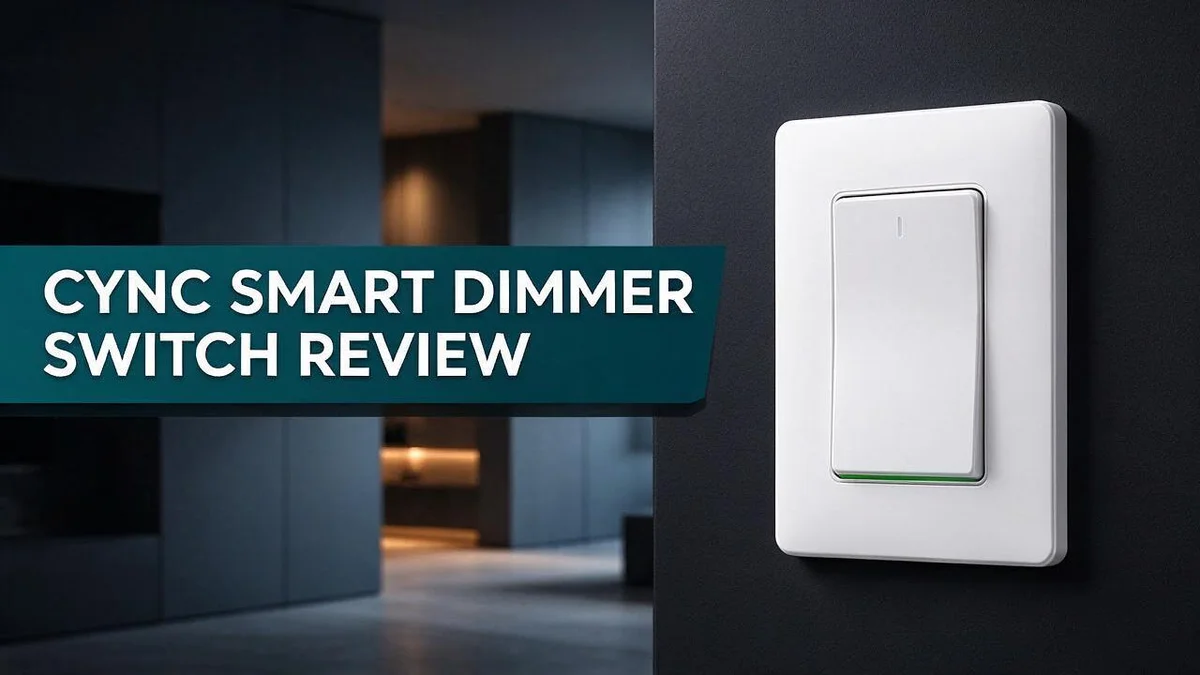
Cync Smart Dimmer Switch Review: Does It Really Work?
Tired of walking to the wall every time you want more or less light? A smart dimmer switch can change how you control your home. The Cync smart dimmer switch makes that easy.
Cync lets you adjust your lights from your phone, so you never need to leave the couch. It also works with voice assistants like Alexa and Google Home. Just say the word and your room glows exactly how you like it.
Renters will love the wire free keypad model. It runs on batteries and needs no neutral wire, so installation stays simple. It works with LED and incandescent bulbs, plus single pole, three way, and four way circuits.
Is it the right pick for your home? In this review, we look at the specs, the pros, and the cons. You will also see where some users report connection issues.
In a Nutshell
-
Power and bulb support: The Cync dimmer runs on 120V. It works with LED and incandescent bulbs. It also handles single pole, three way, and four way circuits.
-
Wiring options: Choose the wire free keypad model or the neutral wire version. The neutral version needs neutral and ground wires. Both options fit a standard wall plate.
-
No hub needed: The switch connects through 2.4 GHz WiFi and Bluetooth. Setup stays simple for most homes.
-
Indoor use only: The switch is rated for dry locations, so skip outdoor walls. It suits living spaces and bedrooms best.
-
Warranty and rating: Cync backs the switch with a two year warranty. PCMag gave the three wire smart switch 3.5 out of 5.
-
Watch out: Reviews are mixed. Some users report Google Home connection issues. Ceiling fans are not supported, and only Cync and C by GE devices work with it. Read the compatibility list first.
Wiring Options and Installation
No products found.
Installing a smart dimmer can feel like a big job, but most people finish it in one afternoon. Start by checking your wiring first.
Look inside the wall box before you buy anything. Turn off the breaker and remove the old switch plate. Find out whether a white neutral wire sits with the other wires.
Good planning makes the whole process smoother. Take a photo of the wires before you start so you can compare later.
If you see a neutral wire, the neutral wire version works well. It gives the switch steady power and a reliable connection.
If you do not see one, pick the wire free keypad model. It runs on batteries so you can mount it without a neutral wire.
Gather a few simple tools. You need a screwdriver, a voltage tester, and wire nuts. Test each wire before you touch it, since safety matters most.
Check for a 3 way setup. Many homes use two switches to control one light. Label each wire before you disconnect anything so reconnecting stays simple.
The switch uses a standard wall plate, so most older plates fit. Check the box depth because smart switches can be thicker than basic ones.
Note the fan limit. This switch does not work with ceiling fans. Keep a standard fan switch on any circuit that powers a fan.
Pair the switch after mounting. Turn the power back on and open the Cync app. Connect through WiFi and Bluetooth, then name the switch, such as Kitchen Lights.
Clear names make voice commands easier. Try asking your assistant to dim the room. Confirm that the light responds before you close the wall.
Run one final test. Cycle through on, off, and dim. Tuck the wires neatly and secure the plate. A quick check now saves a second trip up the ladder.
App Control and Voice Assistant Support
Your phone becomes the main remote for the Cync dimmer. After setup, you open the app and slide the brightness bar to the level you want. Many people enjoy this option for late night reading.
Voice control works well with Alexa and Google Home. You can say simple commands like “Alexa, dim the kitchen lights to 40 percent.” Each switch shows up by the name you give it in the app.
Name your switches clearly. Use names like hallway lights or bedroom lamp. Clear names help voice assistants find the right device every time.
Set up routines for daily life. The app lets you schedule lights to turn on at sunset or dim at bedtime. Routines save time and make your home feel more lived in. Schedules also help when you travel.
Watch for Google Home issues. Some owners report connection problems with Google Home. If commands stop working, unlink and relink the Cync account in the Google Home app. This step often restores control.
Keep the app updated. Updates can fix bugs and improve voice responses over time. Check for new versions every few months.
Know the limits of control. The switch works only with Cync and C by GE devices. Mixing brands in one routine may not work, so plan around these products.
Try simple voice phrases first. Say “turn on the living room lights” or “set the bedroom to 50 percent.” Short phrases work best for most people.
Pick the setup that fits your habits. If you often use your phone or voice, the app features matter most. Think about how you use your lights each day before you decide.
Test each switch after setup. Open the app and check that every light responds. Testing early saves frustration later. If one light fails, check the WiFi signal near the wall box first.
Bulb and Circuit Compatibility
Your bulbs matter just as much as the switch. The Cync dimmer works with LED and incandescent bulbs, so many homes can use it right away.
Always check the bulb box before you buy. Look for the word dimmable on the label. A bulb without that word may buzz, flicker, or refuse to dim.
Some LED bulbs flicker at low brightness. If this happens, try a different brand. Many people find that a simple swap solves the problem.
Next, add up the wattage on each switch. The neutral wire model lists a 2 A rating, which is about 240 watts on a 120V circuit. Stay under that limit. Too much load can cause heat and shorten the life of the switch.
Circuit type matters too. The dimmer supports single pole, 3 way, and 4 way circuits. A single pole circuit controls one light from one spot. A 4 way circuit needs extra switches, so confirm your wiring before you buy.
Ceiling fans need a different plan. The switch cannot run a ceiling fan, according to PCMag’s review of the 3 wire model. Use a separate fan control instead, or keep the fan on its own switch.
Look at your fixtures as well. Recessed lights and under cabinet lights often use their own LED drivers. Check those labels so the dimmer and the fixture work together.
Test one bulb first. Install the switch, then run the light through its full dimming range. If anything flickers or buzzes, you can fix the bulb before you finish the whole room.
Top 3 Alternatives
Cync is a popular smart dimmer, but it is not the only option. Here are three strong alternatives that offer easy control and voice assistant support.
Lutron Caseta Dimmer

- MOST CONNECTED: The Caseta Smart Dimmer Switch connects with more leading smart home devices - including...
- PEACE OF MIND: Always come back to a well-lit home with the Lutron Diva Dimmer Switch; enable Smart Away...

Last update on 2026-11-10 / Affiliate links / Images from Amazon Product Advertising API
Lutron Caseta is a well-known choice for home lighting upgrades. It uses its own smart bridge to link switches, so your lights keep working even when your Wi-Fi drops. You can control it with the Lutron app, Amazon Alexa, or Google Assistant. Setup takes a little time, but the results are reliable.
Leviton Decora Smart

- NEVER COME HOME TO A DARK HOUSE AGAIN – Schedule exterior lights to turn on at sunset for added safety...
- USE YOUR VOICE FOR HANDS‑FREE CONTROL – Works with Google Assistant, Amazon Alexa, and Apple Siri so...
Last update on 2026-11-10 / Affiliate links / Images from Amazon Product Advertising API
The Leviton Decora Smart dimmer blends a classic wall look with modern features. It connects directly to your Wi-Fi network, so you do not need a separate hub. Its app lets you schedule lights and create simple routines. Many homeowners like its clean design and easy installation.
Kasa Smart Dimmer

- App-Guided Install: The Kasa or Tapo app guides you through step-by-step setup. Requires neutral wiring...
- 0%-100% Dimming with Scheduling: Adjust brightness via the button or Kasa App. Single-click for instant...
Last update on 2026-11-10 / Affiliate links / Images from Amazon Product Advertising API
The Kasa Smart Dimmer is a great pick for beginners who want simple control. It works with Alexa and Google Assistant right out of the box. You can set schedules, turn lights on from anywhere, and check energy use in the Kasa app. It is a practical choice for everyday lighting.
Load Rating and Fan Limitations
The load rating shows how much current the switch can handle. This Cync dimmer lists a 2 A current rating on its neutral wire model.
That limit applies to the whole circuit, not just one bulb. Many lighting setups stay well below it. Still, check before you install.
Incandescent bulbs draw more power than LED bulbs. A circuit full of old bulbs can use up the rating fast.
LED bulbs use far less power. That leaves more room for extra fixtures on the same circuit.
Fans need a closer look. PCMag notes that the 3 wire switch cannot be used with ceiling fans. This matters if you hoped to control a fan from the same wall spot.
A fan motor draws more current than a light bulb. It can also strain a dimmer built for lights.
Do not force a fan onto this switch. Overheating or buzzing can happen over time. Keep this dimmer for lights only.
Want fan control? Choose a switch made for fans. Many fan speed controls install in the same wall box.
Read the label on the switch before you install it. The label confirms the rating and approved uses.
A licensed electrician can check the breaker size and wiring. This step helps if you feel unsure.
Keep a simple list of each switch and the lights it controls. A list helps you spot overloads early.
Adding more lights later may push the circuit past its limit. Plan your setup now to avoid surprises.
A few simple habits keep the switch working well. Match the switch to the lights, skip the fan, and check the label.
Good planning protects your home. Load limits may feel technical, but they are easy to follow. Take a few minutes now and enjoy your new dimmer.
Dry-Location Use and Safety
Dry location means indoor spaces only. The Cync dimmer fits living rooms, bedrooms, hallways, and offices. It should never go outdoors on a porch, patio, or carport. Rain and snow can damage the internal parts.
Bathrooms and kitchens need extra thought. Steam from showers and splashes from sinks add moisture over time. Pick a spot away from direct water.
Keep the switch dry at all times. Moisture can slip into small gaps in the plastic. Wipe the keypad with a dry cloth instead. Skip sprays and damp towels.
Battery care matters for the wire free model. Use only the battery type that the maker lists. Store spare batteries out of reach of children and pets. Take old batteries to a proper recycling drop off.
Heat is another concern. Keep the switch away from space heaters, radiators, and sunny windows. Hot spots can soften the plastic over time. Good airflow helps the switch stay cool. Keep clutter away from the switch so air can flow.
Always cut power before any wiring work. Flip the breaker off and confirm the power is dead with a voltage check. This step protects you from electric shock.
Loose wall boxes let dust and moisture inside. Tighten the plate so it sits flat against the wall. Replace any cracked cover with a new one.
Dust buildup can also trap heat. Vacuum around the plate every few months. A clean switch runs cooler and lasts longer.
Think about the room before you install. Garages and basements can get damp or cold. Check the air in that space first. A dry, stable room gives the switch the best life.
Pets and children often touch switches. Frequent handling can loosen the plate over time. Check the screws during routine home checks.
A burnt smell is a warning sign. Shut off power at once and call a professional. Safety always comes first in a home.
Pros and Cons
Pros
– Control lights from your phone with the Cync app.
– Works with Alexa and Google Home for voice control.
– The wire free model suits renters who cannot rewire walls.
– Supports 3-way and 4-way circuits in many homes.
– Carries a 2-year Cync warranty for peace of mind.
Cons
– Owner reviews are mixed, so results can vary.
– PCMag gave the 3-wire version a 3.5 out of 5, which is good but not top rated.
– Smart features need a steady WiFi signal to stay connected.
– Setup takes patience, especially for first-time smart switch users.
Who Should Buy It
This switch fits people who want a simple first step into smart lighting. Many homes only need a few lights on a smart schedule.
Busy families are a good match. Kids and guests can dim a room from the wall. You can also control the lights from your phone when you are away.
Older adults often like this setup too. A familiar wall switch feels natural. They still gain voice control through Alexa or Google Home.
Home office workers can use it as well. You can brighten or soften a desk lamp in seconds. Dimming also cuts glare during long video calls.
People who already own a smart hub may not need this. The switch works only with Cync and C by GE devices. If you use another ecosystem, look elsewhere.
Google Home users should test their setup first. Some owners report connectivity problems. Testing early helps you decide.
Light sleepers and gamers may enjoy the gradual dimming. Smooth fades feel gentler than a hard flip of the switch. Bedrooms and media rooms benefit most.
Think about how often you change light levels. If you rarely touch a switch, a standard model may be enough. If you dim daily, this switch makes sense.
Shoppers who want a whole house upgrade should compare other options. This switch handles one spot at a time. Adding many switches takes time.
Ask yourself what you want most from the switch. If remote control and mood lighting matter most, this model delivers well.
Bottom line: this switch suits a light, simple upgrade. It works best for one or two key rooms. Test it in one room before you upgrade the rest of the house.
Final Verdict
So, is this switch the right choice for you? For many homes, the answer is yes. It offers simple app control and smooth dimming without a major project.
Start by checking your wiring. Turn off the power first. Then remove the wall plate and look inside. What you find there decides whether the wire free model or the neutral wire model fits your home.
Next, look at your daily habits. Some people want lights to fade on at sunset. Others only need a quick change for movie nights. Pick the routines you use most, then plan your setup around them.
Consider your future plans too. Many people move or remodel over time. A wire free model can make a move easier because it skips rewiring. It can also help you adjust as your needs change.
Set a realistic goal. Decide what success looks like for you. Maybe it means simple on and off control with gentle dimming. A clear goal helps you feel happy with the result.
Test the basics in one room first. Install the switch in a single room. Connect it to your app, then try your voice assistant. A small trial helps you spot problems early.
Plan for a little extra time. Set aside an afternoon for the first install. Rushing the job can lead to mistakes. A calm pace keeps the process smooth.
The bottom line is simple. This switch suits people who want an easy entry into smart lighting. It handles everyday needs well, especially when you plan ahead and confirm your wiring first.
Your next step is clear. Check your wall box, choose the model that fits, and try one room. Then you can decide with confidence whether this dimmer belongs in the rest of your home.
Frequently Asked Questions
Does this switch need a neutral wire?
The wire free model does not need a neutral wire. It runs on batteries. The neutral wire version needs both neutral and ground wires, so check your wall box first.
Can I install it outside?
No. This switch is rated for dry locations only. Keep it indoors, such as in a bedroom, hallway, or kitchen.
Will it work with my current bulbs?
Yes. It works with both LED and incandescent bulbs. Some LED bulbs may flicker at very low levels, so test a few lamps first.
Do I need a smart hub?
No. The switch connects through 2.4 GHz WiFi and Bluetooth. You can set it up without a separate hub.
Can it control a ceiling fan?
No. It cannot run a ceiling fan. Keep a standard switch for the fan, and use the Cync switch for your lights.