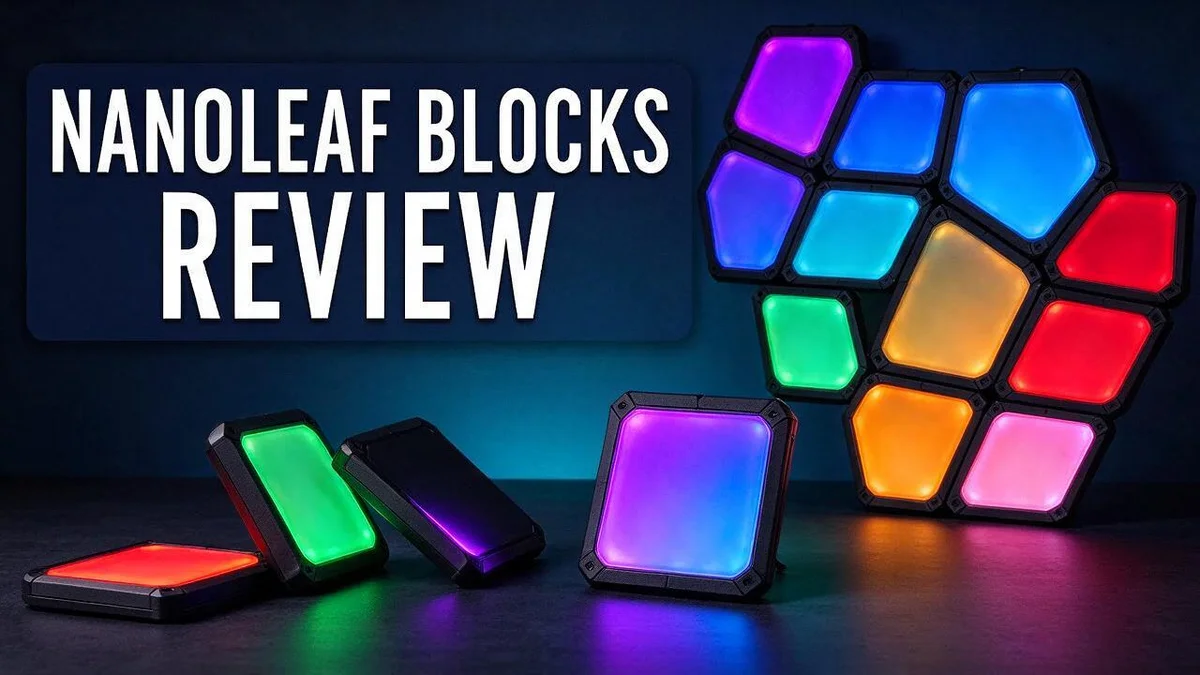
Nanoleaf Blocks Review: Is It Worth Your Money?
Looking for a way to make your room feel more alive? Nanoleaf Blocks may be the answer. These modular wall lights let you shape your own glowing display.
Many people want lighting that does more than fill a room. Nanoleaf modular lights offer dynamic color, tunable white, and music sync. You can also build custom layouts and enjoy fun Scenes, including arcade games.
Still wondering if the panels are worth it? Some users report connection issues, so it helps to know what to expect. This review covers the good, the flawed, and the fun. We also share setup tips to help you get started.
In a Nutshell
- Scenes add playful options. Nanoleaf lights include Scenes, and some mirror classic arcade games. This turns the wall into something you can play with.
- Music sync adds rhythm. A related Canvas review calls the rhythm support fun, but it also says the feature feels flawed. Expect some rough edges.
- Layouts shape the look. You can arrange the panels into custom patterns. This helps the wall fit your room style.
- Setup has a guide. An official guide covers installation, pairing, and troubleshooting. This helps first-time users get started.
- Competitors offer similar ideas. Govee Glide Hexa Light Panels and Govee Glide Wall Lights aim at the same space. A DIY matrix panel offers a hands-on alternative for makers.
- Real user verdicts are limited. No Blocks-specific reviews exist yet. A Reddit thread asks if the panels are worth it, but it gives no clear answer.
- Key specs remain unclear. Dimensions, LED count, connectivity, and power details are not listed in the research. Check the product details before you decide.
Lighting Effects and Color Range

- 【Fully Modular & Customizable】Connect and arrange the included square wall light panels in any...
- 【Brilliant 16M+ Colors & Effects】Paint your world with over 16 million colors and dynamic lighting...
Last update on 2026-11-27 / Affiliate links / Images from Amazon Product Advertising API
Color changes the whole mood of a room. A soft warm glow can calm the space after work. A bright cool tone can wake up a morning routine.
Pick colors by activity. Warm shades suit reading or winding down. Cooler shades help during focused tasks or busy afternoons. Try a few options and see which one feels right.
Color balance across panels matters. Each panel adds to the overall glow. Pick one main color and use a second shade as an accent. This keeps the wall looking neat rather than chaotic.
Bright colors work well in playful spaces. Game rooms, kids areas, and home studios often benefit from bolder choices. Keep the most vivid colors for moments when you want energy, not all day long.
Light spills onto nearby surfaces. A colored wall can tint a ceiling or a nearby sofa. Test the look at night before you settle on a palette. Dim the brightness if the room feels too strong.
Color also helps with photos and videos. Strong backdrop colors make a room look styled on camera. Soft tones often look more natural during video calls or recordings.
Brightness and color work together. A deep color at full brightness can feel heavy. Lower the level a little to keep the room comfortable. Many people find mid levels easiest on the eyes.
Start with a simple test. Set the wall to one color for a full evening. Notice how you feel after an hour. Then try a second color the next night and compare.
Plan your palette before you add more panels. Pick two or three colors that match your decor. This makes future changes easier and keeps the look consistent over time.
Keep an eye on color shifts in low light. Some tones look different at night than they did in daylight. A quick check after sunset helps you avoid surprises.
Searchers often ask which colors suit a bedroom or a gaming setup. The best answer depends on mood, room size, and daily routine.
Modular Layout and Design Flexibility
Modular design gives you room to play. You can start small and grow the display over time. Each new panel fits into the existing setup.
Begin with a paper sketch of your wall. Mark the outline, then mark where the light will sit. This simple step saves time later.
Think about the wall size first. A small wall suits a tight cluster, while a long wall can hold a wide band of light. Measure twice before you stick anything on the surface.
Corners and gaps need planning too. A wall with a window, door, or shelf may need a different shape. Test a few layouts on the floor before you commit.
Many people like balance. A symmetric pattern feels calm and orderly. A scattered arrangement feels lively and casual. Choose the feeling that matches the room.
Growth is part of the appeal. You can add panels later when your taste changes. Leave some open space on the wall so you have room to expand.
Plan the power route early. Find where the power source sits and keep cables out of sight. A tidy path makes the wall look clean and finished.
Think about viewing height. Mount the lights where they catch the eye from the sofa or desk. A high placement may suit a hallway, while eye level suits a living room.
Mix shapes for extra interest. Combine different panel shapes to form a unique focal point. Keep the mix simple so the wall does not feel busy.
Small walls also benefit from thoughtful planning. A few panels can create a clear shape without crowding the space. Fewer pieces often look more intentional.
Consider the room’s main use. A bedroom may need soft, compact shapes. A game room can handle a bold, wide pattern. Match the design to daily life.
Finally, take a photo of the wall. Photos show how the design looks from a distance. Adjust the layout until it feels right.
Installation, Pairing, and Troubleshooting
Setting up your Nanoleaf Blocks goes faster when you follow a clear order. Read the official setup guide first. It covers installation, pairing, and troubleshooting in one place.
Gather everything before you begin. Keep your phone charged and your wireless network password ready. A clear floor space also makes the process easier.
Install the panels in a clear sequence. Mount the first block and confirm it powers on. Then add the remaining blocks, moving along the wall. Working step by step makes problems easier to spot.
Pair the blocks through the app. Open the Nanoleaf app and follow the on screen prompts. Keep your phone close to the panels during pairing. Connect both devices to the same network.
Watch for connection drops. Some owners mention connection issues in online discussions. A weak signal is often the cause. Move your router closer or remove obstacles between the router and the panels.
Restart in the right order. Turn off the panels and the router. Wait one minute, then power the router back on first. This clears many small glitches.
Check for updates before you reset. Software updates can fix pairing bugs. Open the app and look for any pending update. Install it, then try pairing again.
Reset only as a last step. A factory reset erases your settings and layout. Keep the setup guide nearby to follow the exact reset steps. If the panels still fail, contact Nanoleaf support.
Confirm each panel responds. Open the app and check every block after pairing. A dark panel points to a loose connection. Reconnect that block and try again.
Watch for flicker. Flickering often points to power. Check every plug and cable before you assume a fault.
Name each panel group in the app. Clear names make future changes easier. Labels also help when you troubleshoot later.
Patience pays off here. Most setup problems clear up after a short restart. Take a break, then return with fresh steps.
Top 3 Alternatives
Govee Glide Hexa

- Innovative 3D Light Panels: H606A, an upgrade from H6061, changes your game room by taking your wall...
- Multifaceted Ultra Lighting: The panels are equipped with 129 LED beads. The flagship product, with...

Last update on 2026-11-27 / Affiliate links / Images from Amazon Product Advertising API
Govee Glide Hexa panels give your room a bright and modern look.
Each hexagon shines in millions of colors. You can sync the lights with music or movies for a fun show.
The setup is simple. Connect the panels, then follow the steps in the app.
Gamers and music lovers often enjoy this kit most. It also offers ready-made scenes, so you can start right away.
Twinkly Squares

- Free the artist in you with the sleek, smart LED wall panels. Twinkly Squares LED lights lets you explore...
- Enjoy LED light setup in seconds via Bluetooth/Wi-Fi, manage your lights w/ the Twinkly app, group...
Last update on 2026-11-27 / Affiliate links / Images from Amazon Product Advertising API
Twinkly Squares offer a clean and simple way to decorate a wall.
Each square has its own LED light, so every tile can show a different color. You can create custom pixel art with the app.
The squares connect to your home network without an extra hub. They work well in bedrooms, offices, and hallways.
Many people like how easy it feels to share designs with friends.
Nanoleaf Shapes

- [Build & Expand Your Designs] Create beautiful symmetry in any room, or get completely abstract - the...
- [Color-Changing Animations] Customize your lights with colors and motions; transition colors slowly for...
Last update on 2026-11-27 / Affiliate links / Images from Amazon Product Advertising API
Nanoleaf Shapes come in triangles, hexagons, and other fun forms.
You can arrange them in many layouts to match your style. The panels show smooth color changes and rich, bright tones.
Rhythm mode reacts to sound, so the lights dance with your playlist. Voice control also works with popular assistants.
This option fits anyone who wants flexible, creative wall art that feels fresh.
Music Sync and Scene Performance
Music sync is one of the most fun features on Nanoleaf modular lights. The panels can shift colors with the sound of your playlist.
Heavy beats usually give the clearest show. Songs with strong bass and steady rhythm often trigger the most visible movement. Soft acoustic tracks may barely change the glow.
Try placing your speaker near the wall for a stronger connection to the beat.
Rhythm support gets mixed feedback, though. A review of a related Nanoleaf product calls rhythm support flawed. You should test music sync with your own favorite songs before you rely on it for parties.
Scenes add another layer of fun. Scenes are preset light patterns that run without any music. They can make your wall feel alive during quiet evenings.
Arcade style scenes stand out most. They turn the panels into playful game style displays. Families and gamers often enjoy them during game nights.
Calmer scenes suit winding down at night. Slow color shifts can feel relaxing before bed. Bright, fast patterns work better for parties.
Try each scene in your actual room. Lighting looks different on a bright afternoon than at night.
Pick three or four favorites so you can switch quickly. Keep the list short so you can find them fast.
Music sync can pull attention away from focused work. Switch it off during deep tasks so you can concentrate. Scenes with soft colors work better as background glow.
Blocks-specific reviews are still scarce. Most feedback comes from related Nanoleaf products.
Test music sync and scenes soon after setup. That way you learn what works before you finish your layout. Take notes on what you like.
Music sync and scenes can make Nanoleaf Blocks feel lively. Test each feature in your own space before you decide. With a few favorite scenes and a playlist you love, your wall can feel like a small stage every night. Small tweaks can make a big difference.
Pros and Cons
Pros
- Doubles as mood lighting and wall art.
- Dynamic color and tunable white suit many moods.
- Custom layouts let you shape your own design.
- Adds a playful feel to game rooms and kids’ spaces.
- Makes a bold statement as a decor piece.
Cons
- Few owner reviews exist for this exact product.
- Rhythm sync can feel flawed in some setups.
- Some users report occasional connection problems.
- Size and power details are not clear yet.
Who Should Buy It
The Nanoleaf Blocks suit a certain type of buyer best. Think about how you like to live with your decor.
People who love to tinker will enjoy this product most. They can test new shapes, move panels, and see fresh results each season.
Renters might like lighting that feels less permanent. Always check your lease before you mount anything to the wall.
Home office workers can use the panels as a soft backdrop. A calm color may make video calls look more polished, so test it first.
Gamers and streamers often want a wall that matches their setup. Panels can add a glow behind a monitor and make the desk area feel complete.
Families with teenagers may enjoy sharing the fun. Everyone can suggest a color, and the room feels more like a shared space.
Design lovers who want a conversation piece should take a close look. Bold light can turn a plain wall into a talking point.
Less likely buyers include people who prefer simple lamps and quiet rooms. A plain fixture may serve them better than a lively panel display.
Parents of young children should think about safety and placement. Keep panels out of reach and check the layout with your family first.
Pet owners might also want to plan the placement. Curious cats or dogs may test the wall, so mount panels higher up.
Anyone who enjoys a quick upgrade may love the change. A new light scheme can refresh a room without buying new furniture.
Some details are still hard to confirm, so compare your options carefully before you commit.
Quick check before you decide: Sketch your wall on paper first. Mark the outlet location and note where you sit most often. In short, this product fits people who enjoy change and personal style. Shoppers who want simple, quiet lighting may prefer another choice.
Final Verdict
The Nanoleaf Blocks look like a fun addition to any room. Still, the facts are thin right now. Read this verdict as a starting point, not a final answer.
Our honest take is simple. The panels fit people who want light that feels playful and personal. They suit someone who enjoys setup projects and does not mind testing settings for a while.
Skip them if you want a plain lamp for reading. Simple lighting works better for quiet spaces. A bright, busy wall may not fit those rooms.
Before you commit, check the details that matter most. Look up the panel size, the power needs, and the connection method. Measure your wall so the layout fits well.
Compare your options first. Govee Glide Hexa Light Panels and Govee Glide Wall Lights are also worth a look too. A DIY matrix panel suits people who enjoy building things from scratch. Each choice brings a different mix of ease and control.
Our final thought stays clear. The Blocks can turn a plain wall into a fun focal point. Choose them if you want a lively display, and keep a backup plan for connection issues.
Think about daily use too. Pick a spot where you can reach the controls easily. You may use the lights every evening, so comfort matters. A clear plan keeps the experience fun.
Keep a clear record. Write down your layout and the panel order. This makes repairs and resets far easier. It also helps if you move the panels later.
Who should wait? Anyone who needs exact measurements should pause. Wait until you have the numbers in hand. Guessing can lead to a poor fit on your wall.
In short, the Blocks suit fans of bold lighting. Measure first, compare options, and choose with clear expectations. Your room and habits should guide the final call. A playful wall fits some homes well. If the idea excites you, the panels may be worth the try.
Frequently Asked Questions
Are the Nanoleaf Blocks hard to install?
The setup guide covers installation, pairing, and troubleshooting. Read it first so you know each step before you start. Set aside a calm afternoon for the job.
What should I do if the panels will not connect?
Keep your phone and the panels close to your router during pairing. If the connection keeps dropping, restart your router. Then follow the troubleshooting steps in the guide.
Will the panels work with my other smart home devices?
The research does not confirm this detail. Check the setup guide or product listing for compatibility before you commit. This quick check helps you avoid surprises later.
Can I plan the layout before I install anything?
Yes, you can. Sketch your wall on paper first. Try a few arrangements and note which panel goes where. This step saves time and keeps your design clear.
Can I change the design later?
Yes, you can switch scenes and colors at any time. Rearranging the panels takes more effort, so take photos before you take them down. That way, you can rebuild your favorite layout with ease.