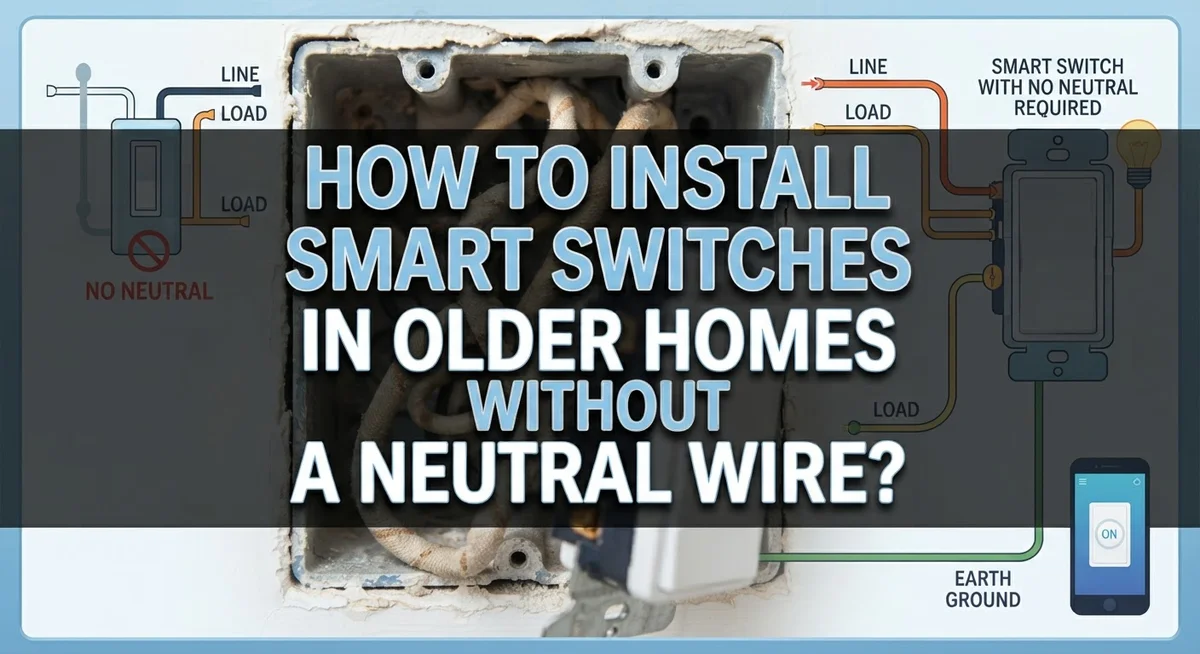
How to Install Smart Switches in Older Homes Without a Neutral Wire?
Do you love your old house but wish it had smart switches? You are not alone. Many older homes were built without a neutral wire in the switch box.
This missing wire creates a real problem. Most smart switches on the market need that neutral wire to work properly. Without it, your fancy new switch might flicker, buzz, or simply refuse to turn on.
The good news? You do not need to rewire your entire house. Smart homeowners have found clever workarounds for this exact issue.
This guide will show you how to check your switch box for a neutral wire. We will explain why some smart switches fail in older homes. You will also learn about special switches built for no-neutral setups.
Ready to finally control your lights with your phone? Let us get started.
In a Nutshell
- Check for a neutral wire first. Open your switch box and look for a bundled white wire. This single step tells you which path to take.
- Pick a no neutral switch if needed. Some smart switches work without a neutral wire. They use the ground wire or a different power method instead.
- Watch your load requirements. No neutral switches often need a minimum wattage to work right. Low wattage LED bulbs can sometimes cause flickering.
- Follow the wiring diagram closely. Every manufacturer has a specific setup for hot, load, and ground wires. Skipping this step causes most installation errors.
- Consider calling an electrician for panel work. Running a new neutral wire is possible but tricky. This option gives you more switch choices later.
- Test before you close the wall. Turn the power back on and check the switch function. This quick test saves you from reopening the wall later.
Why Older Homes Often Lack a Neutral Wire
Older homes built before the 1980s frequently lack neutral wires at switch locations. This wire is simply not there because building codes were different back then. Electricians installed switches using only the hot wire and the load wire to complete circuits for basic light fixtures.
Why did builders skip the neutral wire? Simple switches only need two wires to work. The hot wire brings power in, and the load wire sends power to your light. No neutral wire was necessary for this basic on and off function.
Smart switches operate differently than traditional switches. They contain small electronic components that need constant power to stay connected to your home network. These components require a neutral wire to complete their internal circuit. Without it, the switch electronics cannot function properly.
The neutral wire acts as a return path for electricity. It completes the circuit for low voltage power that runs the smart switch’s brain. Standard switches do not need this because they have no electronics to power.
Understanding your wiring matters. When you open an older switch box, you will typically find two wires: a black wire (hot) and another wire connected to your light fixture (load). The white wire, which is the neutral, simply is not there.
This absence creates a genuine challenge for smart home upgrades. You cannot force a standard smart switch into a no neutral situation. The switch will not work, and you risk damaging the device. Knowing this limitation upfront helps you choose the right solution for your specific situation.
How to Check Your Switch Box for a Neutral Wire
Opening your switch box reveals whether you can install a smart switch easily or need a workaround. This inspection takes only minutes and saves you from buying incompatible equipment.
Start by turning off the power at your circuit breaker. Flip the switch controlling the light you want to upgrade. Test the light to confirm power is off. Safety comes first in any electrical project.
Remove the switch cover plate by unscrewing it carefully. You will see the switch itself and the wires connected to it. Look closely at the wire bundle inside the electrical box. White wires indicate a neutral wire, which is what you need.
Count the wires present. Most older switches have just two wires: one black (hot) and one black (load). If you see a white wire bundled separately, you have a neutral wire available. This makes your smart switch installation much simpler.
Pay attention to wire colors. Black wires carry power. White wires complete the circuit. Bare copper or green wires are ground wires. Document what you see by taking a photo with your phone.
Check if the white wire is actually connected or just present in the box. Some older installations have unused neutral wires. A true neutral wire connects to your smart switch and completes the low voltage circuit for the device electronics.
If you find no neutral wire, do not worry. You have two options: choose a no neutral compatible smart switch, or hire an electrician to run a neutral wire from your electrical panel. Many modern smart switches work without a neutral wire using special circuitry.
Understanding No-Neutral Smart Switch Technology
Smart switches need electricity to power their internal electronics. Traditional switches just turn lights on and off with a simple mechanical action. Smart switches do much more. They connect to your home network, receive commands from your phone, and process information. All of this requires constant power flowing through the switch.
The neutral wire completes the electrical circuit for this power. When you flip a standard switch, electricity flows through the hot wire and out through the load wire. The neutral wire gives electricity a safe return path back to your electrical panel. Without it, smart switch electronics cannot get the power they need to function.
No neutral smart switches work around this problem in clever ways. Some use a small amount of current that leaks through the light fixture itself. Others store tiny amounts of energy to keep their circuits alive. These alternatives let you install smart switches in older homes without rewiring.
Understanding this technology helps you make better choices. You will know why certain switches work in your home and others do not. You will grasp why load requirements matter so much for no neutral switches. A light fixture needs to draw enough power to keep the switch electronics running.
The key difference is simple: standard smart switches demand a neutral wire, but specialized no neutral models bypass this need. They use different internal designs to operate safely with just hot and load wires. This makes upgrading older homes possible without major electrical work. Knowing how these switches function helps you understand why compatibility matters before you purchase anything.
Step-by-Step: Installing a No-Neutral Smart Switch
Start by turning off power at your circuit breaker. This keeps you safe while working. Flip the breaker switch to the off position and test the outlet with a voltage tester to confirm power is gone.
Remove the switch cover plate by unscrewing it. Pull the old switch out gently from the wall box. You will see the wires connected to it. Take a photo before disconnecting anything. This helps you remember the correct wire placement.
Disconnect the wires carefully from the old switch. The black wire is typically hot. The red wire, if present, is often load. The ground wire is bare copper or green. Set these wires aside in a safe spot.
Check your new no neutral smart switch instructions. Each manufacturer has a specific wiring diagram. Some switches use the red and black wires differently than traditional switches. Read this diagram twice before connecting anything.
Connect the hot wire to the marked terminal on your new switch. Attach the load wire to its correct terminal. Secure the ground wire to the green terminal. Double check every connection against the diagram.
Push the switch back into the box slowly. Make sure no wires get pinched or bent. Screw the cover plate back on.
Turn power back on at the breaker. Test your switch by flipping it on and off. Check if the light responds correctly. If nothing happens, turn power off immediately and recheck your connections.
Some switches need a few seconds to initialize after power connects. Wait briefly before testing again. If problems continue, verify you selected a no neutral compatible model for your specific switch box setup.
Load Requirements and Compatibility Considerations
Load requirements matter more than most people realize. Your smart switch needs enough electrical power flowing through it to function properly. Without a neutral wire, the switch draws power differently than standard models, which affects how much current it needs.
Most no neutral smart switches require a minimum load to operate correctly. Load refers to the wattage of the light bulbs or fixtures connected to that switch. If your fixture uses very low wattage bulbs, the switch may not power on at all or behave unpredictably.
Check your switch’s manual for its specific load requirements. Many no neutral switches need between 40 and 100 watts minimum. LED bulbs complicate this because they use so little power. If your fixture has only LED bulbs, you might fall below the minimum threshold, causing problems.
Some switches handle this through a workaround called a bypass. A bypass device sits in the light fixture itself and provides the extra power path the switch needs. This solves low load issues without rewiring your entire setup.
Compatibility goes beyond just having no neutral capability. Your switch must work with your specific light type. Dimmable switches need compatible bulbs. Three way switches require different wiring than single pole switches. Fixture type matters too—ceiling fans, recessed lights, and standard fixtures all behave differently.
Before purchasing any no neutral smart switch, verify three things. First, confirm your fixture’s wattage meets the switch’s minimum requirement. Second, check if your light type matches the switch’s compatibility list. Third, identify whether you need dimming capability or special features. Taking these steps prevents frustration and failed installations.
Common Mistakes to Avoid During Installation
Installing smart switches in older homes without neutral wires presents real challenges. Understanding common mistakes helps you avoid costly errors and frustration.
The biggest mistake is buying a standard smart switch without checking compatibility first. Many people assume all smart switches work the same way. They don’t. Standard models require a neutral wire to function. Purchasing the wrong type wastes money and time.
Another frequent error involves improper wire connections. When you do find the right no-neutral compatible switch, follow the manufacturer’s wiring diagram exactly. Don’t guess or improvise with wire placement. Incorrect connections can damage your switch or create safety hazards.
Ignoring load requirements causes many installation failures. Some no-neutral smart switches need a minimum wattage to operate properly. If your light fixture doesn’t meet this requirement, the switch won’t work reliably. Always check your switch’s specifications before installation.
People often overlook compatibility with their specific light type. LED bulbs, incandescent bulbs, and dimmers all have different requirements. Your new switch must match your lighting setup. Verify this before you start any work.
Rushing the installation process leads to problems too. Take time to turn off power at the breaker. Double-check that power is actually off before touching any wires. Work slowly and carefully when removing old switches and connecting new ones.
Some people attempt to run a neutral wire from the electrical panel themselves. This requires serious electrical knowledge and often violates local building codes. If you need a neutral wire installed, hire a licensed electrician. They understand local requirements and safety standards.
Finally, don’t skip testing after installation. Power the switch back on and test it multiple times. Make sure it responds properly to your commands and controls your lights correctly.
Troubleshooting Flickering Lights and Other Issues
Flickering lights happen when your smart switch doesn’t get steady power. This is the most common problem in older homes without neutral wires. The switch’s internal electronics need constant power to stay stable, and without a neutral wire, that power source becomes unreliable.
Check your load first. If your light bulbs are too weak, the switch struggles to maintain power. Try replacing regular bulbs with LED bulbs that use less energy but still provide enough wattage. Some switches need a minimum load like 40 watts to function properly. If your lights don’t meet this requirement, flickering will continue.
Verify your wiring connections. Loose or incorrect wire connections cause flickering too. Turn off power at your breaker and carefully check each wire connection at the switch. Make sure the hot wire connects to the right terminal. Tighten any loose connections you find.
Test your switch settings. Many no-neutral smart switches have settings you can adjust through an app or control panel. Look for options related to load detection or power management. Adjusting these settings sometimes stops flickering immediately.
Consider a bypass solution. Some switches work better when you add a bypass device that provides a return path for power. This small addition can stabilize the switch and eliminate flickering.
Call an electrician if problems persist. If flickering continues after checking load, connections, and settings, an electrical issue may exist beyond the switch itself. An electrician can test your circuit and identify the real problem. They might discover loose connections in your panel or other wiring issues that need professional attention.
When to Call a Licensed Electrician
Installing smart switches in older homes without neutral wires can seem straightforward, but it has real limits. You should call a licensed electrician when certain situations arise.
If you lack confidence working with electricity, stop and call an electrician. Electrical work carries safety risks. A professional protects you from shock, fire, and code violations. Your homeowner’s insurance may not cover damage from DIY electrical mistakes.
Call an electrician if you cannot locate your neutral wire. Some older homes have unusual wiring configurations. A professional uses proper testing equipment to verify what wires exist in your switch box. They can also determine if running a neutral wire from your electrical panel is possible.
You need an electrician if your home’s electrical panel seems outdated or unsafe. Older panels may have issues that make smart switch installation risky. A professional can assess your panel’s condition and recommend solutions.
Contact an electrician if you experience persistent problems after installation. Flickering lights, switches that don’t respond, or burning smells indicate something is wrong. These issues require professional diagnosis.
Call a professional if your local building codes require permit inspections. Many areas mandate that electrical work meets specific standards. An electrician knows your local codes and can ensure everything passes inspection.
You should also hire an electrician if you need to run new wires through walls or ceilings. This work requires opening walls and routing wires safely. Improper installation can damage your home’s structure or create fire hazards.
Licensed electricians have the training, tools, and insurance to handle complex situations. They work faster and solve problems correctly the first time. The cost of hiring a professional is usually worth the peace of mind and safety it provides.
Final Thoughts
Installing smart switches in older homes without a neutral wire takes patience. You now know the basics work differently in these setups.
Older wiring doesn’t have to stop you from enjoying smart home features. The right switch model bridges that gap nicely.
Compatibility remains your top priority throughout this process. Always check specifications before you buy anything.
Your home’s wiring tells a story. Understanding that story helps you make smarter choices for every room.
Safety always comes first in any electrical project. No smart feature is worth risking your home or family.
Take your time with each connection. Rushing leads to mistakes that cost more time later.
Some homes work better with professional help. There’s no shame in calling an expert for tricky wiring situations.
Small wins add up quickly once you get your first switch working. That success builds confidence for future projects.
Every home has unique quirks. What works in your neighbor’s house might need adjustments in yours.
Keep your manufacturer’s instructions handy. They contain specific details that generic guides simply cannot cover.
Test each switch thoroughly after installation. Catching problems early saves you from bigger headaches down the road.
Smart switches bring real value to older homes. Better lighting control and energy savings make the effort worthwhile.
Remember that technology keeps improving. Newer no-neutral switches often solve problems that older models struggled with.
Your patience during installation pays off. A properly installed switch runs smoothly for years without issues.
Stay curious about your electrical system. Learning how your home works helps with future upgrades too.
Trust your instincts during this process. If something feels wrong, stop and reassess before continuing.
Modern homes shouldn’t be the only ones enjoying smart technology. With careful planning, your older home can join in too.
Frequently Asked Questions
Can I install a smart switch if my older home has no neutral wire?
Yes, you can install smart switches in homes without neutral wires. The key is choosing a switch model specifically designed for no-neutral installations. These switches work differently than standard smart switches because they complete their circuit using the load wire instead of a separate neutral wire.
Before you buy anything, check your switch box. Look for a white wire, which is typically the neutral. If you don’t see one, you’ll need a compatible switch model. Verify the switch works with your specific wiring setup before purchasing.
What’s the difference between a standard smart switch and a no-neutral smart switch?
Standard smart switches need a neutral wire to power their internal electronics. The neutral wire provides a return path for electricity, allowing the switch’s processor to stay powered even when the light is off.
No-neutral smart switches use the load wire to complete their circuit instead. This means they can function without that separate return path. However, they often have specific requirements. Some need minimum wattage from your light bulbs. Others work best with certain types of bulbs or fixtures.
Why do older homes often lack neutral wires at switches?
Older electrical codes didn’t require neutral wires at every switch location. Homes built before the 1980s typically only ran hot and load wires to switch boxes. This setup worked fine for simple on-off switches.
Smart home technology changed this requirement. Modern switches need neutral wires for their electronics to function properly. This is why upgrading older homes requires special planning.
What happens if I use the wrong type of smart switch?
Installing an incompatible switch will likely result in malfunction. The switch may not power on, flicker constantly, or fail to respond to commands. Some switches simply won’t work at all without proper wiring.
Always check the manufacturer’s compatibility list before installation. Match your wiring configuration to the switch specifications exactly.