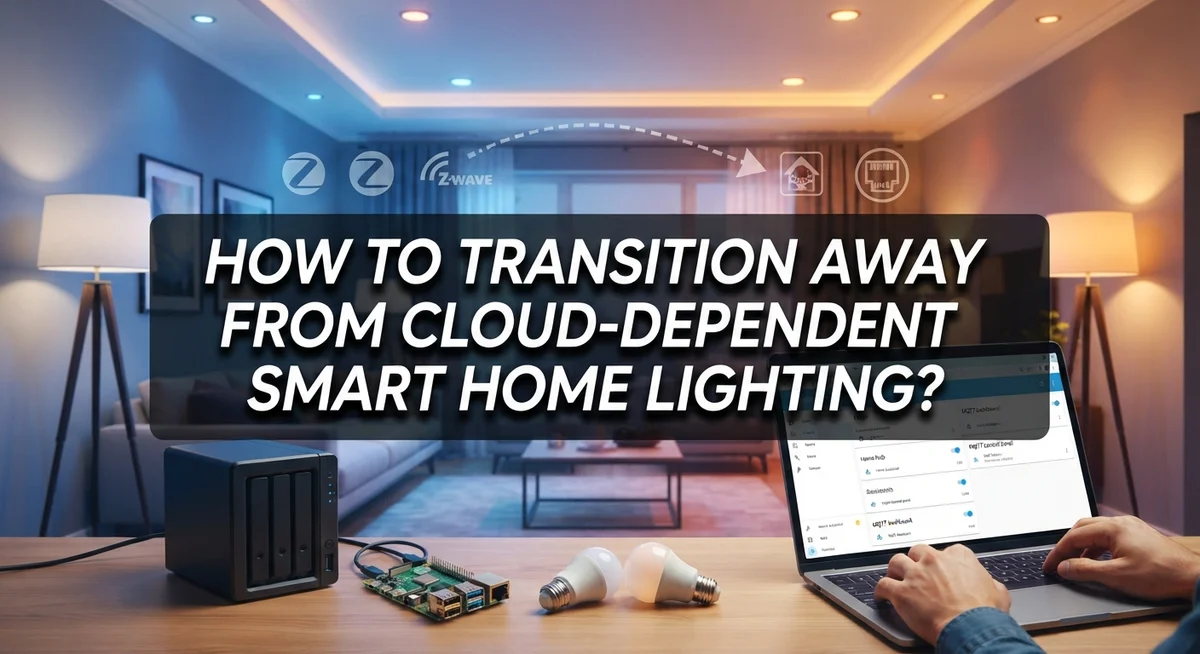
How to Transition Away From Cloud-Dependent Smart Home Lighting?
Smart lights feel magical, until your internet drops and nothing works. Your cloud dependent bulbs sit there, useless, waiting for a server miles away to respond.
This is a common problem. Many smart home owners feel stuck relying on the cloud for basic lighting control.
The good news? You can break free from this cycle. Moving to local, offline first control gives you speed, privacy, and reliability.
In this guide, we will show you how to transition away from cloud dependent smart lighting. You will learn what offline first systems actually mean. We will also cover how local control works without an internet connection.
By the end, you will know exactly how to build a smart, dependable, and truly local lighting setup.
In a Nutshell
- Switch to offline first devices. These run schedules and scenes right on the hardware. No internet connection needed.
- Build local automation groups. Group your lights together for simple, coordinated control. This keeps commands fast and reliable.
- Set schedules directly on each device. Local schedules keep working even if you delete the app. Your lights won’t miss a beat.
- Avoid mixing ecosystems randomly. Devices that don’t speak the same language cause headaches. Plan your setup before you buy anything new.
- Don’t get locked into one cloud service. Single ecosystem dependency brings back the exact problem you’re solving. Choose open, local protocols instead.
- Yes, offline systems work fully without internet. All core functions, like turning lights on or dimming, happen locally. Your home stays smart, even during an outage.
Understanding Cloud-Dependent vs Local Smart Lighting
Cloud dependent smart lighting relies on external servers to function. Your lights connect to a company’s cloud service. When your internet drops, your lights stop responding. You lose control until the connection returns.
Local smart lighting works differently. The lights store their logic directly on the device itself. Your phone app sends commands to the light, not to a cloud server first. This means your lights respond instantly and keep working even without internet.
The key difference is where the intelligence lives. Cloud systems need constant communication with distant servers. Local systems make decisions right on the hardware. Your light can turn on at sunset because it knows the time and location. It doesn’t need to ask permission from anywhere else.
Cloud dependent systems offer one advantage: they’re often easier to set up initially. You download an app, connect your lights, and everything syncs automatically. The company handles all the complexity behind the scenes.
But this convenience comes with real costs. You depend on the company’s servers staying online. You depend on your internet connection staying stable. If either fails, your lights become useless. You also surrender your data and privacy to the cloud service.
Local systems require more upfront effort. You configure each light individually. You set up automation rules directly on the devices. You manage everything yourself without cloud assistance.
The trade off is clear: more control and reliability for slightly more setup work.
Understanding this difference matters because it shapes your entire transition strategy. Cloud dependent lights need replacing with local capable alternatives. Your automations need moving from cloud rules to device level rules. Your control methods need changing from app based to local based commands.
Knowing where the intelligence actually lives helps you make better choices about which devices to buy and how to set them up properly.
Why Move Away From Cloud-Based Control
Cloud dependent systems create real problems that many people don’t see until something goes wrong. Your lights stop responding when your internet drops. Your phone app becomes useless. Schedules fail. Automations vanish. You’re left in the dark, literally.
Privacy matters too. Cloud systems send data about your lighting habits to external servers. Companies track when you’re home, when you sleep, and when you’re away. This information gets stored somewhere you don’t control. Hackers can potentially access it. Data breaches happen regularly. Your personal routines become vulnerable.
Vendor lock in is another serious issue. Once you invest in a specific cloud ecosystem, switching becomes expensive and difficult. You’ve bought devices that only work with one company’s servers. If that company changes pricing, shuts down, or gets acquired, you’re stuck. Your investment becomes worthless if the service disappears.
Ongoing costs add up fast. Many cloud systems charge monthly subscription fees for advanced features. Premium automations, scheduling, and remote access often require paid plans. Over years, these fees exceed the cost of the devices themselves. Local systems typically have no recurring costs once you set them up.
Dependency creates frustration. You rely on someone else’s infrastructure staying online. Server outages happen. Maintenance windows occur. Updates sometimes break things. You have zero control over when these issues happen. They interrupt your life without warning.
Local control fixes these problems. Your lights work without any internet connection. Schedules run on the device itself. Automations execute locally. Your data stays private. No vendor can force changes on you. No monthly fees drain your wallet. No server outages leave you in darkness.
This is why moving away from cloud dependent lighting matters. You gain reliability, privacy, and true control over your home.
Step-by-Step: Planning Your Transition to Local Control
Planning your transition to local control requires a clear roadmap. Start by identifying which lights you want to replace and understanding what each one currently does. Write down every light fixture, its current brand, and how you use it. This inventory becomes your baseline.
Next, assess your home’s communication infrastructure. Local control systems need devices to talk to each other. Some use wireless protocols that work independently. Others need a hub or bridge device to coordinate. Check what your home already supports and what you’ll need to add.
Create a budget for your transition. Local control devices often cost more upfront than cloud alternatives, but you save money long term by avoiding subscriptions. Decide how much you want to spend and spread purchases over time if needed.
Choose a local protocol or standard that matches your needs. Different systems use different languages for communication. Pick one that works for your situation, then stick with it. Mixing multiple incompatible systems creates frustration later.
Plan your installation in phases. Don’t replace everything at once. Start with one room or one type of automation. This approach lets you learn the system before scaling up. You’ll catch problems early when they affect fewer lights.
Document your setup as you go. Write down which lights connect to which hubs, what automations you create, and how you configured schedules. This documentation helps when troubleshooting and when adding new devices later.
Test each phase before moving forward. Make sure lights respond as expected. Verify that schedules work offline. Check that automations trigger correctly. Small tests now prevent big problems later.
Finally, set a timeline. Decide when you want to complete the full transition. This deadline keeps you motivated and helps you prioritize which devices to replace first. A realistic timeline prevents burnout and ensures quality setup work.
Setting Up Local Automations, Schedules, and Groups
Local automations let your lights respond to conditions without needing the cloud. Your system checks sensors, time, and events right on the device itself. This means instant reactions and zero dependency on internet connectivity.
Start by grouping your lights together. Create a group for your living room, another for bedrooms, and one more for outdoor areas. Groups let you control multiple lights with a single command. Voice assistants can trigger entire groups at once. This simplifies your daily control significantly.
Next, set up schedules directly on each device or hub. Most offline capable lights store schedules in their local memory. You program them through a mobile app or web interface, then the schedule stays active even if your internet goes down. The lights turn on and off at the exact times you set, every single day.
Automations add intelligence to your setup. You can create rules like “turn on bedroom lights when motion is detected after sunset.” The hub processes this logic locally. No cloud server involvement means faster response times and better privacy.
Group automations together for coordinated behavior. Example: when you say “goodnight,” all bedroom lights dim to 10%, hallway lights activate at low brightness, and living room lights turn off completely. This single command triggers multiple actions across different rooms instantly.
Test each automation before relying on it. Make sure the timing works as expected. Check that voice commands trigger the right lights. Verify that schedules persist after power outages.
Document your setup carefully. Write down which lights belong to which group. List all active automations and their trigger conditions. Keep this information accessible. If something stops working, you’ll troubleshoot faster with good notes.
Start simple with one room. Add complexity gradually as you gain confidence. This approach prevents overwhelming yourself and catches problems early before they spread across your entire home.
Tips for a Smooth, Reliable Local Lighting Setup
A smooth local lighting setup requires careful planning and attention to detail. Start by choosing devices that work offline first. These devices run schedules and automations on their own hardware, not through cloud servers. This means your lights keep working even if your internet goes down.
Next, invest in a reliable local hub or controller. This device acts as the brain of your system. It communicates directly with your lights using local protocols like Zigbee or Z-Wave. The hub stores all your automation rules and schedules on its own memory.
Make sure all your devices speak the same language. Incompatible devices create frustration and limit what you can do. Check that each light, switch, and sensor uses the same communication standard before you buy anything.
Test your setup thoroughly before relying on it completely. Turn off your internet connection and verify that lights still respond to manual commands, schedules run on time, and automations trigger correctly. This test reveals problems before they affect your daily life.
Keep your setup simple at first. Start with basic scheduling and a few automation rules. Add complexity gradually as you become comfortable with how everything works. Complicated setups fail more often than simple ones.
Document everything as you build your system. Write down which lights belong to which groups, what each automation does, and when schedules run. This information saves you hours of troubleshooting later.
Back up your configuration regularly. Most local hubs let you export settings to a file. Store this file safely so you can restore your setup quickly if something breaks.
Finally, give yourself time to adjust. Moving away from cloud systems feels different at first. You control everything locally now, which means more responsibility but also more reliability and privacy.
Common Mistakes to Avoid During the Transition
Transitioning to offline lighting requires awareness of common pitfalls. Understanding these mistakes helps you avoid costly errors and frustration.
Incompatible ecosystems create major problems. You buy lights from one manufacturer, then add a hub from another. These devices don’t communicate with each other. Your automation dreams fall apart. Always check compatibility before purchasing anything. Verify that devices use the same local protocol or standard.
Mixing cloud and local solutions without a plan causes confusion. Some of your lights work offline while others depend on the cloud. You end up managing two different systems. This defeats the purpose of going local. Commit to one approach for each room or zone.
Rushing the transition leads to frustration. Many people try to replace everything at once. They install new devices, configure automations, and expect perfection immediately. Something always breaks. Take your time. Replace devices gradually, test each one, and build your confidence.
Ignoring device placement wastes time. Local protocols have range limits. Your hub might sit too far from bedroom lights. Signals don’t reach reliably. Plan your hub location before installation. Consider signal strength in every room.
Overlooking scheduling persistence is another mistake. People assume schedules disappear when the internet goes down. They don’t. Schedules store directly on your devices. However, some people forget to configure them at all. Set up schedules on each device, not just in the app.
Failing to document your setup creates headaches later. You forget which lights belong to which group. Automation logic becomes mysterious. When something breaks, you can’t troubleshoot. Write everything down as you build your system.
Starting too complex overwhelms you. Don’t automate your entire home immediately. Begin with one room. Master basic grouping and scheduling. Then expand gradually. This approach builds your skills and prevents burnout from technical problems.
Troubleshooting Local Control and Offline Automation Issues
When your local lighting system doesn’t work as expected, start by checking your hub’s connection to all lights. Walk through each room and verify every light responds to manual commands. If a light doesn’t respond, it may be out of range or disconnected from your network.
Test your local network first. Restart your hub and wait two minutes for it to fully boot. Then restart each light by turning it off and on using the physical switch. This simple step fixes most connection problems. Check that your hub and lights are on the same local network, not split between guest and main networks.
If automations don’t trigger, verify they’re set to run locally, not through cloud servers. Open your hub’s settings and confirm offline automation is enabled. Some systems require you to explicitly switch from cloud to local mode. Review each automation rule to ensure it matches your actual device names and group assignments.
Scheduling issues often stem from incorrect time settings. Make sure your hub has the correct date and time. If schedules don’t persist after power loss, check that your hub has a backup battery or uninterruptible power supply. Without power, most hubs lose their settings.
Test one automation at a time rather than creating multiple rules at once. This helps you identify which automation causes problems. Document what works and what doesn’t. Keep notes on device names, group assignments, and automation triggers.
If lights respond slowly to commands, move your hub closer to the lights or remove physical obstacles between them. Local protocols have limited range, typically 30 to 100 feet depending on your system. Check for interference from microwaves, cordless phones, or other wireless devices operating on similar frequencies.
Start troubleshooting with the simplest solutions first. Most issues resolve through basic restarts and network verification before you need advanced fixes.
Final Thoughts
Moving away from cloud dependent lighting is a smart choice. You gain more control over your home. You also reduce your reliance on outside servers.
Local control puts you in charge. Your lights respond to your commands, not a company’s cloud. This makes your system more private and more reliable.
Offline first systems keep working during internet outages. Your schedules and scenes still run smoothly. You never have to worry about a server going down.
Start small if you feel unsure. Pick one room and test local automation there. Once it works well, expand to other areas of your home.
Avoid common pitfalls along the way. Don’t mix incompatible ecosystems without a plan. Choose devices that support local protocols and communicate well together.
Take your time with this process. Rushing often leads to frustration and wasted effort. A slow, steady approach gives better results.
Remember that scheduling persists on your devices. Even if you remove an app, your device keeps its settings. This is one of the biggest benefits of local control.
You can also combine local hubs with voice groups. This gives you simple, coordinated control across your home. It also reduces dependence on any single app.
Full removal is possible too. Some people choose to skip smart lighting entirely. Standard fixtures work fine without any app or hub.
Whatever path you choose, plan ahead first. Think about which rooms need automation. Decide which devices support offline features before you buy anything.
Transitioning takes patience, but the payoff is worth it. You get a home that works even without internet. You also gain peace of mind knowing your lighting depends only on your local setup, not a distant cloud server.
In the end, local lighting control gives you more freedom. Your home stays smart, private, and reliable no matter what happens online.
Frequently Asked Questions
Can I keep some cloud lights while switching to offline ones?
Yes, you can mix both types. However, you need a clear plan before you start. Keep your cloud lights separate from your offline system so they don’t confuse each other. Use different apps or hubs to control each group. This prevents automation conflicts and makes troubleshooting easier later.
What happens to my schedules if the internet goes down?
Your schedules stay active on the device itself. Offline first systems store schedules directly in the light or hub’s memory. The light will follow its schedule even if your internet connection fails. You don’t need to reinstall anything or reset your automation rules.
Do I need a hub to run lights offline?
Most offline systems work better with a hub, but not all. A hub acts as a local controller that talks to your lights without reaching the cloud. Some lights can operate independently if you configure them directly. Check your device’s manual to see if it supports standalone offline mode or requires a hub.
How do I know if a device works offline?
Look for local control or offline mode in the product specifications. Devices using open protocols like Zigbee or Z Wave typically work offline. Check the manufacturer’s documentation or support pages for clear offline capability details. You can also contact their support team to confirm before buying.
What’s the easiest way to start this transition?
Begin with one room or one light. Replace it with an offline capable device and test it thoroughly. Once you feel confident, move to the next area. This slow approach helps you avoid frustration and lets you learn the system step by step.