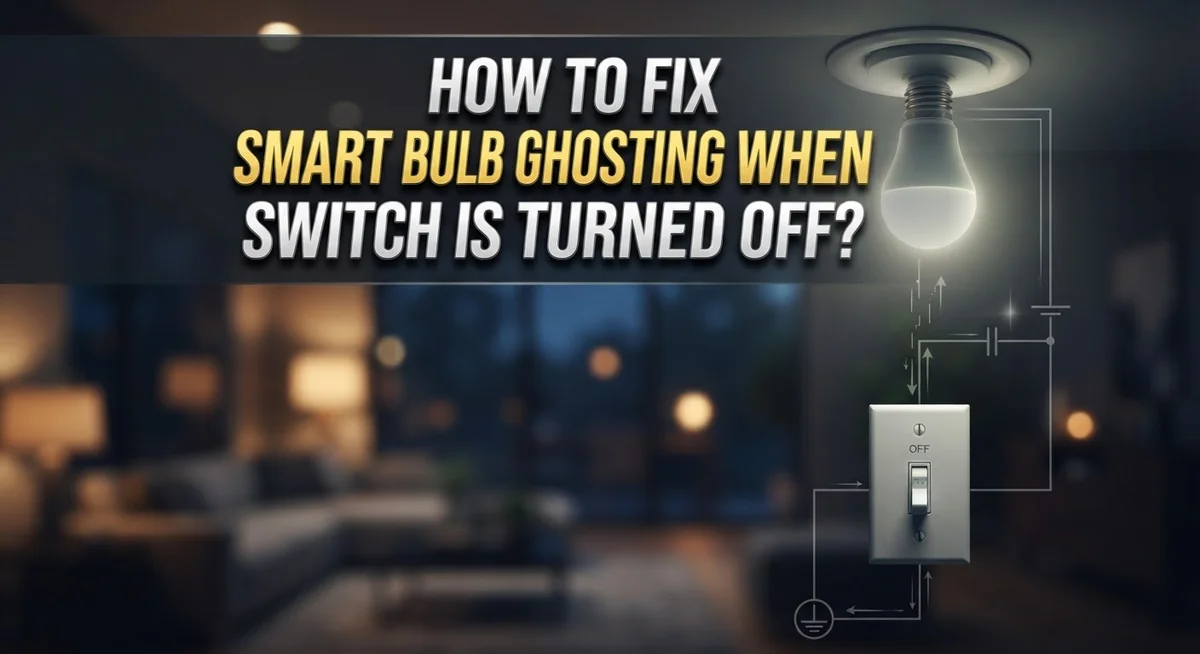
How to Fix Smart Bulb Ghosting When the Switch Is Turned Off?
Ever notice your smart bulb glowing faintly even after you flip the switch off? That eerie little glow is called ghosting, and it happens more often than you think.
This strange effect can make your bulb look like it has a mind of its own. But don’t worry, it’s not haunted. It’s a wiring or compatibility issue.
Ghosting happens when a tiny amount of current still flows through the circuit, even in the off position. This can be caused by faulty dimmers, missing neutral wires, or cheap LED drivers.
The good news? You can fix it. In this guide, we will explain why smart bulbs ghost and how to stop it for good.
By the end, you will know exactly how to keep your smart bulbs fully off when you want them off, no more mystery glow.
In a Nutshell
Check your wiring first. Poor or incorrect wiring is the top cause of that faint glow. A missing neutral wire often lets small current sneak through.
Swap your dimmer switch. Old dimmers were not made for LED bulbs. Get an LED-compatible switch to stop the ghost current instantly.
Add a bypass capacitor or resistor. This small fix absorbs leftover current. It stops the bulb from glowing when it should be dark.
Try a mechanical disconnect relay. This device fully cuts power to the bulb. It works great for stubborn ghosting issues.
Replace low-quality LED drivers. Cheap drivers often cause flickering or glowing. A better driver fixes the problem for good.
Call an electrician for tricky wiring. If neutral wires or circuits confuse you, get professional help. They can rewire or install a proper bypass safely.
What Is Smart Bulb Ghosting and Why Does It Happen
Smart bulb ghosting is that faint glow your LED bulb gives off even after you flip the wall switch to the off position. You might also hear it called “afterglow” or “ghost current.” The bulb should be completely dark, but instead it emits a soft, eerie light that wastes energy and can be annoying in bedrooms or living spaces.
This happens because a tiny amount of electrical current still flows through the circuit even when the switch is off. Your wall switch is supposed to cut power completely. With smart bulbs and certain switch types, that does not always happen. A small trickle of electricity continues moving through the wiring and the bulb’s internal components, keeping it dimly lit.
Several things cause this problem. Poor wiring or missing neutral wire connections are common culprits. Old dimmer switches that were never designed for LED bulbs often trigger ghosting. Faulty LED drivers inside the bulb or fixture can also be responsible. Sometimes the smart bulb and switch simply are not compatible with each other.
The real issue is that older electrical infrastructure was built for incandescent bulbs, not LEDs. Incandescent bulbs needed much more current to light up, so tiny leaks did not matter. Smart bulbs are sensitive. They light up with very little current, so even a small amount flowing through creates that visible glow.
The good news is ghosting is fixable. You do not need to live with it. The solution depends on what is causing it in your specific setup. Some fixes are simple and quick. Others require an electrician’s help. Either way, you can eliminate that mysterious glow and get your smart bulbs working properly.
Common Causes of Residual Glow in LED Smart Bulbs
Smart bulb ghosting stems from several electrical issues in your home’s wiring and switch setup. Understanding these root causes helps you pick the right fix.
Poor or incorrect wiring is the number one culprit. When wires are installed wrong or connections are loose, current leaks through the circuit even after you turn the switch off. This stray current finds a path to ground, causing that faint glow.
Faulty dimmer switches create ghosting problems too. Old dimmer switches were designed for incandescent bulbs, not LEDs. These dimmers send tiny amounts of power through the circuit constantly, which LED bulbs pick up and display as a glow.
Defective LED drivers are another common cause. The driver is the component inside your bulb that controls power. When drivers are cheap or damaged, they cannot fully block current flow when the switch is off.
Missing neutral wire connections lead to ghosting in many homes. Your electrical system needs a complete path for current to flow. Without a proper neutral wire, electricity takes unexpected routes through your bulb.
Incompatible switch and bulb combinations cause problems frequently. Smart bulbs work differently than regular bulbs. Pairing them with switches not rated for LEDs creates electrical conflicts that result in residual glow.
Capacitance in the circuit also plays a role. Some electrical components store small charges. When you turn the switch off, these charges release slowly through your bulb, creating that ghostly afterglow effect.
The good news? Each cause has a specific solution. Once you identify which problem affects your setup, fixing ghosting becomes straightforward.
How to Diagnose the Source of the Ghosting Issue
Diagnosing smart bulb ghosting requires a systematic approach. Start by checking whether the glow appears in one bulb or multiple bulbs throughout your home. If only one bulb glows, the problem likely sits with that specific bulb or its fixture. If multiple bulbs glow, the issue probably involves your switch or wiring system.
Next, turn off the wall switch and observe the glow intensity. A very faint glow suggests residual current flowing through the circuit. A brighter glow indicates a more serious wiring or component problem.
Test your dimmer switch compatibility by checking if it’s rated for LED bulbs. Older dimmer switches designed for incandescent bulbs often cause ghosting with modern LEDs. Look at the switch label or manual to confirm LED compatibility.
Examine your wiring setup carefully. Poor connections or missing neutral wires are common culprits. If you’re comfortable with basic electrical inspection, check that all wires are properly seated in their terminals. Loose connections allow stray current to flow.
Inspect your LED driver quality next. Low quality drivers inside fixtures or bulbs frequently produce ghosting effects. Check if your bulb or fixture documentation mentions the driver brand or specifications.
Finally, test switch and bulb compatibility by temporarily swapping components. Move the ghosting bulb to a different fixture or switch. If the glow stops, you’ve found your problem area. If ghosting continues, the bulb itself may be defective.
Document which specific elements cause ghosting in your situation. This information helps you target the right solution. Take photos of your wiring setup if you plan to consult an electrician later. Clear documentation saves time and money during professional diagnosis.
Step-by-Step Fixes for Smart Bulb Ghosting
Start by checking your wall switch. Look at the label or manual to confirm it’s rated for LED bulbs. Many older switches aren’t compatible with smart bulbs and cause ghosting.
Next, examine the wiring behind your switch. Turn off power at the circuit breaker first. Look for a neutral wire (usually white) connected properly. Missing or loose neutral connections are a major ghosting cause. If wires look damaged or corroded, that’s your problem.
Test your dimmer switch if you have one. Non LED compatible dimmers create residual current that causes the glow. You may need to upgrade to a dimmer designed for LED technology.
Check the LED driver inside your fixture. A faulty driver allows current to flow even when off. Look for burn marks, swelling, or damage. Poor quality drivers fail frequently and need replacement.
Try a simple bypass method. Install a resistor or capacitor across your switch terminals. This absorbs the residual current and stops the ghosting. Many homeowners find this fixes the problem quickly.
Use a mechanical disconnect relay if other fixes don’t work. This device completely cuts power to the circuit, preventing any current flow. It’s more reliable than traditional switches for LED bulbs.
Test one fix at a time to identify what actually solves your ghosting issue. Start with switch compatibility since that’s the easiest to check. Move to wiring inspection next. Then try the bypass method.
If you’re uncomfortable working with electrical wiring, stop and call an electrician. Complex wiring issues or neutral wire problems require professional expertise. Electrical work mistakes create safety hazards, so don’t guess.
Correcting Wiring and Neutral Connection Issues
Your home’s wiring and neutral connections directly cause smart bulb ghosting. When these aren’t set up correctly, electricity finds alternative paths through your LED bulb even when the switch is off.
Check your neutral wire first. This wire completes the electrical circuit. If it’s missing or loose, current leaks through your smart bulb. Look behind your wall switch and trace the wires. You should see a neutral wire (usually white) connected to the switch terminal or wire nut.
Loose connections create ghosting too. Turn off power at your breaker, then gently tug each wire to ensure it’s secure. A wire that pulls free indicates a loose connection causing residual current flow.
Verify proper wire routing. Smart bulbs work best when the neutral wire runs directly from the power source to your fixture. If wires cross or bundle incorrectly, capacitance builds up and electricity sneaks through your bulb.
Check for damaged wire insulation. Cracks or bare spots allow current to escape where it shouldn’t. Damaged wires need replacement by an electrician.
Inspect your switch box. Sometimes wiring gets pinched or incorrectly installed during construction. Open your switch box (after turning off power) and look for crossed wires or poor connections.
If you find loose neutrals, tighten them securely. If wires are damaged, stop working and call an electrician. Faulty wiring creates safety hazards beyond ghosting.
For older homes, neutral wiring might not exist in some circuits. An electrician can run new neutral wires if needed. This is the most reliable fix for persistent ghosting caused by missing neutrals.
Choosing Compatible Switches and Dimmers to Prevent Ghosting
Smart bulbs work best when your switch and dimmer match their electrical needs. Most ghosting problems happen because homeowners pair incompatible components together.
LED compatible switches are essential. Standard switches designed for old incandescent bulbs don’t work well with smart LEDs. These older switches allow tiny amounts of current to pass through even when turned off. Smart bulbs are so sensitive that this small current makes them glow faintly. Check your switch packaging or manual to confirm it says “LED rated” or “LED compatible.”
Dimmer switches cause more ghosting issues than regular switches. Many dimmers on the market aren’t designed for LED bulbs at all. They work fine with traditional bulbs but create problems with smart bulbs. Look for dimmers specifically labeled for LED use. These dimmers have different internal circuits that prevent the ghosting effect.
Verify compatibility before installation. Check both your switch and your smart bulb specifications. The manufacturer information usually lists which switches work best. Some smart bulb brands publish compatibility lists on their websites.
Mismatched combinations are common in homes where people upgrade to smart bulbs without changing their switches. The old switch remains in place while new bulbs go in. This creates the perfect ghosting situation.
If you already have incompatible switches installed, replacing them solves the problem in most cases. An electrician can help you choose the right switches for your specific smart bulbs. They can also install them safely to match your home’s wiring setup.
Taking time to match your switches and bulbs prevents ghosting before it starts. This approach saves you troubleshooting time later and keeps your smart lighting system working properly.
Common Mistakes That Make Ghosting Worse
Many people make simple mistakes that make ghosting worse without realizing it. Understanding these errors helps you avoid them and fix the problem faster.
Using the wrong switch type is the biggest mistake. Many homeowners install regular switches or old dimmer switches without checking if they work with smart bulbs. These switches allow tiny amounts of current to flow through the circuit even when turned off. This residual current causes your bulbs to glow faintly in the dark.
Another common error is ignoring wiring quality. People assume their existing wiring is fine and jump straight to blaming the bulbs. Poor connections, loose terminals, and damaged insulation all contribute to ghosting. You must inspect the wiring before trying other fixes.
Mixing incompatible components makes ghosting worse too. Pairing a smart bulb designed for one voltage with a switch rated for different electrical loads creates problems. The mismatch forces current through unexpected paths in your circuit.
Using low quality LED drivers is another mistake. Cheap drivers don’t block residual current effectively. They allow power to leak through even when the switch is off. Investing in quality components prevents this issue.
People also fail to test fixes properly. They try multiple solutions at once, then can’t identify which one actually worked. This confusion leads to repeated mistakes in future repairs.
Finally, many homeowners ignore professional help when they should ask for it. Complex wiring issues require an electrician’s expertise. Attempting electrical work beyond your skill level wastes time and creates safety hazards.
Avoiding these mistakes saves you frustration and gets your lights working correctly faster.
When to Call a Licensed Electrician
Smart bulb ghosting often stems from electrical issues that go beyond simple fixes. If you’ve tried basic solutions like switching to compatible bulbs or adjusting your dimmer, it’s time to call a professional electrician.
Electrical wiring problems require expert hands. An electrician can inspect your circuit for loose neutral connections, which are a primary cause of ghosting. They verify that your wiring meets current electrical codes and standards. They also check for damaged insulation or pinched wires that create unwanted current paths.
Some homes have outdated electrical systems that lack proper neutral wires in certain circuits. This is especially common in older houses. An electrician determines whether your home’s wiring can support smart bulbs or needs upgrades.
Complex installations demand professional skill. If your ghosting persists after replacing switches and bulbs, the issue likely involves your home’s electrical infrastructure. Electricians install specialized components like mechanical disconnect relays or bypass capacitors that stop residual current flow. These solutions require proper installation to work safely.
Safety is the biggest reason to hire a professional. Incorrect wiring can cause electrical shocks or fires. An electrician ensures all work meets safety codes and protects your home.
You should also call an electrician if you’re uncomfortable working with electrical systems. Troubleshooting wiring yourself creates serious risks. A licensed electrician has the training and tools to diagnose problems quickly and correctly.
Get professional help when DIY fixes fail. This saves time and prevents potential hazards. An electrician identifies whether your ghosting comes from wiring, incompatible components, or defective equipment. They provide lasting solutions that keep your smart lighting system working properly for years.
Final Thoughts
Smart bulb ghosting feels frustrating, but it’s a fixable problem. Most cases come down to wiring issues or mismatched components.
Start by checking your switch type. LED compatible switches solve many ghosting problems right away.
Look at your wiring next. A missing or incorrect neutral wire often causes that faint glow you see when lights should be off.
Test different combinations if you’re unsure what’s causing the issue. Sometimes swapping a dimmer for a regular switch fixes things instantly.
Quality matters more than you think. Cheap LED drivers and low grade components create ghosting even when everything else looks correct.
Don’t ignore small fixes either. A simple resistor or bypass capacitor can stop residual current from reaching your bulb.
These parts are inexpensive and easy for most people to install.
If basic fixes don’t work, your wiring might need professional attention. Electricians can spot problems you can’t see, like damaged connections or outdated circuits.
Remember that patience helps here. Testing one change at a time shows you exactly what fixes the ghosting.
Rushing through multiple changes at once makes it hard to know what worked.
Your home’s electrical setup is unique. What fixes ghosting in one house might not work in another.
That’s normal and doesn’t mean you did something wrong.
Keep your switches and bulbs matched correctly going forward. This simple habit prevents most ghosting issues before they start.
Smart lighting should feel effortless, not stressful. With the right switch, proper wiring, and quality components, your bulbs will turn off completely every time.
Take these steps one by one. Your ghosting problem is solvable, and you now have the knowledge to fix it.
Frequently Asked Questions
Why does my smart bulb glow faintly when the switch is off?
Your bulb glows because residual current flows through the circuit even when you flip the switch to the off position. This happens with LED bulbs more often than older incandescent bulbs. The small amount of electricity still traveling through creates that eerie glow.
Smart bulbs are extra sensitive to this problem. They need very little power to stay active. Regular switches weren’t designed with this in mind.
Can ghosting damage my smart bulb?
Ghosting won’t destroy your bulb quickly, but it does cause slow damage over time. The constant low voltage stress wears down internal components faster than normal use would.
Your bulb’s lifespan shortens when ghosting happens regularly. Think of it like leaving your phone on the charger 24/7. It works, but the battery degrades gradually.
Is ghosting a wiring problem or a switch problem?
Usually it’s both working together. Poor wiring creates the pathway for ghost current. An incompatible switch allows that current to flow through.
You need to check both your switch type and your circuit wiring. One alone rarely causes the issue. They work as a system, so fixing just one part often doesn’t solve the problem completely.
What’s the quickest fix for ghosting?
Replacing your switch with an LED compatible model is usually the fastest solution. This costs very little and works for most homes.
If that doesn’t work, your wiring likely needs attention. Adding a resistor or bypass capacitor comes next. More complex fixes require an electrician’s expertise.