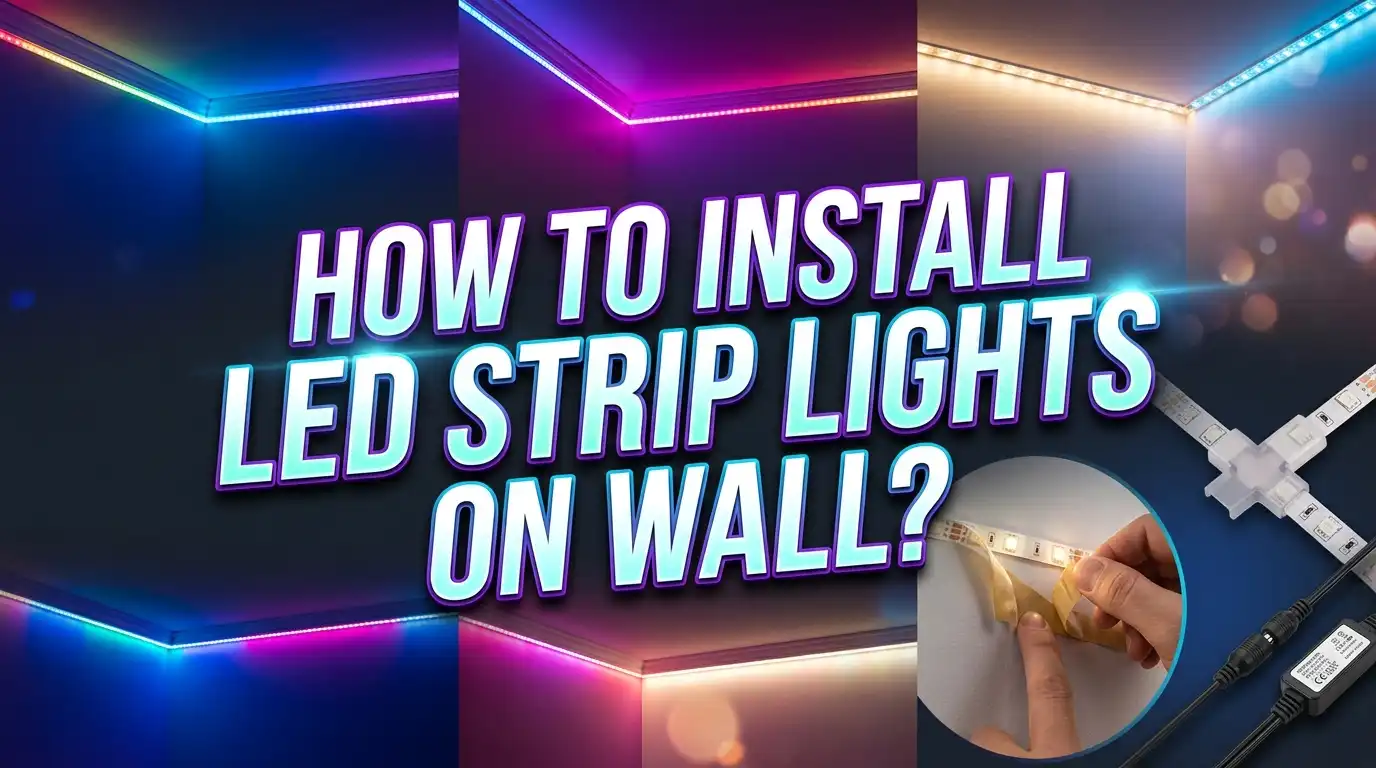
How to Install LED Strip Lights on Wall?
LED strip lights can transform any room from boring to brilliant in under an hour. Whether you want a cozy glow behind your TV, accent lighting along a hallway, or a vibrant color display in your bedroom, LED strips are one of the easiest and most affordable lighting upgrades you can make.
But here is the thing. Many people buy LED strip lights, stick them on the wall, and end up frustrated. The strips fall off overnight. The colors look uneven. The connections fail. The power supply buzzes.
These problems happen because most people skip the planning and preparation steps that make the difference between a clean, lasting install and a messy disappointment.
This guide walks you through every step of the installation process from start to finish. You will learn how to choose the right strips, prepare your wall surface, plan your layout, make clean cuts and connections, and avoid the most common mistakes.
Key Takeaways
- Surface preparation is everything. Clean your wall with isopropyl alcohol before applying any LED strip. Dust, grease, and moisture are the top reasons strips fall off walls within days of installation.
- Measure twice, buy once. Calculate the exact length you need and add 10% extra for mistakes. LED strips can be cut at designated points, but you cannot stretch them if you run short.
- Choose the right type of strip for your goal. RGB strips offer color options for mood lighting, while warm white or cool white strips work best for task lighting and accent lighting. Each type has a different power requirement.
- Use mounting channels for a professional finish. Aluminum channels with diffuser covers hide the individual LED dots and spread the light evenly. They also act as heat sinks that extend the life of your strips.
- Always match your power supply to your strip length. An underpowered adapter causes dimming, flickering, and premature failure. Add up the wattage per meter and choose a power supply rated at least 20% above your total.
- Plan your power source location before you start. The position of your nearest outlet determines where the strip begins, how you route the cable, and whether you need extension connectors.
What You Need Before You Start
Gathering your materials before you begin saves time and prevents frustrating mid-project trips to the store. The basic supply list includes LED strip lights, a compatible power adapter, isopropyl alcohol, a measuring tape, scissors, and a pencil. These are the essentials for any wall installation.
If you want a cleaner look, pick up aluminum mounting channels with diffuser covers. These snap-on profiles hide the LED dots and produce a smooth, even light bar effect. They also protect the strips from dust and physical damage.
You may also need LED strip connectors if your layout includes corners or turns. Soldering gives the strongest connection, but snap-on connectors work well for most home projects. A small wire stripper and electrical tape are handy backup tools.
For walls with textured paint or surfaces where adhesive struggles, consider mounting clips or cable management clips. These screw or nail into the wall and hold the strip securely. They add a few minutes to the install but provide much stronger holding power than adhesive alone.
A level or laser level helps keep your strips perfectly straight. Even a small angle becomes very obvious once the lights turn on. Mark a guide line on the wall with a pencil before you peel the adhesive backing.
Finally, keep a clean microfiber cloth nearby. You will need it during surface preparation and to wipe down the strips after installation. Having everything within arm’s reach makes the process smooth and fast.
How to Choose the Right LED Strip Lights for Your Wall
Not all LED strips are created equal. The type of strip you choose affects brightness, color options, energy use, and how long the lights last. Understanding a few key specs helps you make the right pick for your space.
LED density refers to how many LEDs sit per meter of strip. Common options include 30, 60, and 120 LEDs per meter. Higher density strips produce smoother, more even light with fewer visible hot spots. For wall accent lighting, 60 LEDs per meter is a solid starting point that balances brightness and cost.
Color temperature matters for white strips. Warm white (2700K to 3000K) creates a relaxed, cozy atmosphere similar to traditional incandescent bulbs. Cool white (5000K to 6500K) feels bright and energizing, making it a good choice for workspaces. Neutral white (4000K) sits in the middle and works well in kitchens and bathrooms.
RGB and RGBW strips let you change colors with a remote or smartphone app. RGB strips mix red, green, and blue to produce millions of colors. RGBW adds a dedicated white LED chip for purer, brighter white light alongside the color options.
Pros of RGB strips: Fun color variety, great for mood lighting, and party setups.
Cons of RGB strips: White light output is not as clean or bright as dedicated white strips.
Pros of single-color white strips: Better light quality for reading and tasks, simpler setup, and lower cost.
Cons of single-color white strips: No color-changing ability, less dramatic effect.
Check the IP rating if your installation is near a kitchen sink or bathroom. IP20 strips have no water protection and suit dry rooms only. IP65 and IP67 strips have silicone coatings that resist splashes and moisture.
How to Prepare Your Wall Surface
This step is the most important part of the entire installation. The adhesive backing on LED strips is strong, but it needs a clean, smooth surface to bond properly. Skipping this step is the number one reason strips peel off walls.
Start by wiping the wall with isopropyl alcohol (90% or higher) and a lint-free cloth. This removes dust, oils, and residue that block the adhesive from gripping the surface. Do not use household cleaners that leave a film or moisture behind.
Let the wall dry completely before applying anything. Even a small amount of moisture weakens the adhesive bond and can cause the strip to sag or fall within hours.
If your wall has a heavy texture like orange peel or knockdown finish, the adhesive will only contact the raised points. This reduces holding power significantly. For textured walls, use mounting clips or aluminum channels screwed into the wall instead of relying on adhesive alone.
Freshly painted walls need at least two to three weeks of curing time before you apply LED strips. Paint that has not fully cured releases gases that prevent adhesive from bonding. If you apply strips too soon, they will fall off no matter how clean the surface is.
For brick, concrete, or rough surfaces, apply a strip of smooth painter’s tape first, then stick the LED strip onto the tape. This creates a flat bonding surface. Alternatively, screw-mounted aluminum channels provide the most reliable hold on these difficult surfaces.
How to Plan Your LED Strip Layout
Good planning prevents waste and gives you a professional-looking result. Grab your measuring tape and map out the exact path your LED strip will follow on the wall. Write down the measurements for each section.
Decide where the power source connects to the strip. The power adapter plugs into a wall outlet, so your starting point should be near an outlet. If the outlet is far from your desired starting point, you may need an extension cord or longer DC power cable.
Mark the strip path on the wall with a pencil and a level. Use light pencil marks that you can erase later. A straight guide line makes a huge difference in the final appearance. Even a 2-degree angle becomes noticeable over a long run.
Plan your corners carefully. LED strips do not bend at sharp 90-degree angles without risking damage to the circuit board. You have two options for corners. You can use L-shaped connectors to join two strip segments at a right angle. Or you can create a small loop by gently curving the strip, though this only works with flexible strips and wide corners.
Calculate total strip length and wattage. Multiply the wattage per meter (listed on the product specs) by the total length in meters. This gives you the minimum wattage your power supply needs. Add a 20% buffer to avoid running the power supply at full capacity, which causes heat and shortens its life.
Sketch a simple diagram of your layout on paper. Note the start point, end point, corners, and power supply location. This reference saves time during installation and helps you cut the correct lengths.
How to Cut LED Strips Correctly
LED strips are designed to be cut at specific points. Look for the copper pads or scissor icons printed on the strip at regular intervals. These marks indicate safe cutting points where you can separate the strip without damaging the circuit.
Use sharp scissors or a craft knife for a clean cut. Dull blades can crush the flexible circuit board and damage nearby LEDs. Cut straight across the copper pads to leave enough exposed copper on both sides for reconnection if needed.
Never cut between the marked points. Cutting in the wrong spot will disable the LEDs between that cut and the previous cutting mark. This can leave you with a dead section at the end of your strip.
After cutting, check that the end LEDs still work by temporarily connecting the strip to power. This quick test confirms you made a clean cut and nothing was damaged.
Pros of cutting your own strips: Custom fit for any wall length, no wasted material, and flexible layout options.
Cons of cutting your own strips: Mistakes cannot be undone, and reconnecting cut segments requires connectors or soldering.
If you need to rejoin two cut pieces, snap-on strip connectors offer the easiest method. Open the connector clip, slide the strip in so the copper pads align with the connector pins, and close the clip. Make sure the polarity markings (positive and negative) match on both sides.
For a more permanent and reliable connection, soldering the wires directly to the copper pads provides the strongest bond. This requires a soldering iron, solder, and basic soldering skill.
How to Mount LED Strips on the Wall
Now comes the fun part. Peel back about six inches of the adhesive backing at a time and press the strip firmly onto your pencil guide line. Do not peel the entire backing at once because the strip becomes difficult to handle and sticks to itself.
Apply firm, even pressure along the entire length of the strip as you go. Use your thumb or a flat tool like a credit card to press the strip down. Pay extra attention to the edges, which tend to lift first.
Work slowly and check your alignment against the pencil line every few inches. Repositioning the strip after it makes contact with the wall weakens the adhesive. Getting it right the first time gives you the strongest bond.
At corners, pause and attach your corner connector or gently curve the strip before continuing to the next wall section. Do not force a sharp bend. The circuit traces inside the strip can crack under stress, creating dead spots.
If you are using aluminum mounting channels, install the channels on the wall first using screws or strong adhesive. Then place the LED strip inside the channel and snap the diffuser cover on top. This method takes more time but gives a far superior finish.
Press along the entire strip one more time after you finish the full run. This second pass ensures full adhesive contact and catches any sections that may have lifted slightly during installation.
How to Connect the Power Supply
Match your power supply voltage to your LED strip voltage exactly. Most residential LED strips run on 12V or 24V DC. Using the wrong voltage can damage the strip instantly or cause dim, flickering light.
Connect the power adapter’s DC output cable to the strip’s input connector. Most strips come with a plug-in barrel connector or bare wire leads. If your strip has bare wires, match the positive (red) and negative (black) wires to the correct terminals on the power supply.
Secure all wire connections with electrical tape or heat-shrink tubing. Loose connections cause flickering and can generate heat. A solid connection ensures stable, flicker-free lighting.
Place the power supply in a well-ventilated area. Power supplies generate heat during operation, and trapping that heat shortens their life span. Do not hide the adapter inside a sealed box or behind heavy furniture with no airflow.
Pros of plug-in adapters: Easy to install, no electrical work required, and safe for renters.
Cons of plug-in adapters: Visible cable from outlet to strip, limited placement options, and adapter can be bulky.
Pros of hardwired power supplies: Cleaner look with no visible adapter, supports longer strip runs, and provides more stable power.
Cons of hardwired power supplies: Requires basic electrical knowledge or a licensed electrician, not ideal for renters, and more complex to install.
Before mounting permanently, test the entire strip by plugging in the power supply. Check for dead LEDs, dim sections, or color inconsistency. Fix any issues now while access is easy.
How to Use Controllers and Dimmers
A controller lets you adjust brightness, change colors, and set lighting effects. Most RGB and RGBW strips come with a basic IR remote and receiver. You plug the controller between the power supply and the strip.
Smartphone-compatible controllers connect through Wi-Fi or Bluetooth and offer far more control. You can set schedules, create custom color scenes, sync lights to music, and control the lights with voice assistants. These controllers replace the basic IR receiver in the wiring chain.
For single-color white strips, a simple inline dimmer adjusts brightness without needing a full controller. PWM (Pulse Width Modulation) dimmers work best with LED strips because they maintain color consistency across all brightness levels.
Position the IR receiver where the remote signal can reach it. IR remotes require a direct line of sight to the sensor. If your strip is behind furniture or above a cabinet, the remote may not work reliably. Wi-Fi and Bluetooth controllers do not have this limitation.
Keep the controller accessible for troubleshooting. Do not bury it inside a wall or seal it behind permanent fixtures. Controllers occasionally need a reset, and firmware updates may require physical access.
Set your preferred default brightness and color before finalizing the installation. Running LED strips at 70% to 80% brightness extends their lifespan and reduces heat output while still providing plenty of light. Full brightness is rarely necessary for accent and mood lighting.
How to Install LED Strips Behind a TV or Monitor
Bias lighting behind a TV or monitor reduces eye strain and makes the picture appear richer. This is one of the most popular uses for LED strip lights on a wall.
Clean the back edge of your TV or monitor with isopropyl alcohol. Apply the LED strip along the top and sides of the back panel, about one to two inches from the edge. Leave the bottom open or add a strip there too for full surround lighting.
Use a warm white or neutral white strip (around 6500K) for accurate bias lighting that does not distort the colors on your screen. RGB strips look cool but can clash with on-screen colors and create distracting tints.
Route the power cable along the TV mount or stand to keep it hidden. Cable clips or small zip ties help manage the wire neatly. If your TV is wall-mounted, run the cable through the same cable management channel as your HDMI and power cords.
A USB-powered LED strip is the simplest option for TV backlighting. Many modern TVs have USB ports that provide enough power for a short strip. The lights turn on and off with the TV automatically, which is very convenient.
Keep the strip at least one inch from the wall so the light has room to spread before hitting the surface. If the strip presses flat against the wall, you get harsh hot spots instead of a smooth glow.
Common Mistakes to Avoid
Overloading a single power supply is a frequent mistake. Long LED strip runs draw significant current. If your total wattage exceeds the power supply rating, the strip dims at the far end and the adapter overheats. Split long runs into separate segments with individual power feeds.
Ignoring heat management shortens the life of your LEDs. LED strips generate heat, especially high-density and high-brightness models. Aluminum channels act as heat sinks and can double the operational life of your strips. Avoid running strips in enclosed spaces with no ventilation.
Using cheap strips with weak adhesive leads to strips that fall within days. If you notice the adhesive is thin or flimsy, reinforce it with 3M VHB double-sided tape, which is one of the strongest adhesive options available. Apply VHB tape to the back of the strip before peeling the original backing.
Running strips in a continuous loop exceeding the maximum run length causes voltage drop. Most 12V strips should not exceed 5 meters in a single series run. Beyond that distance, the LEDs at the far end appear dimmer and may shift in color. Use parallel wiring or a second power injection point to maintain consistent brightness.
Forgetting to test before final mounting wastes time. Always connect everything and power on the strip before you commit to the adhesive or screw the channels in place. Catching a dead segment or faulty connector takes seconds with a test but hours if you have to remove and redo the whole installation.
How to Fix LED Strips That Keep Falling Off
Strips fall off walls for a few clear reasons, and each one has a straightforward fix. The most common cause is a dirty surface. If you did not clean the wall with isopropyl alcohol before application, remove the strip, clean the wall thoroughly, and reapply.
Textured walls reduce adhesive contact area. The bumps and ridges mean only the high points touch the adhesive. For light strips, apply a layer of smooth painter’s tape on the wall first, then stick the LED strip to the tape. For heavier strips, use mounting clips screwed into the wall.
High humidity and temperature changes weaken adhesive over time. Bathrooms, kitchens, and exterior walls experience moisture and temperature swings that break down adhesive bonds. In these areas, mechanical fasteners like clips and channels provide the most reliable hold.
If your strip is already falling, you can add 3M VHB tape or mounting clips at the problem areas without removing the entire strip. Clean the loose section, apply fresh adhesive, and press firmly. Adding a clip every 12 inches along the run prevents future sagging.
Heavy strips with silicone waterproof coatings weigh more than standard strips and put extra stress on the adhesive. These strips almost always need additional support from clips or channels. The silicone coating also makes the back less porous, which reduces how well adhesive grips.
Check your strip regularly during the first week after installation. If any section shows signs of lifting, address it immediately before the weight pulls more of the strip away from the wall.
How to Hide Wires and Cables for a Clean Look
Visible wires ruin the effect of a sleek LED strip installation. Cable management channels that match your wall color offer the simplest solution. These plastic tracks stick to the wall and snap closed over the wires, creating a tidy, almost invisible path.
For wall-mounted installations, running wires through the wall gives the cleanest result. Use a low-voltage cable pass-through plate if local building codes allow it. Drill a small hole behind the strip start point and another near the outlet. Fish the wire through the wall cavity.
Cord covers painted to match the wall color blend in surprisingly well. You can find flat cord covers that hug the wall surface. A quick coat of matching paint makes them nearly disappear, especially if they run along the baseboard or crown molding.
If your strip runs along the top of a wall near the ceiling, tuck the wire behind crown molding or along the ceiling edge where it blends into the shadow line. This natural hiding spot works with most room layouts without any additional hardware.
Furniture placement also helps conceal cables. Route the power cable behind a bookshelf, desk, or entertainment center. Use small adhesive cable clips every 6 to 8 inches to keep the wire flat against the wall and out of sight.
For renters who cannot drill holes, adhesive cable clips and cord covers are the go-to options. They remove cleanly without damaging paint or drywall. Plan your cable route before installation so the wire path is part of your layout from the start.
Maintenance Tips for Long Lasting LED Strips
LED strips require minimal maintenance, but a little care extends their life significantly. Dust the strips or channels every one to two months with a dry microfiber cloth. Dust buildup acts as an insulator, trapping heat and dimming the light output over time.
Avoid touching the LED chips directly with your fingers. Oils from your skin can create hot spots on the tiny chips. If you need to handle the strip, hold it by the edges of the flexible circuit board.
Check your connections and power supply every six months. Look for loose connectors, frayed wires, or signs of heat discoloration. A connector that feels warm to the touch may be loose and should be reseated or replaced.
Run your strips at moderate brightness for everyday use. Full power operation generates more heat and accelerates the gradual brightness decline that all LEDs experience over thousands of hours. Keeping brightness at 70% to 80% delivers a noticeable increase in total lifespan.
If individual LEDs start to fail or change color, the strip has reached the end of its useful life in that section. You can cut out the bad segment and splice in a fresh piece using connectors or solder. This repair extends the life of the overall installation without replacing everything.
Store spare strip segments in a cool, dry place. Adhesive backing degrades over time even in storage, so use stored segments within a year of purchase for the best bond strength.
Frequently Asked Questions
Can I install LED strip lights on any type of wall surface?
You can install LED strips on most smooth surfaces including drywall, wood, glass, and metal. Textured or rough surfaces like brick, stucco, and heavily textured paint require additional support. Use mounting clips, aluminum channels, or a layer of smooth painter’s tape to create a flat bonding surface. Always clean the surface with isopropyl alcohol before application regardless of the wall type.
Do LED strip lights damage walls when removed?
Most LED strips use a pressure-sensitive adhesive that peels off without major damage. Some paint may lift with the adhesive, especially on older or low-quality paint jobs. Heating the adhesive gently with a hair dryer softens the bond and makes removal easier. Clean any remaining residue with isopropyl alcohol or a citrus-based adhesive remover.
How long do LED strip lights last on a wall?
Quality LED strips last between 30,000 and 50,000 hours of use. At three hours per day, that equals roughly 27 to 45 years. However, the adhesive and connectors may need attention much sooner. The LEDs themselves dim gradually over time rather than burning out suddenly. Running strips at moderate brightness significantly extends their effective lifespan.
Can I connect multiple LED strips together?
Yes, you can connect multiple strips using connectors or solder joints. Do not exceed the maximum series run length listed by the manufacturer, which is usually 5 meters for 12V strips and 10 meters for 24V strips. For longer installations, use parallel wiring from the power supply or add secondary power injection points to maintain consistent brightness.
Are LED strip lights safe to leave on overnight?
LED strips produce very little heat compared to other lighting types and are generally safe for extended use. Use a quality power supply and ensure all connections are secure to minimize any risk. Adding a timer or smart controller lets you schedule automatic shutoff, which saves energy and gives peace of mind. Avoid leaving damaged or flickering strips running unattended.
Do I need an electrician to install LED strip lights?
For standard plug-in LED strip installations, you do not need an electrician. The process involves no direct wiring to your home’s electrical system. If you want a hardwired installation that connects directly to a wall switch or junction box, hiring a licensed electrician is the safest and most code-compliant choice.