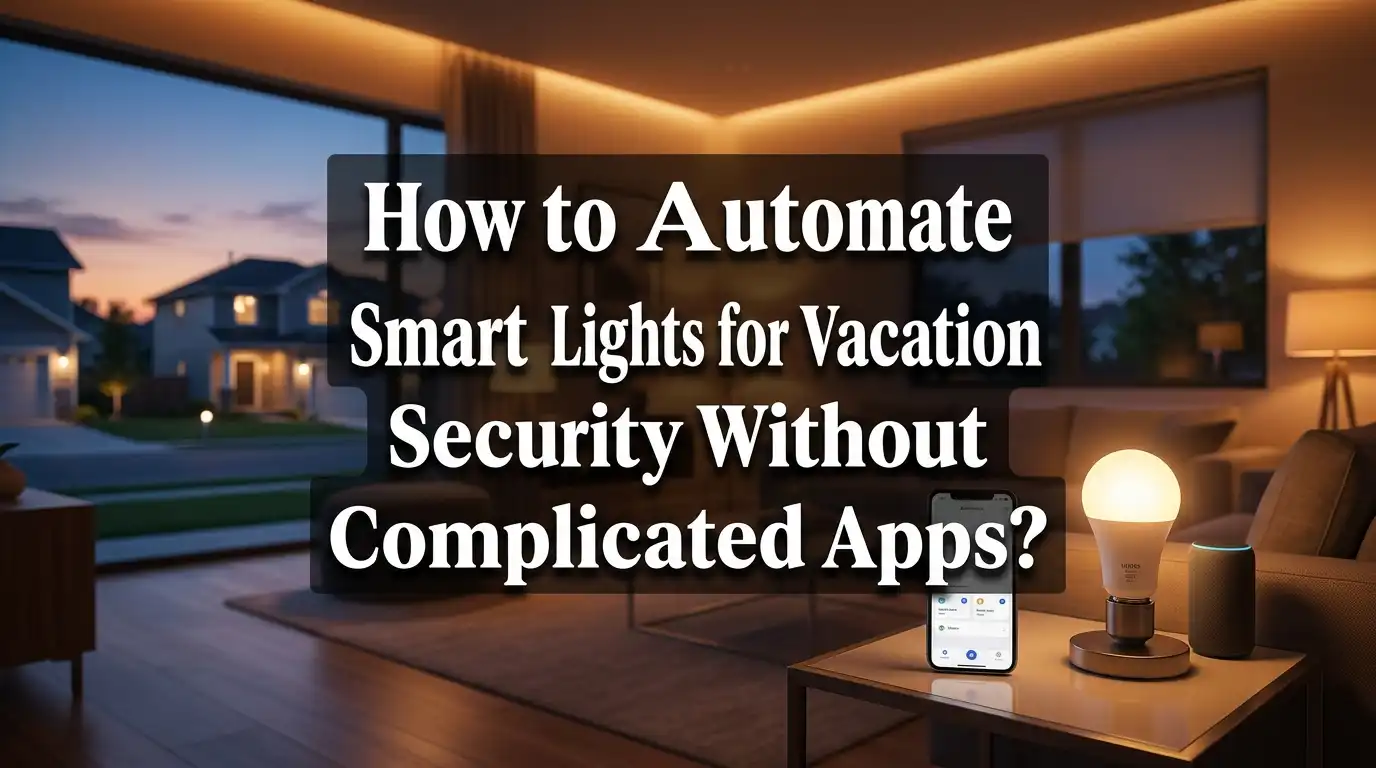
How to Automate Smart Lights for Vacation Security Without Complicated Apps?
Going on vacation soon? An empty house sends a clear signal to burglars. Dark windows and a still driveway tell thieves nobody is home.
The good news is you can fix this problem fast. Smart light automation creates the illusion that someone is always home. You do not need a complicated setup to make it work.
Many people think home security requires expensive systems or confusing apps. That is simply not true. A basic smart plug connected to your smartphone can do the job perfectly.
This article shows you how to automate your lights for vacation security. You will learn how to set up remote control through a simple phone app. We will cover creating realistic schedules that mimic real occupancy patterns.
By the end, you will have a simple and effective system. No voice assistants. No complex integrations. Just smart, reliable protection for your home while you relax on vacation.
In a Nutshell
- Use a smart plug. Just plug it into your wall outlet and connect your lamp. No wiring or tech skills needed.
- Control lights from your phone. A simple app lets you turn lights on or off from anywhere. This works great on iPhones without extra setup.
- Build a schedule that feels real. Set your lights to turn on and off automatically during your trip. This makes your home look occupied.
- Randomize your timing. Avoid exact times like 8pm every night. Small changes in timing make your home feel lived in.
- Rotate rooms. Turn on lights in different rooms on different days. This creates a natural pattern that fools burglars.
- Skip the extra apps. You do not need voice assistants or complicated systems. A basic smartphone app is all you need for solid vacation security.
Why Automated Lighting Deters Burglars
Burglars look for signs that a home is empty. A dark house with no movement inside screams “nobody is home.” When lights stay off for days, criminals know you are away. Automated lighting changes this completely.
Random light patterns make your home appear occupied. When lights turn on in different rooms at different times, it looks like real people living there. A burglar watching your house sees activity and movement. They move on to easier targets instead.
The key is unpredictability. Burglars study homes before breaking in. They watch for patterns. If your porch light turns on at exactly 8pm every single night, it looks fake. A smart burglar recognizes this as automation, not actual occupancy. Randomized timing defeats this tactic.
Spreading lights across multiple rooms matters too. If only your living room light turns on and off, it seems artificial. Real people use kitchens, bedrooms, and bathrooms. When lights activate in different areas on different schedules, it mimics natural behavior. Someone is cooking in the kitchen at 6pm. The bedroom light comes on at 10pm. The bathroom light flicks on randomly. This pattern looks genuine.
Motion and variety create doubt in a criminal’s mind. They cannot be sure if someone is home. That uncertainty is your protection. Most burglars want easy jobs with low risk. A house that might have occupants is too risky.
Studies show that homes with visible activity experience fewer break ins. Insurance companies recognize this. Some even offer discounts for automated lighting systems. The reason is simple: visible occupancy works.
You do not need expensive security cameras or alarm systems for this effect. Basic light automation creates the appearance of someone being home. Combined with other simple steps like closing curtains and stopping mail delivery, automated lights become a powerful deterrent. Burglars choose targets that seem empty and unprotected.
What You Need Before You Start
Before you set up smart light automation for your vacation, gather a few essential items. You will not need much, and most people already own these things at home.
First, you need smart plugs. These small devices plug into your wall outlets and hold your lamps. Smart plugs act as the bridge between your regular lights and your phone. They let you control any lamp remotely, even if the lamp itself is not “smart.” One smart plug costs less than a fancy dinner, and you can reuse it for years.
Next, you need a smartphone. Your iPhone or Android phone becomes your control center. You will use it to turn lights on and off from anywhere during your trip. Make sure your phone has internet access so you can manage your lights from the beach or mountains.
You also need lamps or light fixtures to plug into those smart plugs. Use lamps in different rooms. Bedrooms, living rooms, and hallways work best. Avoid plugging multiple lamps into one outlet through extension cords, as this creates fire hazards.
Finally, you need Wi Fi at home. Your smart plugs must connect to your home network to receive commands from your phone. Check that your router stays on while you are away. Most people leave their routers running all the time, so this is usually automatic.
Do not buy complicated voice assistants or fancy lighting systems. You do not need them for vacation security. A basic smart plug and your phone are enough.
That is truly all you need to start. No technical skills required. No confusing setup processes. Just these four simple items, and you are ready to make your home look occupied while you relax on vacation.
Step-by-Step: Setting Up Your Smart Plug and App
Start by finding a good location for your smart plug. Choose an outlet near your lamp that gets a clear Wi Fi signal. Avoid outlets behind furniture or in dead zones where your home network is weak.
Plug your smart plug into the wall outlet. Make sure it sits flat and feels secure. Then plug your lamp into the smart plug. The lamp should turn on normally when the plug powers up.
Download the app for your smart plug on your iPhone or Android phone. Open the app and create an account. You will need an email address and password. Keep this login information safe for later.
Follow the app’s setup wizard to add your smart plug. The app will ask you to connect to your home Wi Fi network. Select your network name and enter your password. Wait a few seconds while the plug connects.
Give your smart plug a clear name in the app. Use something like “Living Room Lamp” or “Front Porch Light.” This helps you remember which plug controls which room when you have multiple plugs.
Test the remote control feature. Turn the lamp on and off using the app from your phone. Walk to another room and try again. This confirms your plug works from anywhere in your home.
Check your app settings for automation options. Most apps have a “Schedule” or “Automation” button. This is where you will create your vacation lighting patterns. The app should let you set specific on and off times for each day.
Take a screenshot of your app setup steps. Write down your account login details. Store this information somewhere safe. You will need these details if you set up additional smart plugs later or if you need to troubleshoot problems.
Your basic setup is now complete. You have a working smart plug, a connected app, and remote control from your phone.
Creating Realistic On/Off Schedules
Your smart plug is now ready. The next step is building a schedule that looks natural and lived in. This is where most people make mistakes by keeping everything too predictable.
Start by thinking about your normal routine at home. What time do you usually turn on lights? When do you typically turn them off? Use these real patterns as your foundation, then add variation to them.
Create different schedules for different rooms. Do not set all lights to turn on at 8pm and off at 11pm every single night. That pattern screams “nobody is home.” Instead, vary the times by 15 to 30 minutes between rooms. One bedroom light might turn on at 7:45pm while the living room light turns on at 8:20pm.
Spread your automation across multiple areas of your house. If you only automate one room, burglars will notice the pattern immediately. Use smart plugs in your bedroom, living room, kitchen, and hallway. This creates the impression that someone is moving through the house naturally.
Randomize your timing throughout your vacation. Some nights, lights could turn on at 7pm. Other nights, they might turn on at 8:30pm. This unpredictability is your best defense. Burglars study homes for patterns. When they see lights coming on at random times across multiple rooms, they assume someone is home.
Avoid turning lights on and off at exact intervals. Do not set a lamp to stay on for exactly three hours every night. Real people turn lights on when they need them and off when they leave a room. Your automation should mimic this behavior.
Most smart plug apps let you set multiple schedules for each device. Use this feature to your advantage. Set different on and off times for weekdays versus weekends if that matches your typical habits. The goal is creating doubt in a potential burglar’s mind about whether anyone is actually there.
Randomizing Timing and Rotating Rooms for a Natural Look
The secret to making your vacation lighting look genuine is varying the timing and rooms constantly. Burglars notice patterns. If your lights turn on at exactly 8pm every night, they know nobody is home. You need to break that predictability.
Start by identifying which rooms are visible from the street. Your living room, bedroom, and kitchen are usually the most obvious choices. Now assign each room a different schedule. One room turns on at 7:15pm while another waits until 8:45pm. This creates the impression that different people are moving through your house at different times.
Randomize your on times across your vacation dates. Monday night your living room light activates at 7pm. Tuesday it comes on at 7:30pm. Wednesday shift it to 6:45pm. This unpredictability is your strongest defense. Burglars watch homes for patterns. When they see none, they move on to easier targets.
Your off times matter just as much. Don’t turn lights off at 11pm every single night. Some nights turn them off at 10:30pm. Other nights wait until midnight. Mix in early nights too, where lights shut down at 9:15pm. Real people have irregular schedules, and your automation should reflect that.
Use your smart plug app to set multiple schedules for each device. Most apps allow you to create five or more different on/off combinations per plug. Take advantage of this feature. The more variety you create, the more realistic your home appears.
Consider rotating which rooms stay lit throughout your vacation. Don’t always activate the same lights. Swap them around every few days. This prevents any observer from recognizing a routine. The goal is simple: make your empty home look lived in through constant, unpredictable change.
Common Mistakes That Make Automation Look Fake
People often make their vacation lighting look fake without realizing it. The most common mistake is setting identical on/off times every single night. Your lights turn on at 8pm and off at 11pm, night after night. Real people don’t live like robots. Burglars notice this pattern immediately.
Another major error is automating only one room. If just your living room light flickers on and off, it screams “nobody’s home.” A real household has activity spread across multiple spaces. Your bedroom light should activate at different times than your kitchen light.
Many people also forget about the off times. They randomize when lights turn on but keep them off at the exact same hour every evening. This is equally suspicious. Real occupants turn lights off at different times based on when they actually go to bed or leave rooms.
Overcomplicating your setup is another trap. Some people add voice control, multiple apps, or fancy scheduling features they don’t understand. This confusion often leads to mistakes in the automation itself. Stick to simple, basic schedules that you can actually manage.
Timing precision is a red flag too. Exact times like 8:00pm look artificial. Real people turn lights on at 7:15pm or 8:43pm, not at perfectly round times. Your smart plug app lets you set irregular intervals. Use this feature.
Finally, people sometimes activate lights in a logical sequence. Living room first, then bedroom, then kitchen in order. Real life is random. Your bedroom light might come on before your living room. Your kitchen might stay dark while other rooms light up.
The fix is simple: vary everything. Different rooms activate on different nights. Times shift by 15 to 30 minutes each day. Some lights stay on longer than others. This unpredictability makes your home look genuinely occupied.
Troubleshooting Remote Access and Schedule Issues
Your smart light system might stop responding or schedules might fail during vacation. Here are practical fixes to get everything working again.
Check Your Internet Connection First
Remote access requires a stable connection. Your smartphone and smart plug must connect to the same WiFi network. Walk around your home and test WiFi strength in different rooms. If signal drops near your smart plug, move your router closer or add a WiFi extender to that area. Weak signals cause delays and missed automation triggers.
Verify App Permissions and Settings
Open your smart plug app and confirm remote access is enabled. Some apps require location permissions to work properly. Check that your phone allows the app to send commands outside your home network. Restart your app completely. Close it fully, wait 10 seconds, then reopen it. This refreshes your connection.
Reset Your Smart Plug if Nothing Works
Unplug your smart plug from the wall outlet. Wait 30 seconds. Plug it back in and wait for the light to stabilize. This simple reset fixes most connection issues. Then test remote control again through your app.
Schedule Problems Require Double Checking
Review each automation rule you created. Confirm the on and off times are correct. Verify the dates match your actual vacation period. Some apps show schedules in 12 hour or 24 hour format. Make sure you selected the right format. Test one schedule manually by tapping the button in your app. If manual control works but automation doesn’t, your schedule settings need adjustment.
Keep Your Phone Updated
Outdated phone software causes app conflicts. Update your iPhone to the latest version before vacation. Also check if your smart plug app has recent updates available. Install them immediately.
These fixes resolve 90 percent of remote access and schedule failures.
Final Thoughts
Setting up smart lights for vacation security does not need to be complex. A basic smart plug and a simple phone app give you everything you need.
The key is simplicity. You do not need voice assistants or multiple apps. One app on your phone controls your lights from anywhere.
Focus on the basics that work. Plug in your smart devices, connect them to your phone, and build schedules that change daily.
Randomization is your best friend here. Burglars watch for patterns. When your lights turn on and off at different times each night, your home looks naturally occupied.
Rotate rooms too. Do not just light up your living room every single night. Spread activity across bedrooms, kitchens, and hallways.
This creates a realistic pattern of movement. It looks like real people are home, going about their evening.
Remember the common mistakes. Identical timing looks robotic. Single room automation looks suspicious. Overcomplicated setups often fail when you need them most.
Simple systems are reliable systems. Fewer moving parts mean fewer things that can break while you are away.
Before you leave, test your setup. Check your internet connection and confirm your app has remote access enabled.
Run your schedules for a night or two before your trip starts. This helps you catch any issues early.
Smart light automation gives you real security benefits. It deters break ins by making your home look lived in.
You do not need fancy technology to achieve this. A smart plug, a phone app, and thoughtful scheduling are enough.
Keep your approach practical. Vary your timing, rotate your rooms, and skip the unnecessary extras.
This simple strategy protects your home while you enjoy your vacation. Peace of mind comes from smart, straightforward planning, not complicated systems.
Frequently Asked Questions
Can I control my lights from my phone while I’m on vacation?
Yes, you can control your smart lights remotely using your smartphone app. Once you set up your smart plug and connect it to your phone, you gain access from anywhere with an internet connection. This lets you turn lights on or off instantly if needed during your trip.
Do I really need voice control for vacation security?
No, voice control is not required. Many people think they need fancy features like voice commands to automate lights for security. The truth is simpler. Basic app control and automated schedules work just fine to protect your home. Keep your setup straightforward and focus on what actually matters.
Why do randomized light patterns work better than exact schedules?
Burglars notice patterns. If your lights turn on at exactly 8:00pm every single night, it looks artificial. Randomized timing appears more natural because real people don’t follow perfect schedules. Vary your on and off times by 15 to 30 minutes each day. This creates the illusion that someone is actually home moving between rooms.
What’s the biggest mistake people make with vacation lighting?
The most common error is automating only one room. This looks suspicious because no one stays in a single room all evening. Spread your automation across multiple rooms with different schedules. Activate lights in your living room, then your bedroom, then your kitchen at varying times. This simulates actual movement through your home.
How do I test my setup before leaving for vacation?
Run your schedules for one or two nights before your trip. Watch how the lights behave. Does the pattern look realistic? Do all rooms activate properly? This test catches problems early so your system works reliably while you’re away.