How to Install Smart Lighting Solutions for Renters Without Rewiring?
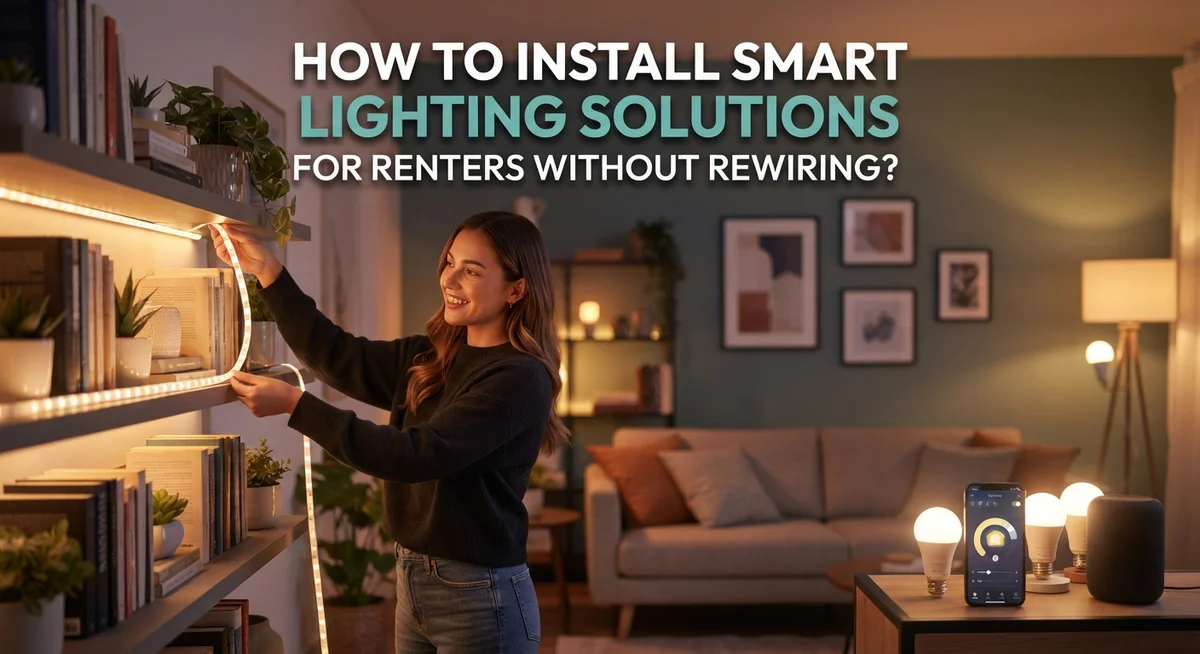
Renting a home does not mean you must live with boring lights. You can still enjoy smart lighting without touching a single wire.
Many renters think smart homes need permanent changes. That is simply not true.
Wireless switches and smart bulbs let you upgrade your space fast. They work with your current fixtures and outlets.
You never need an electrician or special tools. Everything installs in minutes and comes off just as easily when you move.
This guide shows you exactly how to add smart lighting the easy way. We will cover wireless smart switches that use battery powered remotes.
We will point out common mistakes renters make, like ignoring outlet placement or attempting risky wiring changes. These small errors can cost you time and money.
By the end, you will know exactly which smart lighting option fits your space, your budget, and your lease. Let’s light up your rental the smart way.
In a Nutshell
- Choose wireless options like smart switches or smart bulbs. They need no rewiring and keep your lease safe.
- Use existing outlets whenever you can. This makes installation faster and avoids extra costs.
- Try rechargeable LED bulbs for lamps and fixtures you already have. They give you smart control without any tools.
- Consider plug-in pendant lights if you have gaps in your lighting. These work well near outlets and add style fast.
- Avoid permanent changes to wiring or fixtures. This protects your security deposit and keeps things simple.
- Check battery compatibility before you buy any remote or switch. This small step saves you time and hassle later.
Why Rewiring Isn’t Necessary for Smart Lighting
Modern smart lighting works without touching your electrical system. Wireless technology means you skip the electrician, the rewiring, and the lease violations.
Battery powered switches connect to your lights through radio signals instead of wires. You mount them on your wall with adhesive strips or small nails. They send commands wirelessly to smart bulbs or receiver modules. No drilling into walls. No running cables through your home.
Smart bulbs screw directly into existing light fixtures. They work in ceiling lights, lamps, and wall sconces you already own. The bulbs contain all the smart technology inside. Your current wiring stays completely untouched.
Plug in solutions use standard electrical outlets. Pendant lights, desk lamps, and under cabinet fixtures plug in like any other device. They draw power from outlets you already have. No modifications needed.
Rechargeable LED bulbs eliminate the outlet problem entirely. They charge via USB cables and work in any fixture. You remove them when the battery runs low, charge them, and reinstall them. Perfect for spaces far from outlets.
The key advantage is reversibility. When you move out, you take everything with you. Your landlord sees no damage. Your security deposit stays safe.
Wireless systems communicate through your home using radio frequencies or your existing WiFi network. They avoid interference with your lease terms. You control lights from your phone, voice commands, or physical switches.
This approach works because smart lighting technology evolved specifically for flexibility. Manufacturers understood that many people cannot rewire. They built solutions that work within rental constraints while still giving you complete lighting control and automation.
Understanding Your Wireless Smart Lighting Options
Wireless smart lighting gives you complete control without calling an electrician or breaking your lease. These systems use radio signals or WiFi to connect lights to switches and apps instead of traditional wiring.
Battery powered smart switches are your first option. You mount them on walls where you want them, and they send wireless commands to your lights. No drilling into walls or running cables behind them. The remote controls work from anywhere in your room.
Smart bulbs screw directly into your existing light fixtures. You replace regular bulbs with connected versions that respond to apps, voice commands, and wireless remotes. They fit standard lamp sockets, ceiling fixtures, and table lamps you already own.
Plug in pendant lights solve dark corners without overhead fixtures. These hang from existing outlets using standard cords. They work great above kitchen counters, desks, or reading chairs where you need extra brightness.
Rechargeable LED bulbs eliminate outlet dependency entirely. You charge them like phone batteries and install them in any fixture. They last weeks between charges and work in spaces far from electrical outlets.
Each option communicates through different methods. Some use Bluetooth for short range control. Others connect through your home WiFi for remote access. Battery powered options use radio frequencies that don’t require internet at all.
The best choice depends on your space. Count your outlets, identify dark areas, and check which fixtures you want to control. Flexibility is the main advantage here. You can add lights gradually, move them between rooms, and remove everything when you move without leaving damage behind.
Step-by-Step: Installing Wireless Smart Switches
Installing wireless smart switches is straightforward and takes just a few minutes. Start by identifying where you want your switch. Pick a spot near your existing light switch or on a wall where it makes sense for daily use.
Next, decide on your power source. Battery powered wireless switches use AA or AAA batteries that last several months. Some models use rechargeable batteries instead. Check what your switch requires before you begin.
Mount the switch plate on your wall using adhesive strips or small nails. Most renters prefer adhesive strips because they leave no permanent marks. Follow the manufacturer’s instructions for your specific model. The mounting process usually takes under five minutes.
Now comes the pairing step. Turn on your smart bulb or smart lighting system first. Then activate pairing mode on your wireless switch. This typically involves pressing a button for several seconds until a light blinks. Your switch and bulb will communicate through radio signals or WiFi.
Test your connection immediately. Press the switch button to turn your light on and off. If nothing happens, check that your bulb is powered and in pairing mode. Try the pairing process again if needed.
Place your switch somewhere you’ll actually use it. Many renters install them on nightstands, near entryways, or on living room walls. The beauty of wireless switches is flexibility. You can move them to different locations without any installation work.
Keep your switch away from water and extreme heat. Check battery levels occasionally and replace them when needed. Most wireless switches send low battery alerts through your phone app or a light indicator.
Your wireless smart switch is now ready to use and fully reversible when you move out.
Step-by-Step: Upgrading Fixtures with Smart LED Bulbs
Upgrading your fixtures with smart LED bulbs is the simplest way to add intelligence to your rental without any installation hassle. This method works because smart bulbs fit into existing light sockets just like regular bulbs do.
Start by identifying which fixtures you want to upgrade. Check each one to see if it’s a standard screw-in socket or a different type. Most ceiling fixtures, table lamps, and wall sconces use common socket sizes that accept smart bulbs easily.
Purchase smart LED bulbs that match your socket type. These bulbs contain built-in wireless receivers that communicate with your phone or a remote control. They typically last for years and use less energy than traditional bulbs.
Installation takes seconds. Simply remove your old bulb and screw in the smart version. No tools needed. The bulb immediately becomes part of your smart lighting system once you download the companion app and connect it to your home network.
The real advantage here is flexibility. You can upgrade one room at a time or your entire rental gradually. If you move out, you simply unscrew the smart bulbs and take them with you. Your landlord sees the original fixtures restored.
Smart LED bulbs work with different control methods. Some connect directly to your phone through WiFi. Others pair with wireless remotes that you place on a table or nightstand. A few even respond to voice commands if you have a compatible speaker in your home.
For dark corners without overhead fixtures, consider placing smart bulbs in table lamps or floor lamps you already own. This approach solves lighting problems while keeping your rental exactly as your landlord expects it.
Using Plug-In Pendants and Fixtures for Lighting Gaps
Plug-in pendant lights solve a common problem in rental spaces. Dark corners, entryways, and reading nooks often lack overhead fixtures. These solutions let you add light exactly where you need it without any permanent changes.
A plug-in pendant hangs from the ceiling or a wall mount and plugs into a nearby outlet. The cord runs discreetly along your wall or ceiling edge. Most designs come with adhesive hooks or clips that remove cleanly when you move out.
The main benefit is flexibility. You can relocate your pendant light whenever you want. If your apartment layout changes or you rearrange furniture, simply unplug and move it to a new location. This reversibility protects your security deposit.
Smart plug-in pendants connect wirelessly to your phone or voice assistant. You control brightness and color temperature from anywhere. Some models include built-in timers for automatic on and off schedules. Battery-powered remotes work too if you prefer physical controls.
Before purchasing, identify which outlets work best for your space. Outlets near seating areas, desks, or entryways make the most sense. Avoid placing cords where people walk frequently. Use cord covers or channels to keep pathways safe and tidy.
Outlet availability is your main constraint. If no nearby outlet exists, consider battery-powered LED solutions instead. These rechargeable lights sit on shelves or tables and need no electrical connection.
Plug-in pendants typically cost between fifty and one hundred fifty dollars. They’re one of the most affordable smart lighting options for renters. Installation takes minutes and requires no tools, screws, or landlord permission. This makes them perfect for filling lighting gaps throughout your rental home.
Tips for Planning Placement Around Existing Outlets
Planning placement around existing outlets requires honest assessment of your rental space. Walk through each room and identify where outlets are located. Mark them on a simple floor plan or take photos with notes. This step prevents frustration later when you realize a perfect spot has no power source nearby.
Outlet accessibility matters most for plug-in solutions. Check if outlets sit at convenient heights for pendant lights or table lamps. Some outlets hide behind furniture or sit too low to be practical. Others might be in high-traffic areas where cords become tripping hazards. Consider these factors before committing to specific placements.
Battery-powered and rechargeable options give you freedom from outlet limitations. Wireless smart switches need no outlets at all since they run on batteries. Rechargeable LED bulbs work in any existing fixture regardless of outlet proximity. This flexibility lets you brighten dark corners without worrying about cord placement.
Think about your daily movement patterns. Place wireless switches near where you typically enter rooms or spend most time. Position plug-in lights where they’ll actually improve your space, not just fill gaps.
Test outlet functionality first. Some outlets might be on different circuits or connected to switches you don’t control. Plug in a lamp to verify each outlet works as expected. This prevents buying equipment only to discover the outlet doesn’t suit your needs.
Document outlet locations and their distance from furniture. Note which outlets have nearby obstructions or safety concerns. This information guides your purchasing decisions and installation strategy. Smart placement planning saves money and prevents installation mistakes down the road.
Common Mistakes Renters Make with Smart Lighting
Renters often make choices that create problems before they even start. Understanding these mistakes helps you avoid frustration and lease violations.
Attempting permanent wiring is the biggest error. Many renters think they can install new circuits or hardwire switches into walls. This violates lease agreements and damages the property. Landlords can charge you for repairs or keep your security deposit. Stick to solutions that leave no marks when you move out.
Another common mistake is ignoring outlet placement during planning. You buy a smart plug-in fixture, get home, and realize no outlets are nearby. This forces you to use extension cords across rooms, creating safety hazards and looking messy. Always map your outlets before purchasing anything.
Overlooking battery compatibility causes real headaches. Wireless smart switches use batteries, but renters forget to check if their chosen system uses common battery types. Some systems need specialty batteries that are hard to find or expensive to replace. Read the specifications carefully before buying.
Many renters also skip testing their WiFi signal strength in different rooms. Smart lighting needs a reliable connection. Weak WiFi in corners or far bedrooms means your lights won’t respond quickly or at all.
Choosing incompatible systems is another trap. You buy a smart bulb that only works with one app, then add a wireless switch from a different brand. Now you need multiple apps to control your lights. This defeats the purpose of smart lighting.
Finally, renters underestimate how much light they actually need. They install one smart bulb thinking it will brighten an entire room. Poor lighting placement leads to disappointment and wasted money. Plan your lighting layout carefully before making purchases.
Troubleshooting Compatibility and Connectivity Issues
When your smart lighting system doesn’t work as expected, start by checking the most basic issue first. Verify that all devices are powered on and fully charged. Battery-powered remotes and rechargeable bulbs often fail simply because they need power.
Next, confirm your WiFi connection. Smart bulbs and wireless switches need a strong signal to communicate with your phone or voice assistant. Move closer to your router and test again. If the problem persists, your WiFi may be too weak in that room. Consider moving your router or using a WiFi extender to boost the signal.
Check compatibility between your devices and control app. Not all smart bulbs work with every wireless switch or voice system. Review the product documentation to ensure everything connects to the same platform or hub. Mixing incompatible brands often causes connection failures.
Reset your devices if they’re not responding. Most wireless switches and smart bulbs have a reset button or require a specific power cycle. Turn off the device for thirty seconds, then turn it back on. This simple step fixes many connection problems.
Test your outlet functionality if you’re using plug-in solutions. Some outlets may not work properly, especially in older rental buildings. Plug in a phone charger to confirm the outlet has power before connecting your smart lighting device.
If problems continue after these steps, check whether interference from other electronics is causing issues. Microwaves, cordless phones, and baby monitors can disrupt wireless signals. Move your smart devices away from these items and test again.
Document which solutions work and which don’t. This information helps you troubleshoot faster next time and prevents repeated frustration with your rental lighting setup.
Final Thoughts
Smart lighting does not need to stay out of reach for renters. You can enjoy modern convenience without touching a single wire.
Wireless switches, smart bulbs, and plug-in pendants all offer real solutions. Each option fits different rental situations and needs.
Your success depends on planning. Look at your space honestly before you buy anything.
Battery-powered options free you from outlet limits. This flexibility matters most in older rentals with fewer outlets.
Start small if you feel unsure. Try one smart bulb in your main room first.
See how it works with your daily routine. Then expand your setup room by room.
Every rental is different. What works in one apartment might not work in another.
Your lease terms matter too. Always check what modifications your landlord allows before installing anything.
Most smart lighting solutions require zero permanent changes. This makes them safe choices for any rental agreement.
Think about your future move as well. Portable solutions travel with you to your next home.
This saves money over time. You will not need to buy new lighting for every new place.
Smart lighting adds real value to rental living. You get modern features without breaking any rules.
The technology keeps improving too. New wireless options appear on the market regularly.
Stay open to trying different solutions. What fails in one room might work perfectly in another.
Your comfort matters most in your own space. Smart lighting helps you create that comfort easily.
Take your time with each step. Rushed installations often lead to frustration later.
With careful planning, you can transform any rental into a smart home. No landlord permission required for these simple upgrades.
Frequently Asked Questions
Can I control my existing ceiling lights without rewiring?
Yes, you can control existing ceiling lights with two simple approaches. First, install a wireless smart switch that communicates with your current light fixture through a battery powered remote. Second, replace your current bulbs with smart LED bulbs that work in your existing fixtures. Both methods avoid any permanent changes to your rental.
What should I do if my apartment has no nearby outlets?
Battery powered LED solutions are your best option. Rechargeable smart bulbs work in current fixtures without needing an outlet. You can also use wireless switches with battery powered remotes to control lights from anywhere in the room. These options give you full control without depending on outlet placement.
How do I know if a smart lighting system will work in my rental?
Check three things before purchasing. First, verify your WiFi signal reaches the areas where you want lights. Second, confirm the system uses wireless or battery powered connections only. Third, review your lease to ensure the solution requires no permanent modifications. Most renter friendly systems pass all three checks easily.
Are battery powered smart lights reliable for daily use?
Yes, they work well for everyday lighting. Battery powered LED bulbs last months between charges. Wireless switches typically need battery replacements once or twice yearly. The key is checking battery levels occasionally and keeping spares on hand. Most renters find this maintenance simple and worthwhile.
What’s the most affordable way to start with smart lighting?
Begin with smart bulbs in your existing fixtures. These cost less than wireless switches and work immediately. Install them in lamps or overhead lights you use most often. Once you see how smart lighting fits your routine, you can add wireless switches or plug in pendants later.