How to Sync Smart Lights With TV Screens Without Video Lag?
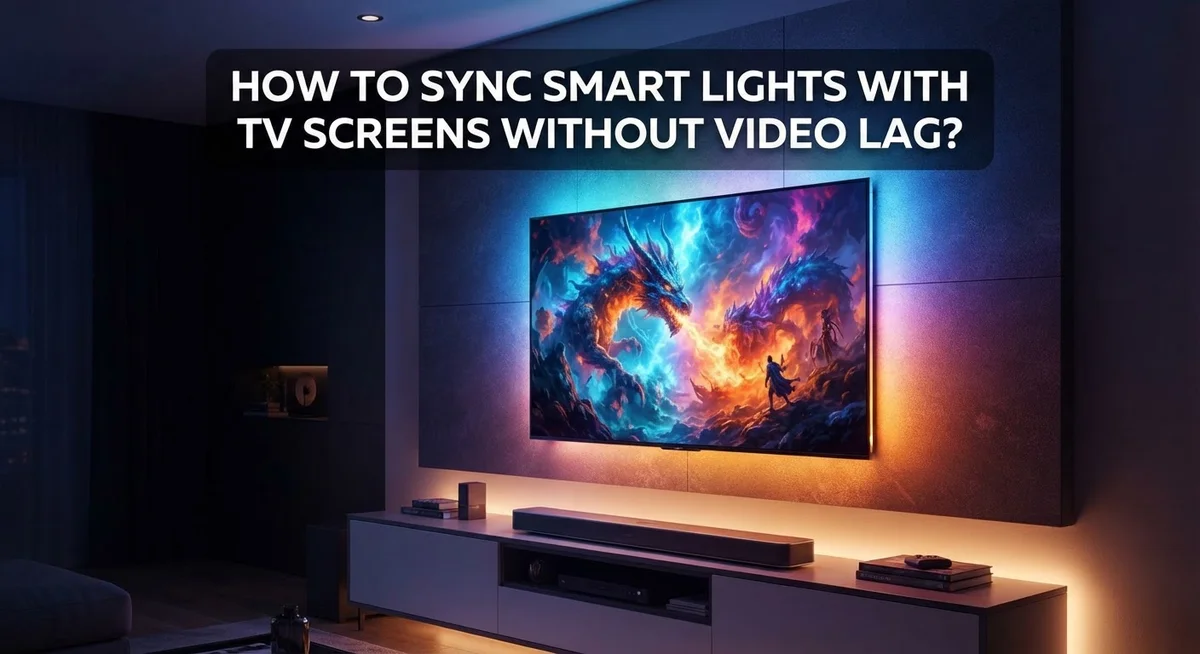
Smart lights can make movie nights feel magical. Colors dance on your walls. They match the action on screen.
But there is a problem many people face. Lights sync late. Colors lag behind the video. This breaks the whole experience.
Video lag happens for a simple reason. Many systems use cameras or software to read screen colors. This process takes time. Your lights react a beat too late.
The good news? You can fix this. The right setup gives you instant color matching. Your lights change the moment the screen does.
This guide shows you how to sync smart lights with your TV. We cover the best methods for lag free performance. You will learn about hardware based sync boxes. These read your video signal directly.
By the end, you will know exactly how to create a smooth, immersive light show. Your screen and your room will finally move as one.
In a Nutshell
HDMI sync boxes give you the best results. They process video signals directly. This means zero lag between your screen and your lights.
Camera based systems work as a backup option. They read colors from your screen using an external camera. They are handy if your setup lacks HDMI support.
Light placement matters a lot. Keep your smart lights about 6 to 12 inches from the TV. This distance helps colors match the screen accurately.
Software-only syncing often causes problems. It tends to create noticeable lag. Stick with hardware solutions for smooth performance.
Streaming apps have limits with syncing. Apps like Netflix and YouTube do not sync perfectly on their own. An HDMI box remains your most reliable choice for these platforms.
Two methods cover most needs. Hardware based syncing offers precision. Camera based syncing offers flexibility.
Understanding How TV-Sync Lighting Works
Smart light and TV sync creates an immersive viewing experience by extending on screen colors beyond your television’s frame. The lights respond to what you’re watching in real time, making the entire room feel part of the action.
How the sync actually works is simpler than you might think. Your smart lights receive color information from your TV and instantly change to match those colors. This happens so fast that you don’t notice any delay between what’s on screen and what your lights display.
Two main technologies power this feature. The first uses a direct connection to your TV’s video signal. This method captures the exact colors your screen shows before they even reach your eyes. The second method uses a camera positioned near your television. This camera watches your screen and tells the lights what colors to display based on what it sees.
The key difference between these methods matters for avoiding lag. Direct signal processing eliminates delays because the lights get color information instantly. Camera based systems work well too, but they introduce a tiny processing delay since the camera must analyze the image first.
Your light placement directly affects sync accuracy. Lights positioned too far from the TV can’t capture colors effectively. Lights placed too close might not spread light evenly across your viewing area. The sweet spot puts your smart lights between 6 and 12 inches away from your television.
Why this distance works is about light spread and color capture. At this range, your lights can pick up accurate color data while spreading illumination across your wall. Closer placement concentrates light too much. Greater distances make color matching less precise.
Understanding these basics helps you set up sync lighting correctly from the start. You’ll avoid common mistakes that create lag and poor color matching. Proper setup means smooth, responsive lighting that truly enhances your viewing experience.
HDMI Sync Boxes vs Camera-Based Systems: Why Lag Happens
Video lag happens because of how your TV and lights communicate. When you use a camera based system, the camera watches your screen, analyzes colors, and sends signals to your lights. This process takes time. Even a delay of just 50 to 100 milliseconds becomes noticeable during fast action scenes.
HDMI sync boxes work differently and eliminate this problem. They intercept the video signal before it reaches your TV screen. The box processes the signal directly and sends color information to your lights almost instantly. This happens at the same moment your TV displays the image. No waiting. No lag.
Camera based systems face an extra challenge. Your camera needs good lighting conditions to read colors accurately. If your room is too dark, the camera struggles. If it is too bright, reflections cause confusion. The camera then needs time to process what it sees and communicate with your lights. Each step adds delay.
Hardware sync boxes skip these steps entirely. They work with the actual video data traveling through your HDMI cable. This is raw information before your TV even displays it. Your lights respond in real time because they receive instructions from the same source powering your screen.
The position of your lights matters too. Lights placed too far from the TV mean the camera based system cannot read colors properly. Lights positioned too close may create harsh reflections that confuse the camera. This is why the 6 to 12 inch range works best.
Software only syncing attempts to work through your TV’s operating system or streaming apps. This method adds processing layers through your TV’s processor. Netflix and YouTube do not send sync data to apps by default. Your TV must analyze the screen, convert that to light commands, and send them out. This creates noticeable delays during scenes with quick color changes.
Step-by-Step: Setting Up an HDMI Sync Box for Lag-Free Sync
Setting up an HDMI sync box requires just a few straightforward steps. Start by identifying your TV’s HDMI ports and locating an available slot. Most modern TVs have multiple ports on the back or side.
Power off your television and entertainment system before making any connections. This prevents potential damage to your devices. Unplug the cable that currently connects your media player (streaming device, game console, or cable box) to your TV.
Connect your media player to the HDMI input port on the sync box instead. This box sits between your media source and your TV. Then connect the sync box’s output HDMI cable to your TV’s HDMI input port.
Plug the sync box into a power outlet. Most boxes need their own dedicated power supply. Wait about 30 seconds for the device to boot up completely.
Next, configure your smart lights in the sync box’s companion app. Download the app on your smartphone or tablet. Create an account if required and follow the pairing instructions. The app will guide you through connecting your smart lights to the system.
Position your smart lights 6 to 12 inches away from your TV screen. Lights should be placed behind or beside the television for best results. Avoid blocking the lights with furniture or other objects.
Test your setup by playing content on your media player. The lights should respond immediately to on screen colors. If you notice delays, check that all cables are firmly connected.
Adjust light brightness settings in the app to match your preference. Most sync boxes let you control intensity and response speed. Some offer different color profiles for various viewing environments.
Verify that the sync works across multiple apps and content types. Test with movies, shows, and games to ensure consistent performance.
Optimal Light Placement and Positioning for Accurate Color Matching
Smart light placement makes the difference between perfect color matching and frustrating misalignment. Your lights need to sit close enough to capture accurate colors from your TV screen.
Position your lights 6 to 12 inches away from your television. This distance lets the system see exactly what colors appear on screen. Lights placed too far away cannot read the display properly, causing color mismatches and sync delays.
Mount lights on both sides of your TV for best results. Place one light on the left edge and one on the right edge. This setup captures the full spectrum of colors across your entire screen. Top and bottom placement works too, depending on your room setup.
Avoid placing lights directly behind your TV screen. Lights positioned this way cannot see the display colors clearly. They end up syncing to wall colors instead of actual on screen content. Side positioning gives you much better accuracy.
Keep lights at roughly the same height as your TV screen. Angled or tilted light placement creates uneven color capture. Level positioning ensures all parts of your display get read equally by the system.
Make sure nothing blocks the light’s view of your screen. Furniture, plants, or decorations between your lights and TV cause sync problems. Clear sightlines are essential for reliable color matching.
Test your setup before settling on final placement. Play content with bright colors and watch how your lights respond. Adjust positions slightly if you notice color delays or inaccuracies.
Reflective surfaces matter too. Light bouncing off mirrors or glossy walls confuses the camera based sensors. Position lights away from reflective objects when possible.
Your room’s ambient lighting also affects sync quality. Bright overhead lights can interfere with the system’s ability to read TV colors accurately. Dim your room lights during setup to achieve optimal color matching results.
Best Practices for Smooth, Real-Time Light Synchronization
Real time light synchronization works best when you follow specific practices. The connection between your TV and smart lights depends on how quickly they communicate with each other.
Network stability is your foundation. Use a strong WiFi connection or a wired connection if your sync box supports it. A weak signal causes delays that feel like lag even when your hardware works perfectly. Check your router placement and make sure it sits close to your entertainment setup.
Reduce processing demands on your system. Turn off unnecessary apps running in the background on your TV or phone. Each app competing for resources adds tiny delays that stack up. Close streaming services you are not actively watching.
Calibrate your sync box settings properly. Most sync boxes let you adjust sensitivity and response speed through their apps. Start with default settings, then fine tune based on what you see. If colors feel delayed, increase the sensitivity setting. If lights flicker too much, lower it slightly.
Update your firmware regularly. Manufacturers release updates that improve sync accuracy and reduce lag. Check for updates in your sync box’s app every month. New updates often include performance improvements you cannot see but will definitely feel.
Test with different content types. Movies, sports, and video games all have different frame rates. Your sync setup might work perfectly for Netflix but need adjustments for fast action games. Spend time testing each type to understand how your system responds.
Monitor your light brightness levels. Lights set too bright can overwhelm the color sensors and cause inaccurate syncing. Keep brightness at moderate levels during setup and testing phases. This gives you room to adjust without losing synchronization quality.
Smooth synchronization comes from attention to these practical details. Small adjustments compound into noticeably better results.
Common Mistakes That Cause Lag or Inaccurate Syncing
Many people make simple mistakes that ruin their light and TV sync experience. Understanding these errors helps you avoid frustration and get perfect color matching every time.
Software only sync is the biggest culprit. Some users try to sync lights using only apps or WiFi connections. This approach creates noticeable lag because your phone or tablet processes the video signal slowly. The delay between what appears on screen and when your lights react becomes obvious during fast action scenes. Hardware sync boxes eliminate this problem entirely by processing the video signal directly.
Incorrect light placement causes accuracy problems. Positioning lights too far from your TV means the camera sensors can’t capture colors properly. Placing them too close creates harsh, uneven lighting. Lights positioned directly behind your TV screen instead of to the sides miss important color information from the edges of your content. The best approach is mounting lights 6 to 12 inches away on both sides of your screen at roughly the same height.
Reflective surfaces create confusion. Mirrors, glass tables, and glossy walls bounce light in unexpected directions. Camera based systems misinterpret these reflections and sync incorrectly. Keep shiny objects away from your light setup area.
Poor network connection causes stuttering. Using weak WiFi signals forces your system to work harder and introduces delays. A strong, stable connection ensures smooth real time performance.
Ignoring firmware updates is another common error. Manufacturers release regular updates that improve sync accuracy and reduce lag. Skipping these updates means your system operates with known issues that could have been fixed.
Overlapping WiFi channels also create problems. Too many devices fighting for the same frequency causes interference. Check your router settings and switch to less crowded channels when possible.
Avoiding these mistakes transforms your viewing experience from frustrating to truly immersive.
Troubleshooting Sync Delays and Connectivity Issues
When your smart lights lag behind your TV screen, the problem usually stems from one of three areas: your connection type, your network quality, or your sync box settings.
Check your connection method first. If you’re using only WiFi and apps to sync your lights, expect delays. WiFi connections introduce processing time that creates visible lag. A hardware sync box that connects directly to your TV’s HDMI port processes the video signal instantly, eliminating this delay entirely. This direct connection reads what’s on screen before your TV even displays it.
Test your network strength next. Even with a sync box, a weak WiFi signal causes problems. Your sync box needs to communicate with your smart lights quickly. Run a speed test on your network. If your connection drops frequently or shows slow speeds, move your router closer to your sync box or consider a wired connection if your equipment supports it.
Adjust your sync box settings. Most sync boxes let you control sensitivity and response speed through their app or settings menu. If lights are lagging, try lowering the sensitivity. This makes the system respond faster to color changes. Conversely, if lights are flickering too much, increase sensitivity to reduce false triggers.
Update your firmware regularly. Manufacturers release updates that fix lag issues and improve accuracy. Check your sync box app for available updates monthly.
Restart your entire system. Power off your TV, sync box, and smart lights. Wait 30 seconds, then power everything back on in order: sync box first, then TV, then lights. This clears temporary glitches that cause delays.
If lag persists after these steps, your sync box may need replacement, or your network infrastructure requires upgrading to handle real-time light synchronization properly.
Final Thoughts
Syncing smart lights with your TV screen does not need to feel hard. The right setup makes a big difference in how smooth your viewing experience feels.
HDMI sync boxes remain your best option for lag free performance. They read the video signal directly and match colors in real time. This method beats camera based systems for accuracy and speed.
Camera based systems still work well if you do not have an HDMI setup. They just need more careful calibration to reduce delays. Think of them as a solid backup plan rather than your first choice.
Light placement matters more than most people realize. Keep your lights six to twelve inches from your TV screen. This distance helps sensors capture colors accurately without confusion.
Avoid relying only on software or app based syncing. This approach almost always creates noticeable lag between your screen and lights. Hardware solutions give you the reliable performance you actually want.
Streaming apps like Netflix and YouTube still have limits with light syncing. HDMI sync boxes offer the most dependable results across different content types. This makes them worth considering if smooth sync matters to you.
Your network strength and device settings also play a role. Combine good placement with strong connections for the best outcome. Small adjustments often lead to big improvements.
Testing your setup after each change helps you spot problems early. Watch a few different shows or movies to check consistency. This simple habit saves you frustration later.
Smart light syncing keeps improving as technology advances. New sync boxes and firmware updates continue to reduce lag issues. Staying updated on your devices keeps your setup running smoothly.
With the right tools and small habits, you can enjoy immersive lighting without frustrating delays. Your entertainment space becomes more engaging when lights and screen work together seamlessly.
Frequently Asked Questions
Why does my TV light sync have a delay?
Video lag happens when your system processes color data too slowly. Software-only syncing causes the biggest delays because apps rely on WiFi connections. Your lights receive commands after the TV already displayed the color. Hardware-based sync boxes connect directly to your video signal, so they catch colors instantly. Even with a sync box, weak WiFi can still cause stuttering when the lights communicate back to your network.
Can I sync lights with streaming apps like Netflix?
Streaming apps have limited syncing support. Netflix and YouTube don’t send special color data to your lights. Your system must capture the screen colors externally instead. Camera-based sensors work better for streaming, but they’re slower than direct HDMI connections. If you want reliable syncing for streaming content, a hardware sync box remains your best choice.
How close should lights be to my TV?
Position your lights 6 to 12 inches from the TV screen. This distance lets camera sensors accurately read the colors. Too far away, and the sensors miss subtle color changes. Too close, and the light placement becomes awkward. Make sure nothing blocks the camera’s view of your screen.
Does my internet speed affect light syncing?
Yes, your network strength matters. Even with a sync box, slow WiFi causes communication delays between your lights and hub. Check your connection speed and move your router closer if needed. A strong, stable connection keeps your lights responsive and prevents stuttering during fast scene changes.