Sengled S1 Auto-Pairing Bulb Review: Is It Worth Trying?
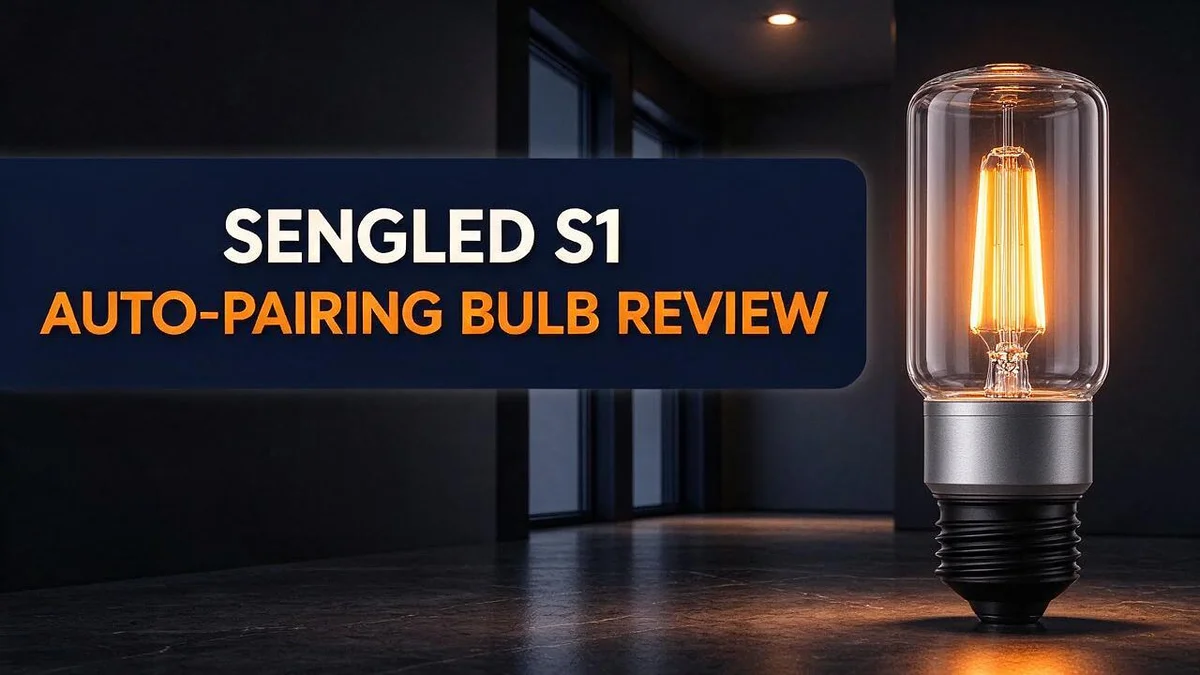
Smart lighting should feel easy. The Sengled S1 auto pairing bulb promises just that. It links to Alexa on its own, so you skip the tricky setup steps.
Many shoppers want lights that connect fast and stay simple. This bulb offers up to 800 lumens, which matches a 60W bulb. You can dim it from 5 to 100 percent.
It also gives you a warm white glow and several color options. Still, some owners report app issues and pairing trouble. In this review, we look at what works well and what needs attention.
In a Nutshell
-
Who it suits: This bulb fits Alexa owners who want lights that join their home setup with very little effort. It works well for people who value simple daily use.
-
Dimming range: The bulb dims from 5 to 100 percent. That wide range lets you set a soft evening glow or a bright work light in each room.
-
Long life: The rated average life of 3 years means fewer bulb swaps over time. Less replacing keeps ceilings and lamps easier to manage.
-
Voice control: You can switch lights on, off, or dim them just by speaking to Alexa. Hands free control means fewer trips to the wall switch.
-
Heat concerns: Some users notice heat buildup after many hours of use. Good airflow around the fixture helps the bulb run more comfortably.
-
App and pairing caution: Some owners report Sengled Home app issues, Wi Fi connection drops, and pairing failures with Bluetooth only models. Check your bulb type and test the app before you install the full set.
Light Output and Dimming

- Sengled S1 Auto Paring: (No registration required, No 3p account required) The Sengled Auto Pairing Kit...
- Smart Voice Control: Use hands-free Voice Control to turn on, off, or adjust brightness of the smart...
Last update on 2026-11-28 / Affiliate links / Images from Amazon Product Advertising API
Light output shapes how a room feels. Before you buy, think about the job each lamp must do. A bright bulb helps with chores, while a softer glow suits relaxing evenings.
The S1 can reach its top brightness for tasks that need strong light. Use that full power in kitchens, garages, or home offices. Then lower it when the room needs a calmer mood.
Dimming gives you flexible control over each space. Low settings suit night lights, reading corners, and movie time. Higher levels keep kitchen counters easy to see.
Voice control makes dimming quick. Ask Alexa for a specific level, such as twenty percent, instead of reaching for a switch. Create Alexa routines for movies, dinner, or sleep.
Check your wall switches first. Some traditional dimmers can clash with smart bulbs. Look at your switch type before you install several bulbs at once.
Fixtures also change how much light you get. Covered shades can block a surprising amount of output. Choose a light fabric or an open design so the room stays bright.
Match the level to each room. Use the brightest settings in workspaces and hallways. Choose lower levels in bedrooms and living areas. Mixed settings across the home create balanced light.
Strong light can cause glare during long reading sessions. Soft diffused shades help soften harsh spots. Lower brightness also helps your eyes relax at night.
Test before you commit. Place one bulb in your main room first. Watch how brightness and warm white tones look at different levels. Then decide how many bulbs your home needs.
Start with a single lamp in a room you use daily. Notice how the light changes your mood at each level. This small trial helps you plan the rest of your setup with more confidence.
Keep a few dim presets handy. Quick presets save time and keep each room feeling consistent. Light output also changes how colors look on walls and furniture. Check fabrics and paint in daylight and evening. Small changes can make a big difference.
Auto-Pairing and Setup
A smart bulb should feel ready within minutes, not hours. The S1 aims to make first setup simple for busy households. Here is what the process usually looks like.
Power the bulb first. Screw the bulb into a working socket and switch the wall light on. Leave it on for a few seconds so the bulb wakes up.
Keep the bulb close to your Alexa device. A strong signal helps the bulb link during the first pairing. Place your Echo or another Alexa device in the same room if possible.
Let the bulb appear on its own. Alexa looks for nearby compatible devices after you power the bulb. When the bulb shows up, accept it and give it a clear name.
Name each bulb clearly. Names like kitchen ceiling or hallway lamp help voice commands work better. Vague names often confuse Alexa, so take a moment to be specific. Use short words that you can say easily.
Group bulbs by room. Grouping lets you control several lights with one phrase. You can turn on the whole living room without naming every single bulb one by one.
Restart when something feels off. Turning the power off for ten seconds can clear a stuck connection. Power cycling fixes many small glitches. Then wait a moment and check the device list again.
Check your wireless network. A weak home network can slow down setup. Move your router closer or reduce interference from thick walls if the bulb keeps missing.
Test before you mount everything. Set up one bulb first and try a few commands. Try a light on, off, and dim command. This quick check saves time if you need to adjust placement or settings later.
Keep records of your setup. Note the room, bulb name, and date you installed it. A simple list makes future troubleshooting faster for you or a helper.
Patience pays off during setup. Most owners finish setup in one short session when they follow these steps. Once each bulb joins your home, daily control becomes simple and fast.
App Reliability and Connection Issues
Connection trouble can feel frustrating. Some owners find that the app stops seeing the bulb. Most issues have simple fixes, so you can often solve them in minutes.
Start by checking your phone settings. Give the app permission to use Bluetooth and location. Without these permissions, the app may not find the bulb.
Update the app before you pair. An old version can clash with newer bulb software. Open your app store, search for Sengled Home, and install any waiting update.
Keep your phone on the same network during setup. Many smart home devices work best on a 2.4GHz network. Switching networks mid setup can confuse the process.
Limit other activity while you add a bulb. Heavy downloads and video streaming can slow the connection. Pause these tasks until the bulb appears in the app.
If Alexa stops responding, remove the bulb from the Alexa app. Then ask Alexa to discover devices again. This creates a fresh link between the two.
Watch for patterns. Write down when drops happen, such as during evening use or after a router restart. Patterns show whether the router, the phone, or the bulb needs attention.
Know when to stop troubleshooting. If the bulb still fails after several attempts, the hardware may be at fault. Contact Sengled support and describe each step you tried. Clear notes help the support team act faster.
A little patience goes a long way. Work through each step in order, and you will likely find the cause quickly.
Top 3 Alternatives
Looking for a different smart bulb? These three options work well. Each one brings something a little different to your home.
Philips Hue A19

- SWITCH TO SMART LIGHTING: Simply screw in your new smart bulb, download the award-winning Hue app, then...
- CREATE AMBIANCE WITH COLOR: Find the right light with the LED lights for any mood with millions of colors...

Last update on 2026-11-28 / Affiliate links / Images from Amazon Product Advertising API
The Philips Hue A19 is a strong pick for people who want a premium setup. It offers millions of colors and smooth dimming. Most owners add a Hue Bridge, which unlocks the full feature set and keeps the bulb responsive.
Best for: Users who want deep app support and custom scenes.
Wyze Bulb Color

Last update on 2026-11-28 / Affiliate links / Images from Amazon Product Advertising API
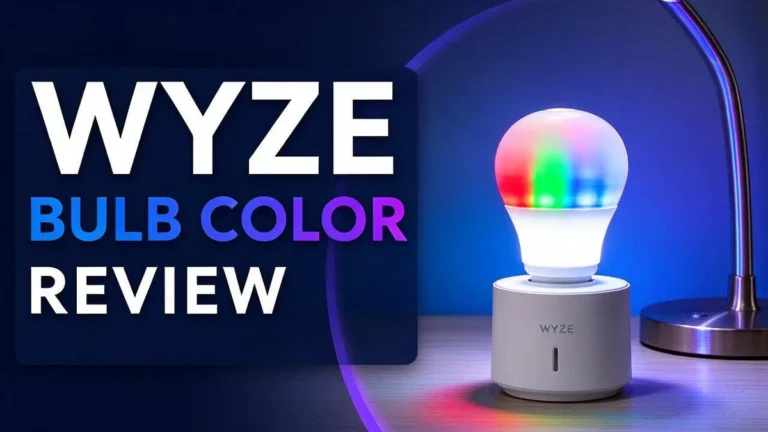
The Wyze Bulb Color skips the hub completely. It connects directly to your Wi-Fi network. You can change colors, adjust brightness, and set schedules from one simple app.
Best for: Families who want easy color control without extra gear.
TP-Link Kasa KL130

- Multicolor & Auto White: Dimmable 16 million colors and 1000 lumens warm to cool whites(2500K-9000K). Set...
- Voice Control: Get hands-free control of your lights with your voice via Amazon Alexa or Google...
Last update on 2026-11-28 / Affiliate links / Images from Amazon Product Advertising API
The TP-Link Kasa KL130 gives you bright light and rich color. It also works with popular voice assistants. Setup takes only a few minutes, and no hub is needed.
Best for: Anyone who already uses voice control at home.
Heat, Build, and Lifespan
Heat deserves a close look before you buy. Some owners report warmth after several hours of continuous use. Light bulbs always give off some heat, so a little warmth is normal.
Heat matters most in enclosed fixtures. A glass shade or tight metal cover can trap warm air around the bulb. Open fixtures usually let heat escape more easily.
Give the bulb room to breathe. Choose a fixture with open sides or vents. Avoid tucking the bulb into a small recessed can with little airflow.
Heat also affects lifespan. The S1 carries a rated average life of three years. Bulbs that run hot often wear out sooner than their rating suggests.
Check the bulb by touch after a long session. Turn off the light and wait a few minutes. If the base feels very hot, move the bulb to a more open fixture.
Build starts with a familiar base. The S1 uses a standard E26 base. That means it fits most ceiling fixtures and table lamps without an adapter.
Inside the bulb, the smart control parts add a small amount of heat during long sessions. Keep the room ventilated to help those parts stay cool.
Plan for a long run, not a quick test. The rated life gives a useful target for planning replacements. Write the install date on the fixture or in a note.
Dust and dirt can trap heat over time. A quick wipe with a dry cloth keeps the glass clear. Always turn off the power before cleaning.
Match the wattage to the fixture. Some lamps have a label that lists the maximum wattage. Check that label before installing a bulb that gives 800 lumens.
Watch for changes over time. If the bulb grows hotter, flickers, or dims early, the hardware may be wearing out. Replacing it early keeps the room safe and bright.
Safety comes first. Never cover a bulb with cloth or paper while it is on. That habit can cause scorching and shorten its life.
Pros and Cons
Pros
– Bright output fills larger rooms well.
– Color options add mood and variety to each room.
– Alexa pairing happens with very little manual work.
– Dimming down to 5% creates calm evening scenes.
– It fits homes that already run on Alexa devices.
Cons
– Bluetooth only models can fail to pair at all.
– Voice control works only through Alexa.
– Setup results can vary from one home to another.
Who Should Buy It
The S1 suits a specific kind of home. It works best for people who already own Alexa speakers or displays. Those owners get the most from the auto-pairing feature.
Busy households with shared rooms can benefit too. Kids, roommates, and guests can all use the same voice commands. Nobody needs a separate remote.
Renters often like this bulb. It screws into a standard socket, so it moves easily from one apartment to the next. Pack it up and take it along.
Think about bright spaces first. Kitchens, home offices, and garages need strong output. The 800 lumen rating gives those rooms enough light for daily tasks.
Mood lighting fans also have a good match here. Living rooms and reading corners respond well to soft warm light. Lowering the level to a gentle glow sets a calm tone after dinner.
Hallways and closets are another good fit. Voice commands save trips in the dark. Simply ask Alexa to turn the light on.
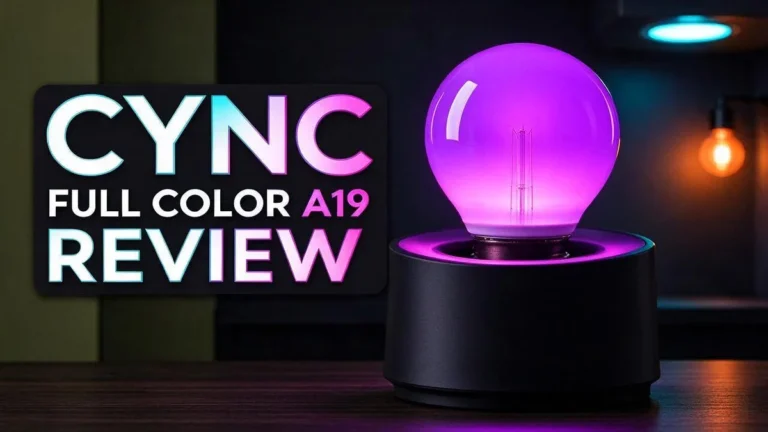
This bulb may not suit everyone. Shoppers who want control through other voice systems should look elsewhere. Some people prefer Philips Hue, Cync, or SmartThings for wider compatibility. Linkind is another option to compare.
Anyone who needs a flawless setup should think twice. Some buyers run into trouble with the app or the wireless network. Those people may want a brand with a simpler setup record.
Think about your comfort level with troubleshooting. Some owners enjoy tweaking settings and testing options. Others want a plug and play experience with no extra steps. If you fall into the second group, pick a different bulb.
Older adults may find voice control helpful. Simple commands avoid fumbling for switches in the dark.
A quick checklist helps. Ask yourself these questions first. Do I already use Alexa every day? Do I want voice control in most rooms? Am I comfortable with a few setup steps?
If you answered yes to most of these, the S1 deserves a spot on your list.
Final Verdict
The Sengled S1 makes sense for a clear group of buyers. It suits people who already rely on Alexa. Its bright light and color choices bring fresh energy to everyday rooms.
Think of the S1 as a smart upgrade, not a universal answer. Its strengths shine most in a home that runs on voice commands. Outside that setup, the bulb may feel like a puzzle.
Reviews point to a mixed picture. Many buyers praise the brightness and color range. Others describe app glitches that cause frustration over time.
The Sengled Home app deserves extra attention. Some owners report that the app acts unpredictably. A weak app can turn a simple light into a daily chore.
Compare the S1 with other smart bulbs before you commit. Cync, Philips Hue, Linkind, and SmartThings bulbs all compete for the same shelf space. Each brand brings its own app style, so the choice comes down to your habits.
Start with one room before you upgrade the whole house. A single bulb in a bedroom or living room shows how the app and connection behave. That small trial saves time and frustration later.
Look for patterns in your daily routine. Do you ask Alexa for lights often? If yes, the S1 feels natural and quick. If you prefer tapping a phone, another brand may suit you better.
Think about where your smart home will grow next. A bulb that works today should also fit your plans for speakers, plugs, and sensors.
Keep expectations realistic. The S1 is a solid bulb, not a perfect one. Its wins are real, and so are its rough edges. Knowing both helps you choose with confidence.
Ask yourself one simple question before buying. Will this bulb make my daily routine easier? If the answer feels clear, the S1 deserves a close look.
Final thought: the S1 earns a spot on your shortlist. It delivers bright, colorful light with simple voice control. Its app and connection reports mean you should test it early. Keep your return window open just in case.
Frequently Asked Questions
Which lamps can use the Sengled S1?
The S1 uses a standard E26 base. Most ceiling fixtures and table lamps with this socket can take it. Check the socket type before you buy, so the bulb fits right away.
How bright is the Sengled S1 in daily use?
The bulb reaches up to 800 lumens at full power. That level works well for reading, cooking, and tidying up. Dimming lets you lower the light when you want something softer after dinner.
Which brands should I compare it with?
Many shoppers look at Cync, Philips Hue, Linkind, and SmartThings bulbs. Each option offers a different mix of voice support and app design. Compare these features against your current devices. The best pick often depends on what you already own.
What can I try if pairing fails?
Start by turning the bulb off and on again. Then keep your phone close to the bulb and search for it again in the Alexa app. Patience usually helps more than rushing through the steps. Also confirm that you have the S1 model and that your apps are up to date.
Is the light warm or cool?
The S1 gives off warm white light. This tone suits cozy spaces like bedrooms, dining rooms, and reading corners. It also pairs nicely with other warm lamps in the same room.