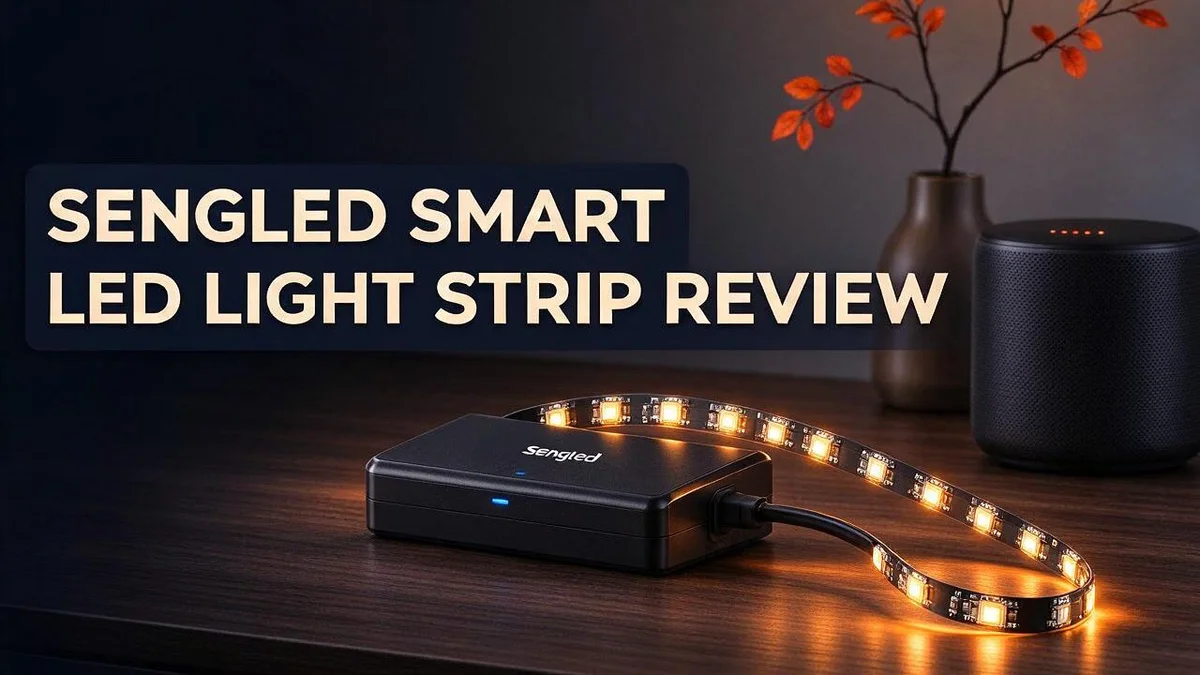
Sengled Smart LED Light Strip Review: Is It Worth The Hype?
Want a room that glows in any color you like? A smart LED light strip can change the whole mood of a space in seconds. The Sengled smart LED light strip is a popular pick for people who want easy color control at home.
It uses RGBW lighting, so you get over 16 million colors plus a range of warm to cool whites. You can stick it under cabinets, behind a TV, or along a shelf with its adhesive backing.
Setup feels simple for most users. You can choose a version that works with a hub or one that connects directly to your network. It also works with Alexa, Google Assistant, and IFTTT.
In this review, we look at the good, the not so good, and who this strip suits best. Let’s see if it lights up your space the way you hope.
In a Nutshell
-
Easy mounting: The adhesive backing holds firmly on walls, desks, and shelves. Most people can stick it in place without tools. Long power cables also help you position the strip easily.
-
Voice control: The strip works with Alexa, Google Assistant, and IFTTT. You can use spoken commands or set up automatic routines.
-
Smooth dimming: A Reddit user says the dimming works better than Wink bulbs. This matters if you want soft evening lighting.
-
Two versions: One model needs a Sengled or compatible hub. The other connects without a hub, which keeps setup simpler.
-
App limits: Some reviewers say app responses feel delayed. The app also lacks a few customizable features. Buyers who want deep customization may notice this first.
-
Strong competition: SmartZenHome ranks Sengled third out of nine top strips. Govee is another popular choice for this kind of lighting.
Design and Adhesive Mounting

- Versatile Lighting Option: Perfect for adding task lighting or accent color to any room, smart led strip...
- Create a Smart Home with Zigbee: Illuminate your entire house with up to 64 smart lights and devices...
Last update on 2026-11-28 / Affiliate links / Images from Amazon Product Advertising API
The design feels simple and clean. The strip is thin and flexible, so it bends around corners and curves with ease.
The base kit covers 6.56 feet. That length suits a TV stand, a desk edge, or a short shelf. Measure your space first.
The strip sits flat against most surfaces. You can hide it behind a monitor or under a cabinet lip. Most people like how little it stands out.
Long power cables make setup easier. You can place the power adapter near an outlet, even when the light sits far away. This keeps cords out of sight.
The strip also extends with a 1 m extension, which adds about 3 feet. You can light a longer wall or a wider shelf later.
Plan the cable path before you start. Run the wire along the back edge of a shelf or behind furniture. A neat route makes the room look tidy.
Surface prep matters more than many people think. Clean the wall or desk with rubbing alcohol and let it dry fully. A clean surface helps the adhesive grip better.
Avoid dusty, oily, or textured surfaces. These areas hold the tape poorly, so the strip may slowly lift.
Test the layout before you peel the backing. Lay the strip in place and check the view from your seat. Small changes now save time later.
Corners and curves need extra care. Press each section firmly for about 30 seconds so the bond sets well. Take your time during installation, since rushing can cause crooked lines or weak sticking.
If the adhesive struggles on rough walls, use clips or small brackets. These add support without relying on tape alone.
Keep the strip away from direct heat sources and vents. Good airflow helps the strip stay in top shape.
The slim body keeps the focus on the light, not the hardware. Overall, the design feels practical. It suits people who want a simple setup without drilling holes. Good prep and smart planning make the biggest difference.
Color Quality and Lighting Range
Color quality decides whether a light strip looks fun or flat. Many reviewers find the colors vivid and pleasing. PCMag describes the color quality as good.
The white range covers 2000K to 6500K. That spread runs from a warm amber glow to a crisp daylight tone.
Lower numbers feel cozy and calm. Higher numbers feel bright and alert, which suits a desk or kitchen counter.
Think about the task first. Reading, cooking, and video calls need cooler whites. Evening lounging looks best in warmer tones.
Mixing white and color gives you more control. Use a soft white for background light and a bold color for accent glow.
Brightness also changes how colors feel. Dim settings make deep blues and purples look moody and rich.
Bright settings make yellows and greens pop. Find the level that feels right for your room and routine.
Color accuracy still depends on the room. Painted walls, wood tones, and window light all change how a shade looks.
Matte finishes often show color more evenly on walls. Glossy surfaces can reflect the strip and shift the tone.
Test colors at night and during the day. Shades can look different under lamps than under sunlight.
The manufacturer does not list lumen output in the available details. Brightness is hard to judge on paper alone.
Look at a sample in the room before you decide. Seeing the strip in your own space gives the clearest answer.
Strip placement also shapes the glow. A strip tucked behind a TV or under a cabinet spreads soft light across the wall.
Start with a small test run before a full setup. A short section along one wall shows the true tone quickly.
Take photos at different times to compare results. Side by side images make it easy to pick your favorite look.
Lighting range works best with a plan. Pick two or three favorite colors and one everyday white tone.
Good color quality makes the effort worthwhile. With a little testing, the strip can match the mood you want.
App and Voice Assistant Control
Setting up the app takes only a few minutes. Open the app, sign in, and follow the steps shown on screen. Give each strip a clear name, such as Desk Glow or TV Back Light.
Naming matters more than most people expect. Clear names make voice commands work better. Your assistant reads the name you choose, so pick words that sound natural when you speak them.
Scenes let you change the mood fast. Save a color and brightness combination as a scene. Tap it once to switch the whole look. Movie night, study time, and dinner can each have their own setting.
Schedules add another layer of control. You can turn the strip on at sunset or at a set time each day. This helps when you want the room lit before you arrive home.
Grouping strips helps larger spaces. Place several strips in one group and control them together. A living room with a TV wall and a bookshelf can share one command.
Voice commands handle quick changes. Try phrases like “turn the desk light to blue” or “dim the TV strip to half.” Short phrases work best. Simple commands help your assistant understand each request.
Some users want deeper control inside the app. The app offers basic options, so advanced effects may feel limited. People who want complex animations may need another product.
Your phone and voice assistant need a stable connection. Keep both devices on the same home network. If a command does nothing, check the connection first and try again.
Test each voice command after setup. Say it once or twice. Then change the name or phrase if the strip does not respond as expected.
Keep your command list short. Five or six phrases cover most daily needs. Write them down so everyone in the home uses the same words.
Shared households benefit from clear rules. Each person can learn the same words, which keeps the strip working well for everyone.
Top 3 Alternatives
If you want a different light strip, these three options deserve a look. Each one offers something useful for your space.
Govee RGBIC Strip Lights

- Breathtaking RGBIC Effects: With built-in IC chips, the smart LED strip lights can display multiple...
- More Length, More Impact: 65.6ft RGBIC led strip lights provides multiple design options over a larger...
Last update on 2026-11-28 / Affiliate links / Images from Amazon Product Advertising API
Govee RGBIC Strip Lights give you bright, vivid colors across the whole strip. Each section can show a different shade, so your room feels lively. Setup is simple. You stick the strip on walls, shelves, or behind a TV. The app offers music sync and many scene modes. Many people pick this option for gaming rooms and parties.
Philips Hue Lightstrip Plus

- WHAT’S IN THE BOX - Includes one 6-feet, color-changing single-color effect light strip plus base kit...
- UNLOCK THE FULL POWER OF HUE - Add a Hue Bridge to enjoy automations, control from anywhere in the world...

Last update on 2026-11-28 / Affiliate links / Images from Amazon Product Advertising API
Philips Hue Lightstrip Plus suits you if you want top quality light and dependable performance. It works with the Hue system, so you can control it with voice assistants or a bridge. You can cut the strip at marked points to fit your space. Expect rich whites and smooth color changes for movies or reading.
Kasa Smart Light Strip

- [High brightness & saturation] The 16.4ft LED light strip features customization up to 16 million colors...
- [Animated lighting effects] The Kasa Smart light strip features advanced animated lighting effects, with...
Last update on 2026-11-28 / Affiliate links / Images from Amazon Product Advertising API
Kasa Smart Light Strip is a good pick for easy control and simple routines. You can set schedules in the Kasa app and link it with common voice assistants. The strip is flexible and installs quickly with its adhesive backing. It suits beginners who want basic color and brightness control at home.
Choose the option that matches your room and your style.
Setup and Hub Requirements
Before you buy, check which version fits your home. Sengled offers two main types. One uses Zigbee and needs a hub. The other connects directly to your WiFi network.
The Zigbee kit requires a Sengled or compatible hub. The hub sits between your lights and your router. Without it, the strip will not respond to your phone or voice assistant.
The WiFi model skips the hub. You connect it to your home network and start controlling it. This option suits a single room or a small setup well.
Hubs make more sense for larger homes. Zigbee devices can relay signals to one another. This helps the lights stay connected across several rooms, even when walls get in the way.
Hub placement matters more than many people think. Put the hub in a central spot. Keep it away from metal cabinets and thick walls, because these can weaken the signal.
Power matters too. Plug the hub into a steady wall outlet. Avoid power strips that get switched off often.
If you already own a compatible hub, the Zigbee kit fits in easily. You simply add the strip to your existing network. Starting from scratch? The WiFi model means one less device to set up.
Check your router before you begin. A strong signal near the lights makes pairing smoother. Move the router closer if the connection feels weak. Write down your network name, since you will need it during pairing.
When using Zigbee, pair the hub first. Then add the strip to the network. Work through one step at a time, and wait for each light to appear before moving on.
Mixing systems can cause confusion. Choose one type for your main setup. Strips and hubs must match, so double check the box before you buy.
Read the compatibility list before ordering. Support pages can change over time. A quick check now prevents returns later.
Setup gets simpler once you know which version fits your home. Take a few minutes to plan, and the rest falls into place.
Pros and Cons
Pros
– Colors look rich and vivid on the walls.
– Setup feels easy, and the signal reaches far.
– Dimming feels smoother than Wink bulbs.
– The adhesive backing holds firmly in place.
– Alexa, Google Assistant, and IFTTT all work with it.
Cons
– App responses can lag behind your taps.
– The app feels simple for people who want more control.
– Govee may suit some users better, since Sengled ranks third of nine.
Who Should Buy It
This light strip suits people who want easy color changes without a steep learning curve. If you are new to smart lighting, this is a friendly place to start. It offers plenty of color choices without overwhelming you.
Renters often benefit most from this kind of product. The adhesive backing lets you add light behind a TV, under a shelf, or along a bed frame. Just stick it down and plug it in.
Gamers and movie fans may also enjoy the effect. Soft color behind a screen can make the room feel more immersive during long sessions.
Households that already use Alexa or Google Assistant fit especially well. You can control the strip with the voice tools you already know. There is no need to learn a completely new system.
Small apartments and single rooms often work well without extra gear. The WiFi version may appeal to people who want to skip a hub entirely.
Students in dorms or shared flats often like this option too. It adds mood lighting without taking up much space. Check your lease before you stick anything to a wall.
Gift shoppers may find this a fun pick. A friend who loves decorating can enjoy changing colors for holidays, parties, or movie nights.
This product may not suit everyone. Power users who build complex automations might feel limited. They may want more advanced options than the app provides.
Govee is a name many shoppers compare with this model. Looking at both side by side can make the choice clearer. Think about your room, your tech habits, and how much control you need. Then decide with confidence.
In short, this strip works best for beginners, renters, and voice assistant users.
Final Verdict
Sengled makes a strong case for itself. It brings good color quality and an easy path into smart lighting. Still, your final choice depends on your home and your habits.
Start by thinking about how you plan to use the strip. Do you want a light that simply works? Or do you want deep control over every scene? Your answer points you in the right direction.
Take a moment to measure the spaces where the strip will sit. Planning the length and placement keeps the project simple. Neat cable routing also makes the glow look clean and tidy.
Think about future plans too. If your smart home grows, you may want more advanced features later. Starting small keeps your options open without a big commitment.
Some shoppers like to compare a few options side by side before they buy. Reading recent reviews from different sources helps reveal the strengths that matter most to you. Trust your own needs above any single rating.
Final thought: This light strip adds bright, playful color to everyday spaces. It suits people who want a friendly starting point. Try it in one room first, then expand if you love the result.
Ultimately, the right choice depends on your goals. Casual users will likely enjoy the glow and the simple setup. Ambitious tinkerers may want to look further before committing.
Expect a few small quirks along the way. Every smart device has them, and most owners adjust quickly. Patience goes a long way when you first pair devices and test scenes.
Consider how you will feel about the light over time. Many people keep lighting setups for years, so a choice that feels good today matters. Think about how the strip will look during quiet evenings.
Finally, remember that you can always adjust your plans. Lights can move to new rooms or new homes. That flexibility makes this purchase feel less risky.
Frequently Asked Questions
Does the Sengled light strip need a hub?
The answer depends on the version you buy. The Zigbee kit needs a Sengled or compatible hub to work. The wireless model works without one, so check the box carefully before you order. Choosing the right version saves you from an extra purchase later.
Can I make the light strip longer?
Yes, you can. The strip supports an extension piece of about three feet. This helps you cover a longer shelf, a wider wall, or the back of a TV stand. Plan your extension before you peel off the adhesive backing.
Does the strip offer warm white light?
Yes. The strip covers whites from 2000K to 6500K. Warm tones feel cozy in the evening, while cool tones work well for a desk or kitchen. You can also enjoy the full color range when you want something bolder.
Will the power cable reach my outlet?
The power cables run long, which gives you more room to place the outlet. Still, measure the distance first. Start at the outlet and trace the path where the strip will sit. This quick step prevents surprises and keeps the cable tidy.