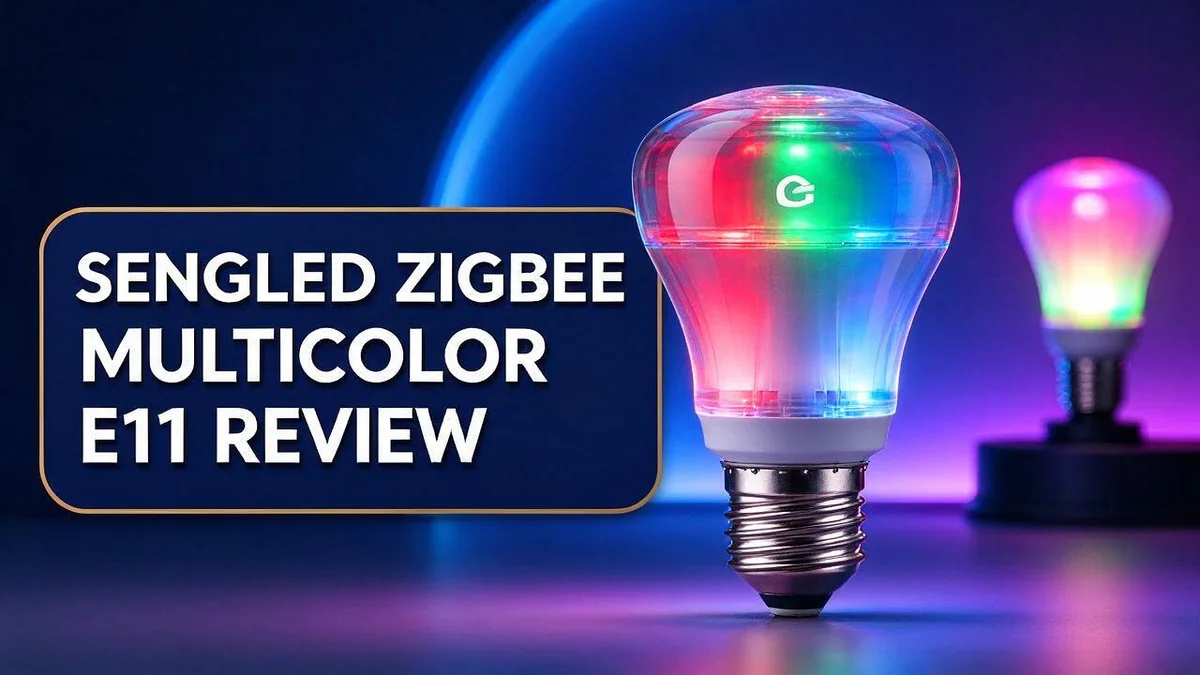
Sengled Zigbee Multicolor E11 Review: Should You Try This?
Are you looking for a smart bulb that adds color to your home? The Sengled Zigbee Multicolor E11 could be the answer. It offers a wide range of colors for every room.
Many shoppers want lights they can control from a phone or voice assistant. This bulb works with Alexa, and many users say it works well. It also runs on Zigbee, so it fits into a smart home hub setup.
Still, every bulb has trade offs. Some owners report color mode problems, and cloud outages can leave lights stuck on plain white. This guide covers the good and the bad, so you can decide with confidence.
In a Nutshell
-
Color range: The bulb can display up to 16 million colors. This figure comes from Sengled’s broader product line, so check your exact model before you buy.
-
Light effects: Newer versions include six light modes, such as Festival, Christmas, and Color Cycle. These modes help you set a mood fast for parties, holidays, or quiet evenings.
-
Color selection: You pick hues on a 360 degree color wheel. Once you learn the layout, changing colors feels simple and quick.
-
Zigbee role: This bulb works as an end device, not a router. It will not extend your network range, so you should plan your hub and router placement carefully.
-
Compatibility: Many users report smooth setup with Alexa. Zigbee2MQTT also lists support for a related model, which helps people who run open source smart home setups.
-
Known issues: Some owners of the E11-N1EA reported color mode failures. Others saw cloud or app outages that left bulbs acting as plain white lights. A few also faced WiFi dropouts or Zigbee pairing trouble in Home Assistant. Model numbers and firmware can vary, so test the bulb soon after you set it up.
Color Range and Light Quality

- Versatile Lighting Option: Perfect for adding task lighting or accent color to any room, smart led strip...
- Create a Smart Home with Zigbee: Illuminate your entire house with up to 64 smart lights and devices...
Last update on 2026-11-28 / Affiliate links / Images from Amazon Product Advertising API
Color looks different in every room. Walls, rugs, and furniture change how a shade appears. A deep blue may look calm in a bedroom but bright in a kitchen. Test a few colors at night and during the day before you settle on one.
The research lists this bulb as an RGBW design. That means it has a separate white LED alongside the red, green, and blue channels. The white channel helps the bulb produce cleaner whites without a strong tint.
Pure white light still matters for daily tasks. Colored light can feel dim when you read, cook, or work. Save a warm white or cool white scene in your app. You can switch back fast when you need clear light.
Light effects add fun for parties and holidays. Festival and Christmas modes shift through several colors in a loop. Color Cycle keeps the room moving. These modes suit game nights or birthdays, but they may feel too busy for focused work.
Scenes often help more than single colors. Set a soft amber for dinner. Choose a cool blue for studying. Pick a gentle pink for winding down. Save your favorites so you can recall them with one tap or a voice command.
Color accuracy can vary between versions. Sources mix E11 model numbers and older product lines, so results may differ. Check the model printed on your box. Compare the bulb in your own space before you build a full setup around it.
Some owners notice color shifts after updates or during app outages. If colors look wrong, restart the bulb and check your app. Keep the firmware current. Steady control helps your colors stay consistent over time.
Lighting Effects and Modes
Effects work best when you plan them first. Open the app and browse the effect list before you set a schedule. Check which modes your bulb shows, because older units may lack some options.
Build routines around effects. You can tie a color cycle to a time of day. A sunset glow can start at dusk. A soft festive mode can run during dinner.
Test every mode in the room you use. Bright effects can look harsh on a dining table. Dim the room lights and check how the colors blend with your decor.
Effects depend on a steady connection. If the cloud service goes down, the bulb may stop cycling. Keep a plain white backup scene ready for emergencies.
Speed controls matter too. Slow cycles feel calm for reading or winding down. Fast cycles suit parties but can cause eye strain over long periods.
Voice commands make effects easier. Say the mode name to your assistant and the bulb changes at once. Keep names short so the assistant hears them clearly.
Use effects in groups for more impact. Pair several bulbs in one room and sync them so the colors move together. Mismatched bulbs can look messy.
Mixed bulb brands may not sync well, so buy a matching set when possible.
Motion sensors can trigger a scene when someone enters a hallway. This works well for guests at night. Choose a soft warm tone so the walk feels safe.
Timing matters for sleep. Bright cool colors late at night can keep you awake. Warm tones near bedtime feel more relaxing.
Parents may enjoy playful modes in a child’s room. Keep brightness low so the lights do not overstimulate little ones.
Finally, save your favorite combinations. Most apps let you store a scene. Then you can recall it with one tap. Check your scenes after every app update, since settings can reset.
Zigbee Setup and Smart Home Compatibility
Check your hub first. Zigbee bulbs need a compatible Zigbee controller, so confirm your system supports the protocol before you start.
Pairing works best when the bulb sits close to the hub. Place it within easy range during setup, then move it to its final socket. This simple step can prevent many connection headaches.
Some owners use Home Assistant, and pairing can be tricky there. Users have reported problems getting the bulb to join the network. Plan extra time for this process.
Advanced users have another path. Zigbee2MQTT lists support for a related model, so you can manage the bulb without the vendor app.
Check the model number on the base of your bulb before you follow any guide. Small differences between versions can change the steps.
Think about your whole network. Zigbee devices link together to form a mesh. Because this bulb does not route signals, it adds no extra strength to that mesh. Place routers like smart plugs or motion sensors nearby to keep signals strong.
Thick walls and metal appliances can block signals. Test the bulb from the room where you plan to use it before you mount fixtures.
Power cycling often solves odd behavior. Turn the switch off for a few seconds, then turn it back on. If the bulb still will not respond, remove it from the app and pair it again.
Keep an eye on your hub status too. If the hub loses internet access, some app features may stop working until the connection returns.
Compatibility also depends on your voice assistant. Voice control depends on the link between your assistant and your hub. Google Home and other platforms may need extra setup or a bridge, so read the requirements carefully.
Keep a simple record of your setup. Write down your hub model, bulb model, and firmware date. This note saves time if support asks questions later.
Top 3 Alternatives
Philips Hue Color Bulb

- SWITCH TO SMART LIGHTING: Enjoy smart lighting instantly: screw in your smart bulb, download the Hue app...
- CREATE AMBIANCE WITH COLOR: Find the right light for any mood with millions of colors and a packed...

Last update on 2026-11-28 / Affiliate links / Images from Amazon Product Advertising API
Philips Hue is a great pick for smart lighting fans. This bulb uses Zigbee, so it works best with a Hue Bridge. You get bright, vivid colors and smooth color changes. The Hue app helps you set schedules, scenes, and routines. It also works with many voice assistants.
GE Cync Color Bulb

- Color Changing Light Bulbs: Use the Cync App, powered by Savant, to create millions of color options, set...
- Smart Home and Automation: Set schedules for these LED color bulbs to turn on and off according to your...
Last update on 2026-11-28 / Affiliate links / Images from Amazon Product Advertising API
The GE Cync Color Bulb is simple to set up. It connects through Bluetooth, so you can control it from your phone without a separate hub. This makes it a good choice for small rooms or first-time smart home users. You can pick from millions of colors and adjust the brightness with ease. Scenes and timers help you create the mood for any moment.
Wyze Color Bulb

- 🔭 VERIFY SCONCE COMPATIBILITY BEFORE YOU BUY: 1) Fits standard E26 light sockets (120V, 60Hz) only. DO...
- 🔄 360° Pan & Tilt Tracking: Offers full 360° horizontal and 180° vertical rotation, equipped with...
Last update on 2026-11-28 / Affiliate links / Images from Amazon Product Advertising API
The Wyze Color Bulb connects straight to your Wi-Fi network. You do not need a hub, which keeps your setup clean and easy. The bulb offers many colors and white tones for different needs. Its app lets you group bulbs, set timers, and build daily routines. It works well for families who want flexible lighting on a budget.
Reliability and App Dependence
Reliability is the big question with this bulb. Many people control it through the Sengled app every day. That app depends on online servers, so outages can cause trouble.
Some users report that bulbs act like plain white lights during cloud problems. You lose colors, scenes, and effects until the service returns. The bulb itself does not change.
WiFi dropouts also come up in user reports. A bulb may show as unresponsive even when the light is on. This can feel frustrating when you want a quick change.
Plan for daily tasks first. If you need dependable light for work or cooking, keep a backup lamp nearby. Pure white light from a regular fixture works well for those moments.
Avoid cutting power at the wall. Smart bulbs can lose their settings when the switch goes off. Leave the switch on and control the bulb through the app or a voice assistant.
Your voice assistant can act as a second control path. Commands sometimes work when the app stalls. Voice control is handy but not perfect, so test it first.
Keep your app and firmware updated. Updates can fix connection bugs and improve stability. Check your color and scene settings again after each update.
Set up a simple test plan. Turn the bulb on and off from the app. Then try a voice command and the manual switch. Note which method fails most often. Repeat the test once a week.
Share app access with family members. Other people in your home may need control too. Give them the app and show them the basic on and off steps.
Store your login details in a safe place. A forgotten password can lock you out of your scenes. Smart lighting works best when you expect occasional hiccups and plan for them.
Energy Use and Lifespan
Energy use matters to most people who buy smart bulbs. LED bulbs generally draw far less power than old incandescent bulbs. The Sengled E11 uses LED technology, so it can help lower your overall electric use over time.
Bright colors and full brightness may draw more power. White light at full output and vivid colors often use more energy than dim, soft tones. Lowering brightness is a simple way to save power in rooms where you read or relax.
Your Zigbee hub also adds to the total. The hub stays on all day, so its energy use counts too. Think of it as part of the whole setup, not just the bulb.
Lifespan depends on how you use the bulb. LED bulbs can last for many years, but heat and frequent use can shorten that time. Manufacturer ratings assume normal conditions, so real results may differ.
Enclosed fixtures trap heat around the bulb. Heat is one of the main reasons LED parts wear out early. Choose an open fixture or a shade that allows airflow when possible.
Frequent power cycling adds wear, too. Each cycle stresses the internal driver circuit. Use the app or your voice assistant to change settings instead of flipping the wall switch again and again.
Check your wall switch type. Some dimmers do not work well with smart color bulbs. A standard switch or a dimmer made for smart lighting keeps the bulb running more smoothly.
Read the label before you rely on the numbers. Sources on this model mix several E11 versions and older product lines. Rated life and power draw may vary between variants, so confirm the details on your package.
Good habits help your Sengled E11 deliver light for years. Keep the bulb cool, ventilated, and used at comfortable brightness levels. Small changes today can save you effort later.
Pros and Cons
Pros
– Works with Alexa for simple voice control.
– Six light effects include Festival, Christmas, and Color Cycle.
– The 360° color wheel makes picking the right shade easy.
– Zigbee2MQTT support gives open source fans another option.
– Many users say the bulb works well day to day.
Cons
– It acts as an end device, so it cannot extend your network.
– Some older E11 units had color mode failures.
– Specs can vary, so check your exact model before buying.
Who Should Buy It
This bulb fits a certain kind of buyer. It works best for people who enjoy playing with light. It also suits those who do not mind a bit of tinkering.
Holiday decorators will likely love this bulb. The Festival and Christmas effects can turn a plain room into a seasonal scene. Set it once, then let it run each evening.
Beginners who want a first color bulb can start here. Pick one lamp in the living room and test the colors. Small trials help you learn what you like before you add more.
Check the base before you commit. This bulb uses the E11 base, so it fits mini candelabra lamps only. Measure your fixture to avoid a return trip.
Zigbee owners with a working hub can add it without much fuss. Keep the hub within easy range of the bulb. Place it near mains powered devices so the link stays steady.
Home automation fans who run Home Assistant should plan extra setup time. Pairing can take a few tries, so stay patient. Write down the steps that work so you can repeat them later.
Party hosts also find the color effects useful. Cycle through shades while guests arrive. The mood shifts without any extra gear.
Gift shoppers may pick this for a friend who loves gadgets. Include a short note that explains the app setup. That small touch makes the gift feel complete.
Shoppers who want a plug and forget light should look elsewhere. This bulb rewards hands on care. If you need something that simply works every time, choose a simpler option.
Read the label on the box and confirm the exact model number before you buy. Specs can vary between versions, so a quick check saves frustration.
In short, this bulb suits curious owners.
Final Verdict
The short answer is yes, but only with clear expectations. This bulb suits people who want color fun without much effort. It also needs a stable setup to perform its best.
Think of it as a playful light rather than a rock solid system. Cloud and app outages can leave the bulb stuck on plain white. That risk matters most if you rely on mood lighting every day.
Our overall view is a fair rating with some doubts. Many owners say the bulb works fine in daily use. Still, the reports mix good and bad experiences, so expect some trial and error.
Your home setup shapes the outcome more than the bulb alone. A steady internet connection and a healthy Zigbee hub make a real difference. Weak signals or older hardware can lead to frustrating dropouts.
We could not find direct comparisons with rival color bulbs. That gap means you should judge this model on its own merits. Ask yourself whether its color fun is worth the chance of connection hiccups.
Think about how you will use the lights each day. Routines, schedules, and guests all add load to the system. Clear goals help you decide faster and avoid surprises.
Buy with a simple return plan. Test one bulb in your main fixture first. Keep the packaging for a few weeks. That gives you time to check colors, pairing, and app behavior before you commit to a full room.
Pairing trouble and app glitches do not affect every owner. Some people never see a problem at all. Others struggle for days. Your experience depends on your network, your hub, and your patience.
Final thought: this bulb fits curious tinkerers best. If you want simple and dependable lighting, look at other options first. If you enjoy experimenting with light, this bulb can deliver plenty of joy.
Frequently Asked Questions
Why did my bulb switch to plain white?
Cloud or app outages can leave the bulb stuck in plain white mode. The bulb still gives light, but the colors stop working. Wait for the service to return, then open the app and try again.
What should I do if the bulb stops responding?
Some owners report WiFi dropouts that make bulbs look unresponsive. Check your home WiFi signal first. Then turn the switch off for a few seconds and back on to reset the bulb.
Will pairing with Home Assistant go smoothly?
Some users report Zigbee pairing problems in Home Assistant. Place the bulb close to your Zigbee coordinator during setup. If the first attempt fails, a second try often works better.
Do the light effects work on every model?
Not always. The six effects, such as Festival and Color Cycle, appear in the newer lineup. Older units may lack them, so check the model number on the box before you count on a specific effect.