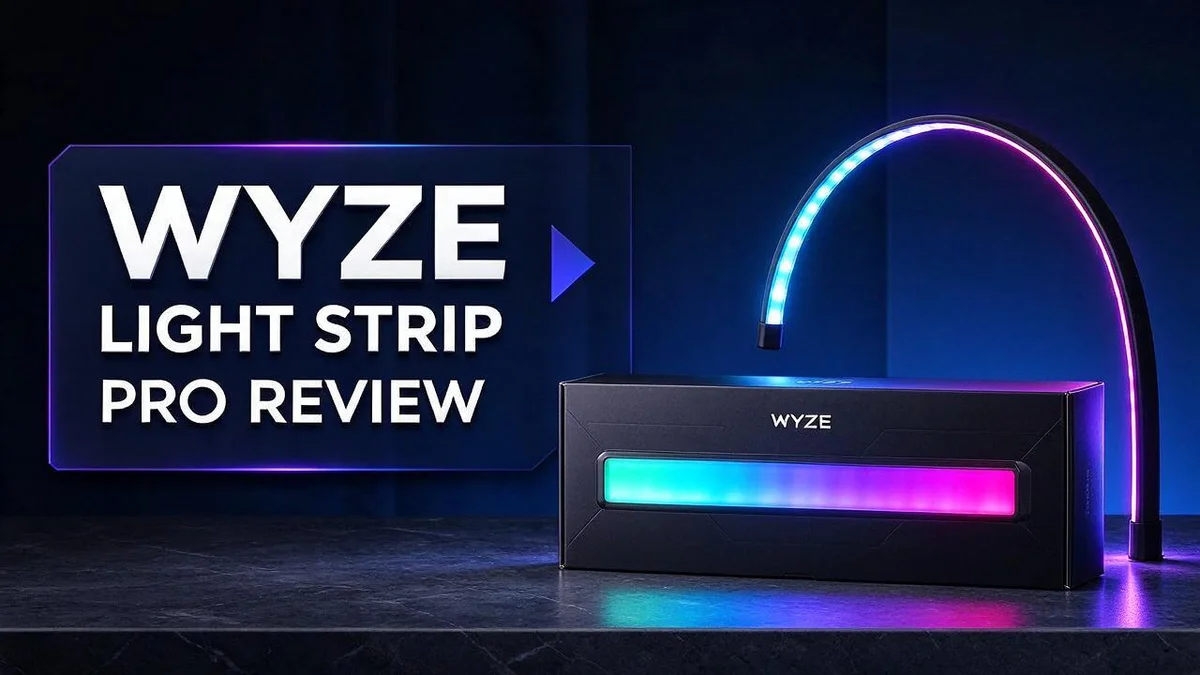
Wyze Light Strip Pro Review: Should You Buy This?
Looking for a simple way to make your room glow? The Wyze Light Strip Pro might be the answer you need. It gives you plenty of light control in one package.
You can choose warm or cool white light. The tunable range runs from 2,700K to 6,500K, so you can match any mood. The strip also shows up to 16 colors at once, and it can sync to music.
Setup feels easy for most people. The strip works with the Wyze app, and it comes in two lengths. Some users also report a few trade offs, such as bulky connectors. Let’s look at what this light strip does well and where it falls short.
In a Nutshell
- Color range: The Wyze Light Strip Pro shifts from 2,700K to 6,500K. You can match a cozy evening mood or a bright work setting with ease.
- Color play: You can show up to 16 colors at once through segment control. The full palette reaches 16 million colors, so creative lighting ideas feel endless.
- Sound sync: Music Mode follows your audio. The lights pulse with your favorite songs, which makes movie nights and parties more fun.
- Brightness: The strip peaks near 2,200 lumens. The brightness bar, though, changes output only a little. Plan your settings with care to get the look you want.
- Good to know: This strip works indoors only. The epoxy coating may crack over time, and the power connectors feel bulky. Plan your mounting spot before you start.
- Length tip: Cutting or extending the strip can dim the far end. Mismatched lengths may also cause effects to fall out of sync, so measure twice before you cut.
Light Output and Brightness

- Smart RGBIC Effects: RGBIC LED Strip lights for bedroom display multiple colors on one line at a time...
- Smart APP Control: You can unlock various features to personalize smart LED strip lighting via Govee Home...
Last update on 2026-11-28 / Affiliate links / Images from Amazon Product Advertising API
Light output matters more than most people expect. The strip averages about 2,000 lumens, so it can fill a room with steady light.
Think of the average number as your everyday brightness. The peak number only applies in short bursts at full strength.
Many users rely on the brightness slider for quick changes. Reports say this bar changes output only a little. So you may need to adjust color or placement instead.
Try a different approach for control. Pick a warm tone for evenings and a cooler tone for work. Mixing these choices gives you more control than the slider alone.
Placement changes how bright the room feels. Stick the strip behind a TV, along a shelf, or under a cabinet edge. The light bounces off walls and creates a soft glow.
Surface color matters too. Dark walls soak up light, so the strip may look dimmer. Light paint reflects more light and makes the glow feel stronger.
Diffusers can help with harsh spots. A frosted channel softens the bright dots that some LEDs create. It also hides the strip itself, so you see only the glow.
Pick the right length for your space. A longer run spreads light across more wall. Short runs feel more focused but cover less area.
Most people start with a daytime setting and then dim things at night. Lower output helps your eyes relax before bed. Use the app to set a timer.
Quick test at home. Test the strip near a window during the day. Notice how it looks beside your furniture at night.
Glow can look uneven along a long wall. Check both ends of the strip once it is installed.
Bottom line: Good brightness comes from smart placement and the right setting. Use the slider for fine tuning only. Let the color and location do the heavy lifting.
Color and White Tuning
Color and white tuning decides how your room feels after dark. The Wyze Light Strip Pro offers both colored light and white light. Each mode shines in different moments.
Think of color as your mood setter. Bold shades suit parties, game nights, and lively music sessions. Softer hues fit quiet dinners and slow evenings.
Think of white as your helper. Clean white light makes reading, cooking, and folding laundry easier. It also keeps your eyes comfortable during longer tasks.
Match your existing lamps. Lamps in your room may use different white tones. Set the strip close to them so the space looks even.
Color changes how objects look. Reds can make artwork and furniture look richer. Blues may look cool and calm on plain walls. Test a few shades before you commit.
Pastel shades work well as a background glow. They add gentle color without pulling attention away from the room.
Watch for screen glare. Bright, saturated colors near a TV can reflect off the glass. Choose calmer tones during movies or video calls.
Skin tones look best under gentle white light. Warmer shades soften faces and make food look inviting. Crisp shades show true clothing colors more clearly.
Give your eyes a break from harsh colors. Strong reds or greens can feel intense after several hours. Switch to a softer white when you need a calm atmosphere.
Try a new shade on a small area first. This lets you see how it looks on your wall before you commit to the full room.
Keep notes on your favorite settings. Write down the shade and brightness that work best for each activity. This saves time when you want the same look again.
Small changes make a big difference. Shift the white tone by a few steps and compare the results. Your eyes will quickly show which version feels right.
Smart Control and App Experience
The Wyze Light Strip Pro works with the Wyze app, so your phone becomes the main remote. You can turn the lights on or off, pick colors, and change white tones in a few taps.
Open the app and select your strip from the device list. The main screen shows the power button and the color options. Tap a color, and the strip changes within seconds.
The app also lets you control sections of the strip. You can set different colors on different parts of the run. This creates a layered look along a shelf, behind a sofa, or under a bed frame.
Splitting the strip into sections feels fun at first. Still, start with two or three colors. Too many shades can make the room look busy.
Here is one thing to keep in mind. Reviewers report that the brightness bar changes the output only a little. Do not expect a big difference every time you slide it.
For real dimming, try other tools. Move the strip behind a lampshade or close a blind. These small changes can soften the glow more than the app slider does.
Keep your setup matched. If you join strips of different lengths, effects can fall out of sync. Mismatched runs may look uneven when colors move across the wall.
Use the app as a learning tool. Try a warm white in the evening, then switch to a cool white for a work session. Notice how each setting changes your mood and focus.
Spend five minutes in the app each week. Try one new color, then compare it with your current favorite. Practice builds confidence fast, and you will learn the controls quickly.
The app makes the Wyze Light Strip Pro easy to manage every day. Keep your expectations realistic for brightness, and keep your sections matched for smooth effects.
Top 3 Alternatives
Philips Hue Lightstrip Plus

- WHAT’S IN THE BOX - Includes one 6-feet, color-changing single-color effect light strip plus base kit...
- UNLOCK THE FULL POWER OF HUE - Add a Hue Bridge to enjoy automations, control from anywhere in the world...

Last update on 2026-11-28 / Affiliate links / Images from Amazon Product Advertising API
Philips Hue Lightstrip Plus suits people who want rich colors and reliable performance. It pairs with the Hue Bridge for the best results. The strip produces bright, even light across its full length.
Setup takes only a few minutes. You can cut the strip to size and control it with voice assistants. The Hue Bridge is needed for full features, so plan for that extra step.
Govee RGBIC Strip Lights

- Breathtaking RGBIC Effects: With built-in IC chips, the smart LED strip lights can display multiple...
- More Length, More Impact: 65.6ft RGBIC led strip lights provides multiple design options over a larger...
Last update on 2026-11-28 / Affiliate links / Images from Amazon Product Advertising API
Govee RGBIC Strip Lights offer a fun option for people who love bold, multi-color effects. The RGBIC design lets several colors run along one strip at the same time. This creates lively patterns for gaming rooms, parties, and everyday mood lighting.
The app includes music sync and many ready-made scenes. You can also set timers and schedules without extra hardware. Some owners say the adhesive needs extra support on rough surfaces.
LIFX Z Light Strip

- Requires a LIFX Z or LIFX Lightstrip base kit to function
- Polychrome Technology - addressable zones that can animate with LIFX exclusive Effects library
Last update on 2026-11-28 / Affiliate links / Images from Amazon Product Advertising API
LIFX Z Light Strip stands out for its fast response and zone-based control. Each zone can show a different color, which gives you full creative freedom. It works with Apple Home, Google Assistant, and Alexa.
No hub is required for basic use. The strip connects over Wi-Fi, so setup stays simple. It is a strong pick for people who want precise, playful lighting in one place.
Installation, Cutting, and Connectors
Installing the Wyze Light Strip Pro takes only a few steps. Start by wiping the surface with a dry cloth. Dust and grease can stop the adhesive from sticking well. Press the strip down slowly so it bonds evenly.
Plan the path before you peel the backing. Measure the wall or shelf first. Lay the strip along the line in a dry run. This helps you avoid wasted length.
Look for the cut marks on the strip. Cut only at the marked points. Cutting anywhere else can damage the circuit.
Cutting also changes the light output. Once you trim the strip, the far end may look dimmer. A shortened run can give less light overall. Plan your cuts with this in mind.
Connectors help you extend or join pieces. The power and strip connectors look bulky. They can stick out from corners or behind furniture. Leave a little room for them when you choose a spot.
Do not run the strip through tight bends. Sharp corners can strain the strip and the connector joints. Use gentle curves where you can.
Keep the power connection close to an outlet. Hide the cable with clips or along a baseboard. Remember that this strip works indoors only. Keep the power end dry and away from damp spots.
Test every connection before sticking the strip permanently. Plug in the power and check that each section lights up. A quick check saves time later. Then press the adhesive fully into place.
The epoxy coating can crack over time, so handle the strip gently. Avoid pinching it under heavy furniture. Careful handling keeps the strip looking neat for longer.
Mark your cut line with painter’s tape. Tape gives a clear guide. Double check the length before you snip. A second look prevents mistakes. Smooth the strip with your hand as you go.
Indoor Durability and Coating
Most people place this strip in living rooms, bedrooms, and game corners. Those spaces stay dry and mild, which suits the strip well.
Dust is the quiet enemy here. A thin layer can dull the glow over months, so wipe the strip with a soft dry cloth every few weeks.
Avoid spray cleaners on the strip. Moisture can seep into the connector joints and cause trouble. A lightly damp cloth works better, but dry it right away.
Keep the strip away from heat sources. Radiators, space heaters, and hot electronics can soften the adhesive. Warm air can also age the coating faster than normal room temperature would.
Direct sunlight through a window deserves attention too. Constant sun can fade the surface and wear down the glue over time. Use a sheer curtain or move the strip to a shaded spot.
Pets and curious kids often touch the strip at low height. Mount it higher on walls or tuck it under furniture edges, so it stays out of reach.
The adhesive backing needs a clean surface. Wipe the wall or cabinet with rubbing alcohol and let it dry fully before sticking. Dust or grease can cause the strip to peel off after a few weeks.
Painted walls with a rough or textured finish can also loosen the bond. Smooth surfaces hold the strip far better. If the wall is flaky, add a small clip or mounting channel for support.
Humidity matters too. Bathrooms and steamy kitchens are not ideal spots. Damp air can weaken adhesive and affect the electronics over time, so keep the strip in drier rooms.
Check the strip every few months. Look for lifted edges, yellowing, or dim sections. Catching these signs early keeps your setup looking fresh for years.
Finally, store spare strip lengths in a dry drawer. Coil them loosely and keep them flat, away from crushing weight.
Pros and Cons
Pros
– Music Mode syncs the lights to your audio.
– Tunable white shifts from warm 2,700K to cool 6,500K.
– The strip reaches about 2,000 lumens on average.
– Up to 16 colors show at the same time.
– Two lengths, 16.4 ft and 32.8 ft, suit different spaces.
Cons
– The strip works for indoor spaces only.
– Power parts and connectors look bulky on a slim strip.
– Bulky connectors may stand out along furniture edges.
– Multiple color zones may feel busy in small rooms.
Who Should Buy It
This light strip suits people who love mood lighting. It works well for anyone who wants color and warmth in one simple product.
Smart home fans will feel right at home here. The Wyze app gives you one place to manage every light.
Renters who want a lively look can benefit too. The setup feels simple, which suits a home you do not own.
Movie nights call for a dim, colorful glow. Place the strip behind a TV to add depth to every film.
Large rooms may need the longer version. A 32.8 ft strip can run along a full wall or around a wide bed frame.
Skip this strip if you need strong task lighting. The brightness bar changes output very little, so fine control stays limited.
Anyone who wants lights for a patio or garden should look elsewhere. Outdoor ground accent lights, like the Smart Outdoor Ground Accent model, suit those spaces better.
Color fans get plenty of choices. Up to 16 million colors give you wide control over the mood in any room.
Shoppers who want a simple, app controlled strip will likely feel pleased. Compare your wall length and room size first.
Gift shoppers may like this option as well. The color range feels fun for teens and young adults.
People who enjoy a lively look will find plenty to try here. Test a few color combinations before settling on one.
If your home already uses other Wyze gear, the setup feels natural. Think about how often you plan to change the lights, too.
Take time to read the drawbacks before buying. A short check of your needs helps you avoid surprises later.
Final Verdict
The Wyze Light Strip Pro is a good pick for smart lighting fans. It mixes warm white, cool white, and full color in one strip.
Think of this strip as an accent light first. It looks best behind a TV, along a shelf, or around a desk. Use other fixtures for the main room light.
Compare it with other options before you buy. Roundups often mention an RGBIC LED strip in a 32.8 ft length. That option may suit people who want a similar look.
The Reveal HD+ under cabinet light bar fits people who want light under kitchen cabinets. It is made for work surfaces and counters.
Shoppers who need outdoor lighting should consider the 50 ft ground accent model instead. It is built for outside spaces.
Measure your space before you order. Check the length of the wall, shelf, or furniture edge first. Leave a few extra inches at each end for corners and power.
Plan the layout for a clean look. Lay the strip along the room edges in a path that feels natural. Place the power connection near an outlet so cables stay out of sight.
Use the app to test each scene. Try warm white for relaxed evenings and bright colors for parties. Compare a few settings before you choose your favorite.
Who should say yes? Smart home fans and mood light lovers will enjoy this strip. Anyone who wants a quick upgrade for a plain room will see fast results.
Who should look elsewhere? Buyers who need a main light source should browse other lights. Gardens and patios need a different product.
Overall, the strip scores well for color range and app control. Its weak points mostly involve bulky connectors and limited brightness control. Those issues do not ruin the experience for most homes.
The final call comes down to your style. If you love colorful accents and simple app control, this strip deserves a spot on your list.
Frequently Asked Questions
Can I cut the strip to fit a shorter space?
Yes, you can trim it to size. Cutting can reduce brightness at the far end, so only cut where you must. Mark your cut point carefully before you snip.
What happens if I mix two strip lengths?
Mismatched lengths can cause effects to look out of sync. For a smooth light show, keep all strips in the same length. This matters most when you use Music Mode or multi-color effects.
How long does the coating last?
The epoxy coating may crack over time. Handle the strip gently and avoid sharp bends. Check the surface every so often to catch wear early.
How quick is the setup?
Most people finish setup in about 15 minutes. This comes from a Walmart review of the 16.4 ft model. Keep the Wyze app open during setup so you can follow each step.